
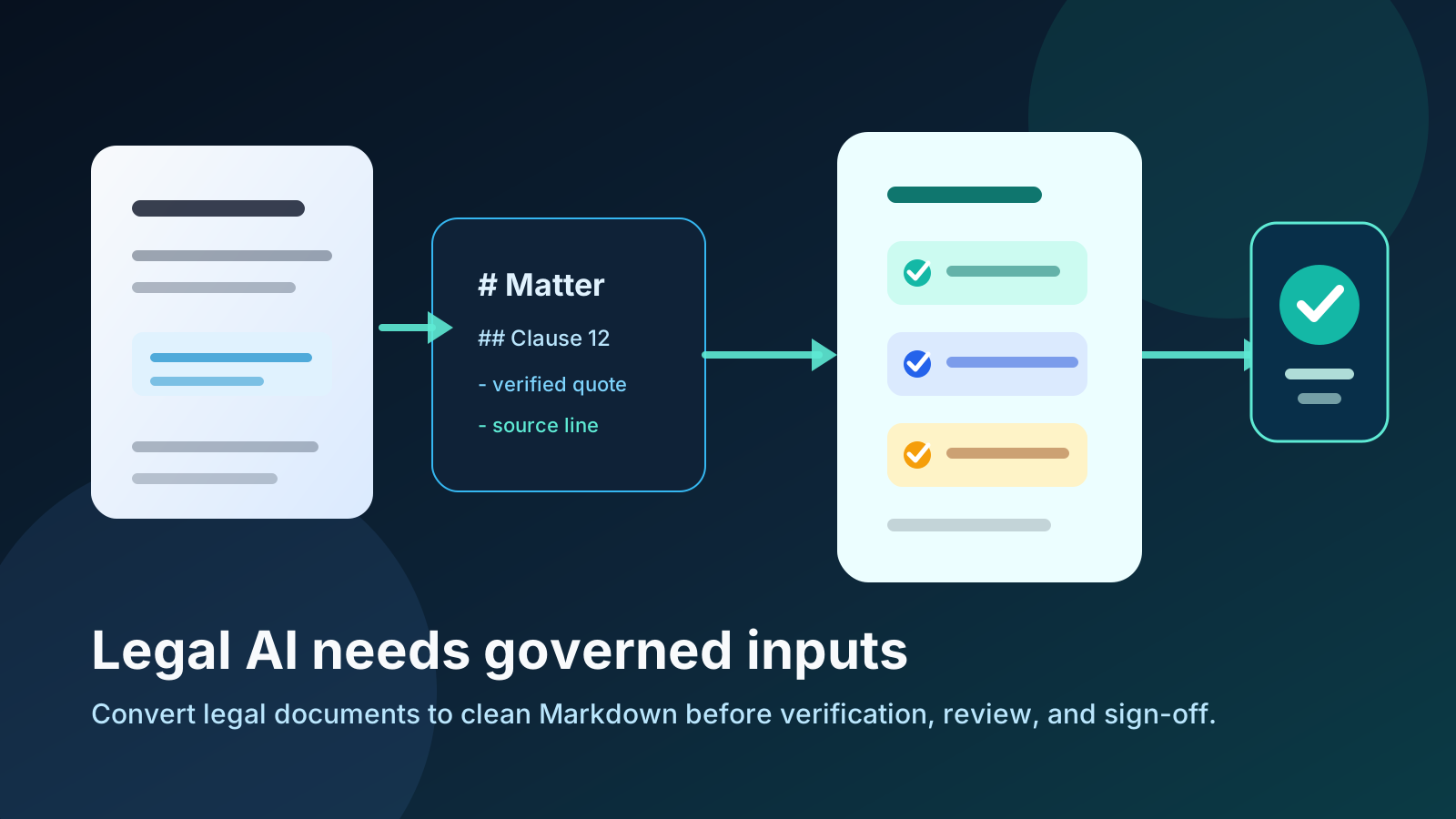
Preparing legal files for AI review?
Convert PDFs, Word documents, scans, and spreadsheets into clean Markdown before they enter a legal AI workflow.
Law firms do not have a prompting problem first. They have a document preparation problem first.
The contract is a PDF. The exhibit is scanned. The policy is a Word document with nested headings, footnotes, tracked changes, and tables. The bundle contains duplicates, handwritten notes, emails, annexes, and documents from different jurisdictions. Then someone asks an AI system to summarize the risks, find the governing law clause, or draft a memo with authorities.
That workflow can look impressive in a demo. In practice, the quality of the answer depends on whether the AI can actually read the source material, preserve its structure, and trace every claim back to the right place.
This is why governed legal AI systems are moving beyond generic chat. A platform like LegalAI Space frames the problem around verification and governance: conflict, jurisdiction, and PII checks before the work starts; citations re-fetched against primary sources; outputs held as drafts for qualified lawyers; and signed records that can be shown to a client, COLP, SRA inspector, or regulator.
That governance layer matters. But there is an upstream step that many firms underestimate: getting source documents into a clean, structured format before they enter review, retrieval, drafting, or citation workflows.
For many legal teams, that format should be Markdown.
Governed legal AI starts before the model answers
The amateur version of legal AI is simple:
- Upload a file.
- Ask a broad question.
- Copy the answer.
- Hope the citations are real.
The professional version is more disciplined:
- Identify the matter, jurisdiction, and permitted scope.
- Remove or control personal data where needed.
- Convert the source material into a structure the system can parse.
- Preserve headings, clauses, tables, footnotes, page references, and document boundaries.
- Retrieve the relevant sections rather than the whole file.
- Generate a draft answer.
- Verify citations and source quotes.
- Require lawyer review before anything leaves the firm.
- Keep a signed audit trail of what happened.
The model is only one part of that chain. The document format is another.
If the input is messy, the downstream system has to guess. It has to infer heading hierarchy from visual styling, reconstruct tables from coordinates, decide whether a page header is real content, and separate clause text from footers, watermarks, or scan artifacts. Every one of those guesses can become a bad retrieval result, a missed risk, or a citation that looks plausible but does not support the point.
Clean Markdown reduces those guesses. It gives the workflow plain-text content with explicit structure:
- Headings for section hierarchy.
- Numbered clauses that stay searchable.
- Tables that can be reviewed without visual layout noise.
- Quotes and block references that can be preserved.
- Lists that stay lists instead of becoming broken paragraphs.
- Footnotes and references that can be carried into review.
Markdown is not magic. It does not make an AI system legally reliable by itself. But it gives governed legal AI a cleaner substrate to work on.
Why PDFs, scans, and Word files create legal AI risk
Legal documents are rarely simple text files. That is the core problem.
PDFs are often designed for human reading, not machine reasoning. A two-column judgment, a scanned exhibit, or a contract with page furniture can look perfect on screen while being difficult for an AI system to parse. Text extraction may pull lines out of order. Tables may flatten into nonsense. Headers and footers may repeat on every page. Footnotes may detach from the passage they qualify.
Word documents create a different problem. They often contain hidden complexity: tracked changes, comments, styles, embedded objects, tables, cross-references, and formatting that communicates legal meaning to a lawyer but disappears when copied into a chat box.
Scans and image-heavy PDFs add another layer. OCR may misread names, dates, section numbers, currency values, or statutory references. In legal work, a single digit can matter.
The practical rule is this: if the document structure matters to a lawyer, it matters to the AI workflow.
That includes clause hierarchy, definitions, cross-references, case citations, statutory sections, page references, paragraph references, tables of obligations, annexes, schedules, redlines, and emails in chronology work.
When those structures collapse, the AI may still produce fluent prose. That is the danger. The answer can sound confident while being weakly grounded in the source.
What clean Markdown changes
Markdown is useful in legal AI workflows because it sits between messy source files and downstream systems that need structured text.
It is easier for humans to inspect than raw JSON. It is easier for AI systems to parse than visually formatted PDFs. It is easier to version, chunk, diff, and cite than a copied wall of text.
For law firms, clean Markdown helps in five practical ways.
1. It preserves hierarchy
Legal documents are full of hierarchy: agreement, clause, sub-clause, schedule, annex, exhibit, and footnote.
If a system cannot distinguish a heading from a paragraph, it may retrieve the wrong context. Markdown makes hierarchy explicit. A clause under a termination heading can stay connected to that heading when it moves into search, review, or retrieval.
2. It makes chunking safer
Most AI and RAG workflows do not feed an entire matter bundle into a model at once. They split documents into chunks.
Bad chunking cuts through clauses, separates definitions from the provision that uses them, or splits a table across unrelated fragments. Clean Markdown gives the pipeline better boundaries. It can split by heading, clause, table, or section instead of arbitrary character counts.
3. It keeps review human-readable
Legal teams need to inspect the intermediate material. If a partner asks what exactly the system read, the answer should not be an opaque embedding record.
Markdown can be opened, searched, reviewed, copied into a memo, committed to a repository, or attached to a matter record. It is machine-friendly without becoming unreadable to lawyers.
4. It improves citation and quote checking
Citation verification depends on traceability. If an answer says a contract contains a liability cap, the reviewer needs to find the exact clause. If a research memo cites a case, the workflow needs to verify that authority against a primary source.
Clean Markdown does not replace citation verification, but it helps the system maintain clean references between extracted content and generated output.
5. It creates a reusable matter asset
Once a legal document is converted into clean Markdown, it can be used beyond one chat session: contract review grids, litigation chronologies, due diligence summaries, knowledge management, client alerts, regulatory horizon scanning, internal playbooks, and AI retrieval pipelines.
The conversion step becomes part of the firm knowledge infrastructure, not a one-off upload.
The six-step workflow for AI-ready legal documents
Here is a practical workflow law firms can use before sending documents into a legal AI, RAG, or review system.
Step 1: Separate source types before conversion
Do not treat every file the same way.
A born-digital PDF, scanned PDF, DOCX agreement, spreadsheet, and email export need different handling. The goal is not just to extract text. The goal is to preserve legal meaning.
Use this quick routing rule:
- Born-digital PDFs: inspect reading order, headers, footers, and tables after conversion.
- Scanned PDFs: use OCR or vision-based extraction, then spot-check names, dates, figures, and citations.
- DOCX contracts: preserve headings, lists, tables, comments, and meaningful redline context.
- Spreadsheets: convert key sheets into Markdown tables with sheet names and notes.
- Images: extract text with visual context and mark uncertain fields.
- Case bundles: split by document, then convert and label each item.
This avoids one of the most common mistakes: running a generic extractor over every file and assuming the output is equally reliable.
Step 2: Convert to structured Markdown
The conversion output should be readable enough that a lawyer can scan it.
Good legal Markdown keeps document title, source filename, page or paragraph markers, headings, numbered clauses, tables, footnotes, exhibit labels, definitions, quotes, and obvious OCR uncertainty.
Bad legal Markdown looks like a pile of disconnected paragraphs. If the reviewer cannot tell where a clause starts or which schedule a table came from, the downstream AI workflow will struggle too.
Step 3: Clean repeated noise
Legal source files often include repeated page headers, footers, confidentiality labels, page numbers, and watermarks. Some of that metadata matters. Much of it does not.
Remove repeated noise that pollutes retrieval: page headers repeated as if they were content, footer disclaimers repeated dozens of times, navigation text from web exports, broken hyphenation from PDF extraction, empty table rows, and OCR artifacts.
Keep metadata that matters: source filename, document date, parties, version number, jurisdiction, page references, paragraph references, exhibit labels, and schedule labels.
The professional move is not to strip everything. It is to preserve metadata that supports traceability and remove noise that confuses search.
Step 4: Add matter-aware labels
Markdown becomes more powerful when each document is labeled before ingestion.
Useful labels include matter name, document type, source file, jurisdiction, document date, confidentiality level, client, counterparty, and review status. These labels help retrieval systems answer with context and help reviewers understand where each answer came from.
Step 5: Chunk by legal meaning, not random length
For AI retrieval, chunk boundaries matter.
Avoid splitting at arbitrary character counts when legal meaning crosses the boundary. Better chunking units include one clause plus its sub-clauses, one schedule section, one table plus surrounding explanation, one email in a chronology, one case summary, one policy requirement, or one statutory provision.
If a chunk is too large, split by subheading. If it is too small, attach the parent heading and definitions needed to interpret it.
Step 6: Verify outputs against sources
Document preparation does not remove the need for legal verification.
Any serious legal AI workflow should still check:
- Did the answer quote the source accurately?
- Does the cited clause say what the answer claims?
- Does the case exist?
- Is the statute current?
- Does the answer mix jurisdictions?
- Did personal data move where it should not?
- Did a qualified lawyer review the draft before it was used?
This is where governed legal AI platforms become important. The point of clean Markdown is to make those checks easier and more reliable, not to bypass them.
Example: from PDF bundle to governed legal AI review
Imagine a small law firm reviewing a set of supplier agreements for a technology client.
The client sends 34 supplier contracts as PDFs, 12 Word documents with negotiated changes, a spreadsheet of vendors, three scanned side letters, and a policy document on procurement risk.
The question is simple: which agreements have uncapped liability, non-standard termination rights, or data protection obligations that conflict with the client playbook?
The risky workflow is to upload everything to a generic AI tool and ask for a summary.
The governed workflow is different.
First, each source file is converted into clean Markdown. The contracts keep their clause numbering. The Word documents preserve headings and tables. The scanned side letters are extracted with OCR or vision and marked for review where confidence is low. The vendor spreadsheet becomes a Markdown table with sheet names and column headings.
Second, the converted documents are labeled by source file, document type, counterparty, jurisdiction, and date.
Third, the review questions are run against the document set: governing law, liability cap, exclusions from liability, change of control, termination for convenience, data processing terms, audit rights, and assignment restrictions.
Fourth, each answer must carry a source quote. If the system says liability is uncapped, it needs to show the clause. If the clause is silent, the result should say that it was not found rather than inventing an answer.
Fifth, a lawyer reviews the outputs and signs off before the work becomes client advice.
That workflow is slower than copy-pasting into a chat box. It is also much closer to how legal work should be handled.
Where Markdown Converters fits
Markdown Converters belongs at the front of this workflow.
If your matter materials start as PDFs, Word documents, scanned pages, spreadsheets, slide decks, HTML exports, or images, the first job is to turn them into clean, reviewable Markdown. After that, the content can move into a legal AI platform, RAG system, review grid, knowledge base, or drafting workflow.
Use Markdown Converters when you need to:
- Convert PDFs into Markdown for AI review.
- Convert DOCX agreements into structured Markdown.
- Convert scanned or image-heavy documents with AI Vision.
- Convert spreadsheets into Markdown tables.
- Prepare legal documents for ChatGPT, Claude, Gemini, NotebookLM, or a governed legal AI system.
- Create reusable Markdown files for internal knowledge management.
The best workflow is not AI instead of lawyers. It is cleaner source documents, better retrieval, verified citations, and lawyer-controlled outputs.
Markdown conversion handles the source-preparation layer. Governed legal AI handles the review, drafting, verification, and auditability layer. Lawyers still make the legal judgment.
FAQ
Is Markdown acceptable for legal documents?
Markdown is not a replacement for the official document. The PDF, DOCX, executed agreement, filed pleading, or source authority remains the legal source of truth. Markdown is a working format for extraction, review, AI retrieval, knowledge management, and drafting support.
Should law firms convert every document to Markdown?
No. Convert documents when structure, searchability, review, reuse, or AI ingestion matters. A one-page letter that only needs to be read once may not need conversion. A contract set, case bundle, policy library, or regulatory archive usually benefits from a structured intermediate format.
Can Markdown prevent hallucinations?
No file format can prevent hallucinations by itself. Clean Markdown can reduce parsing errors and improve retrieval quality, but legal AI outputs still need citation verification, source checking, and lawyer review.
What is the difference between OCR and Markdown conversion?
OCR turns images of text into machine-readable text. Markdown conversion should go further by preserving headings, lists, tables, clauses, document boundaries, and other structures. For legal AI, OCR is often only the first step.
How does this help with citation verification?
Citation verification checks whether a cited authority exists and supports the claim. Clean Markdown helps by keeping source material structured and traceable, so generated answers can be tied back to the passage, clause, table, or authority that supports them.
Final takeaway
Legal AI workflows should not begin with a vague prompt over messy files.
They should begin with source control: clean document conversion, matter labels, preserved structure, careful chunking, verification, and lawyer sign-off.
If a firm wants governed legal AI, it needs governed inputs too. Clean Markdown is one of the simplest ways to make legal documents easier to inspect, retrieve, cite, and reuse before they enter a higher-stakes AI workflow.