
Batch PDF Conversion: A Practical Guide for 2026
Learn practical batch PDF conversion workflows, from simple UI uploads to automated API processing. Convert scanned PDFs with OCR and create AI-ready Markdown.
You probably have the same problem most document teams hit sooner or later. A shared folder keeps filling up with annual reports, contracts, scanned correspondence, slide decks exported to PDF, and image-based records from older systems. Someone says, “Can we load all of this into our RAG pipeline?” and the answer is technically yes, but only if the PDFs stop behaving like opaque containers.
That's where batch PDF conversion stops being a convenience feature and becomes an ingestion discipline. Converting a pile of PDFs one by one into Word files might help a person read them. It doesn't help much when your real target is structured Markdown that an LLM can retrieve, chunk, and reason over without wasting tokens on layout noise.
Why Batch PDF Conversion Is More Than Just a Timesaver
Batch PDF conversion becomes a concern when the volume gets annoying. The bigger issue appears later. If those files feed search, legal review, knowledge retrieval, or model training, a bad conversion step pollutes every system after it.
The market signal is clear. The global file conversion software market is projected to grow from $0.35 billion in 2026 to $0.95 billion by 2035, driven by the need to automate heterogeneous document processing, according to Business Research Insights on file conversion software. That's not just about office productivity. It reflects a shift toward document pipelines that can handle mixed formats at operational scale.
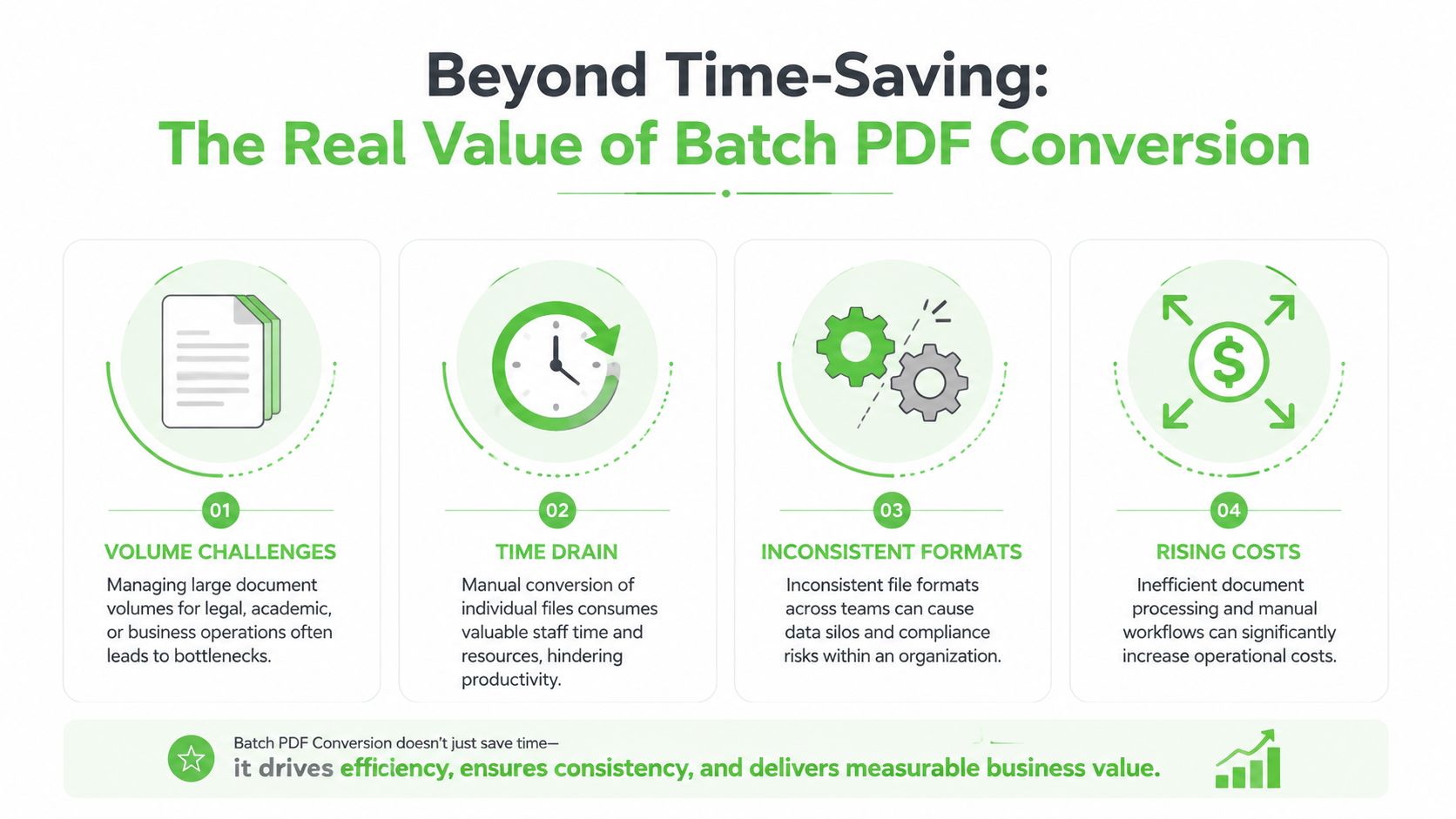
The real bottleneck is downstream
A PDF can look fine to a person and still be poor input for an LLM. Common failure modes show up fast:
- Broken structure: Section headings turn into plain paragraphs, so retrieval loses obvious anchors.
- Flattened tables: Financial or scientific tables arrive as scrambled text blocks.
- List corruption: Bullets and numbering disappear, which weakens procedural content.
- Layout noise: Headers, footers, page numbers, and repeated sidebars become junk text.
That's why I treat conversion as part of data modeling, not just file handling. The output format determines how well you can chunk documents, attach metadata, and trace answers back to source sections.
Practical rule: If the target system is an LLM, optimize for machine readability first and human readability second.
Markdown changes the economics
Most converter guides still aim at DOCX, HTML, or searchable PDF. Those outputs are useful for editing and review, but they aren't ideal for retrieval pipelines. Structured Markdown is usually the better target because it preserves headings, lists, and tables in a lightweight format that chunkers and parsers can handle predictably.
That matters for cost as well as quality. Raw PDF uploads can consume up to 70% more tokens than structured Markdown, as noted in Adobe's discussion of batch conversion needs and LLM-optimized outputs. If you ingest large document collections, that token gap affects prompt design, context window pressure, and operating cost.
A basic converter answers, “Can I turn these files into another format?” A good ingestion workflow answers something harder: “Can I turn these files into clean, stable, structured text that retrieval can trust?”
Choosing Your Batch Conversion Workflow
The right batch PDF conversion setup depends less on file count than on file condition and process maturity. A folder of clean digital PDFs needs one workflow. A records archive full of scans needs another. A production ingestion system should rarely depend on manual clicking.
Three workable paths
Here's the decision table I use.
| Method | Best For | Technical Skill | Key Advantage |
|---|---|---|---|
| Web UI | One-off or recurring bulk jobs handled by analysts, legal ops, or researchers | Low | Fast setup and easy review before download |
| AI Vision OCR | Scanned, photographed, or degraded PDFs | Medium | Extracts text from image-based documents and preserves more usable structure |
| API or CLI | Automated ingestion, ETL jobs, internal tools, RAG loaders | High | Repeatable, scriptable processing with consistent settings |
Each path has trade-offs.
A Web UI is the shortest path from folder to output. It's good when someone needs results today and doesn't want to build anything. The weakness is operational discipline. Manual runs are easy to vary by accident, especially when teams change options between batches.
OCR-first workflows are mandatory when the PDF is really just a wrapper around images. If text can't be selected, standard conversion won't recover much. This path is slower and more resource-intensive, but it's often the only route to usable text.
API-driven conversion is the right answer once conversion becomes part of a pipeline instead of a one-time task. You get stronger control over naming, metadata, retries, output normalization, and auditability.
How to choose without overengineering
A few questions settle the choice quickly:
- Can you highlight text in the source PDF? If not, treat it as an OCR problem.
- Is this a one-off library or a recurring feed? Recurring feeds deserve automation early.
- Does output consistency matter more than convenience? For RAG, the answer is usually yes.
- Who owns the runbook? If non-technical teams need to operate it, a UI may be the safer front end.
Don't pick the most powerful workflow by default. Pick the one your team can run consistently without creating undocumented variation.
If you're still comparing patterns for mixed-format document jobs, this guide on bulk file conversion workflows is a useful companion because it frames the broader decision beyond PDFs alone.
The Drag-and-Drop Method for Quick Bulk Conversions
Some jobs don't need orchestration. They need a clean batch run, a short review pass, and a folder of structured output. That's where a drag-and-drop interface earns its keep.
What this method is good at
This approach works best when you have a bounded collection of files and you want speed without writing code. Think board packets, exported research papers, policy binders, due diligence folders, or meeting archives.
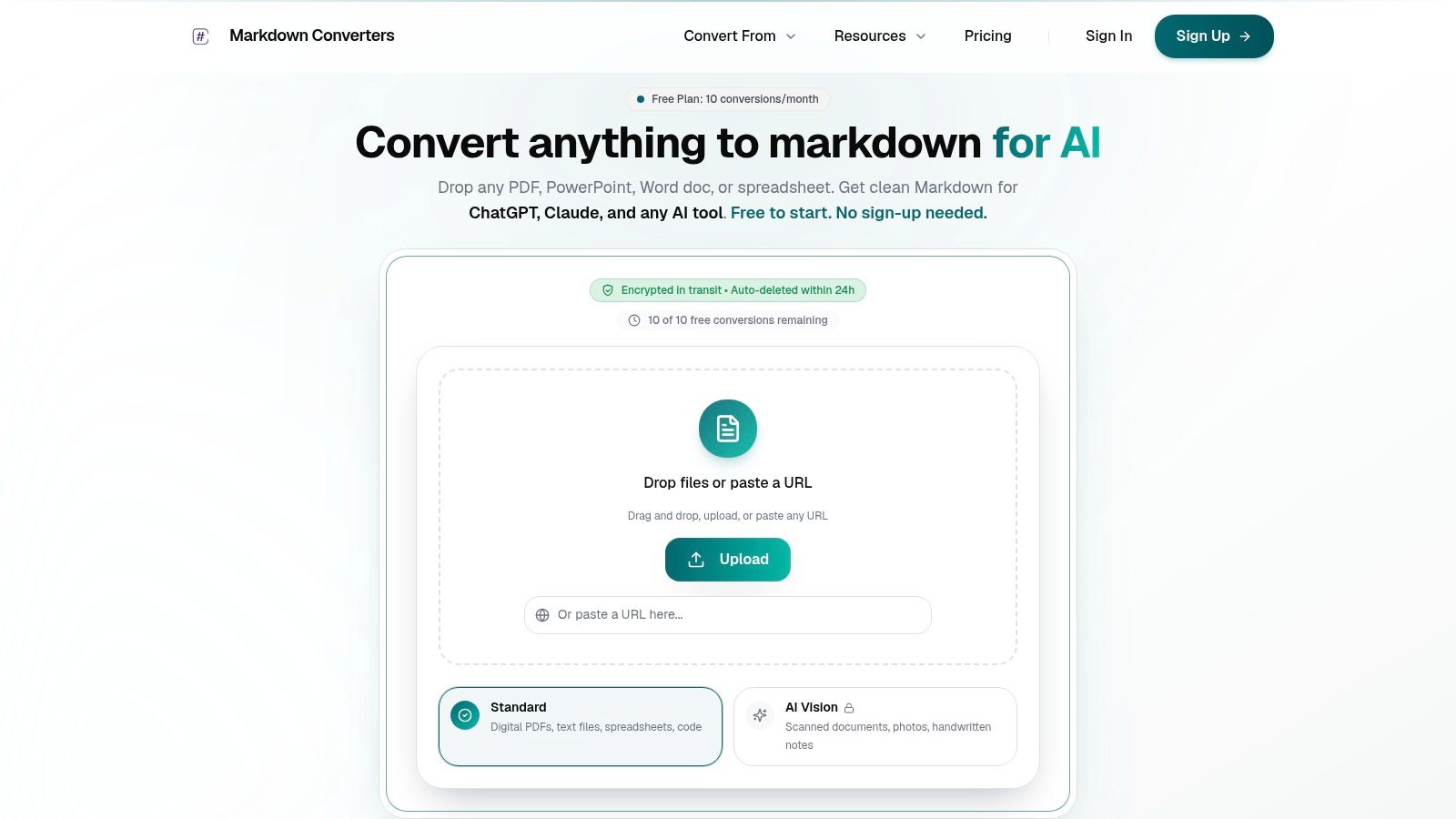
The appeal is simple. You can upload a folder, choose Markdown as the target, run the job, and inspect results immediately. For many teams, that's enough to prove whether the source material is suitable for downstream retrieval.
A UI also gives you something command-line tools often don't: visible feedback. You can catch bad files, weird rotations, and obviously broken pages before they flow into an index.
A practical flow that works
For quick bulk conversion, keep the process boring and repeatable:
- Group similar PDFs together. Annual reports with annual reports. Research articles with research articles. Mixing radically different layouts in one ad hoc batch makes review harder.
- Choose Markdown, not just searchable PDF. Searchability helps humans. Markdown helps retrieval systems.
- Keep file naming stable. Use names that survive export and map cleanly to source records.
- Review a sample immediately. Open several outputs and inspect headings, lists, and tables before you download the entire set.
What usually fails in UI-based jobs isn't conversion itself. It's operator inconsistency. One person leaves footers in. Another changes output mode. A third uploads scanned PDFs without enabling OCR. You end up with a corpus that looks uniform at the file level and chaotic at the text level.
If the files are destined for AI, spot-check structure, not just readability. A page that “looks okay” can still chunk badly.
This video gives a useful visual sense of what a modern browser-based workflow looks like when you need to process many files without local setup:
The drag-and-drop method starts to break down when jobs become frequent, sensitive, or tightly integrated with internal systems. At that point, manual throughput isn't the primary problem. Variance is.
Processing Scanned Archives with AI Vision OCR
Scanned archives are where naive batch PDF conversion goes to fail. The file extension says PDF, but the content behaves like a photo album. Standard extraction tools can't recover text that isn't encoded as text.
Why normal conversion fails on scans
An image-based PDF has none of the structural cues a parser wants. There may be no embedded text layer, no semantic heading markers, and no table boundaries. If the scan is skewed, low contrast, or copied multiple times, errors compound quickly.
That's why OCR isn't a nice add-on for scanned collections. It's the core engine. According to Market Intelo's OCR market analysis, advanced AI-based OCR systems now achieve up to 95% accuracy on diverse document types, including handwritten notes and degraded scans, and OCR-enabled converters are growing at a CAGR of 8.7%. For ingestion teams, the key point isn't the market metric. It's that previously unusable archives can now become workable input for RAG.
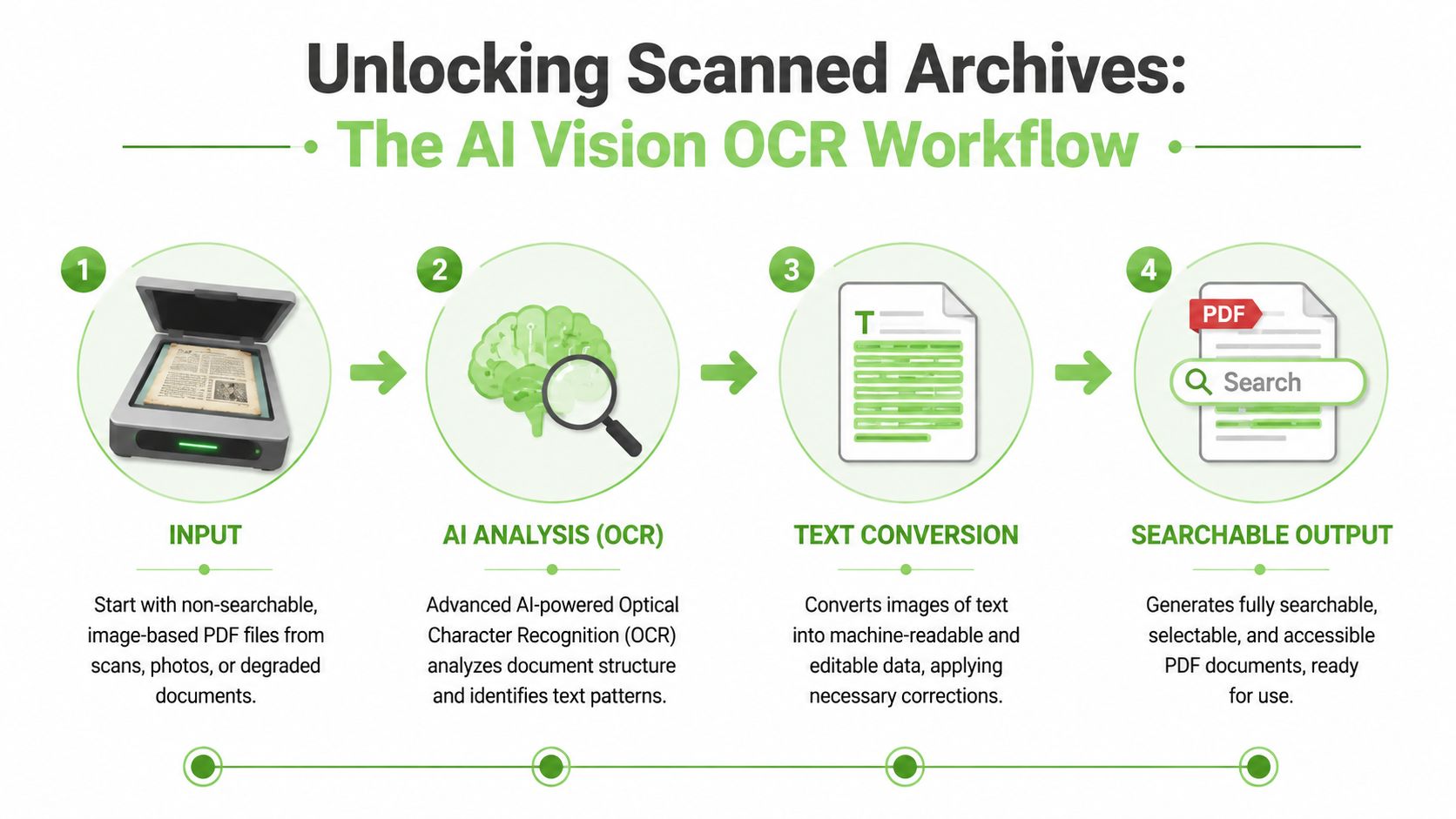
A lot of teams still underestimate what “usable” means here. OCR that only produces a blob of text is better than nothing, but it still leaves heavy cleanup work. Good AI vision extraction should identify layout roles, preserve heading hierarchy where possible, separate lists, and keep tables from dissolving into line noise.
What a good OCR pass should preserve
For scanned collections, I look for four things in the output:
- Document hierarchy: Can you tell where sections begin and end?
- Table survival: Do rows and columns remain intelligible enough for retrieval or parsing?
- Reading order: Multi-column pages often break this.
- Noise restraint: Stamps, handwritten marks, and margin artifacts shouldn't overwhelm the text.
That's also why broader thinking about automating document workflows with AI matters. OCR is only the first step. True value comes when extracted text can move cleanly into search, classification, redaction, and retrieval workflows without manual repair between steps.
For scanned-PDF-specific operational guidance, this walkthrough on converting scanned PDFs with AI vision is useful because it stays focused on the messy edge cases digital-native PDF guides usually skip.
Scans demand a different success criterion. The question isn't “Did we extract text?” It's “Did we extract reliable structure?”
If the answer is no, your RAG system will still ingest the files. It just won't retrieve from them well.
Automating Conversion at Scale with a REST API
Once batch PDF conversion becomes part of a production system, manual workflows turn into operational debt. You need deterministic settings, structured responses, and a way to process new documents without waiting for someone to open a browser tab.
Why API pipelines win in production
An API-based workflow makes conversion a normal pipeline stage. New PDFs land in object storage, a job runner picks them up, conversion runs with fixed parameters, and the outputs move straight into chunking, indexing, and provenance tracking.
The biggest operational gain is consistency. Benchmark data from Mapsoft's PDF conversion best practices shows that template-based configurations reduce manual error rates by up to 85% and support the uniform output structure that LLM parsing and retrieval need. That matches what most engineers see in practice. Stable templates beat human memory every time.
A simple batch automation pattern
A practical API flow usually looks like this:
- Watch an input location. This might be a folder drop, queue, or storage bucket.
- Classify the source. Decide whether the file is digital-native or likely OCR-bound.
- Send the file with a fixed template. Don't build settings ad hoc for each document.
- Validate the response. Confirm that conversion completed and output is non-empty.
- Store Markdown and metadata together. Keep source identifiers, timestamps, and document class attached.
- Pass the result into chunking and indexing.
Here's a conceptual Python example:
from pathlib import Path
import requests

API_KEY = "YOUR_API_KEY"
BATCH_ENDPOINT = "YOUR_BATCH_ENDPOINT"

input_dir = Path("./incoming_pdfs")
output_dir = Path("./markdown_output")
output_dir.mkdir(exist_ok=True)

headers = {
    "Authorization": f"Bearer {API_KEY}"
}

for pdf_file in input_dir.glob("*.pdf"):
    with open(pdf_file, "rb") as f:
        files = {"file": (pdf_file.name, f, "application/pdf")}
        data = {
            "output_format": "markdown",
            "template": "rag-default"
        }
        response = requests.post(BATCH_ENDPOINT, headers=headers, files=files, data=data)
        response.raise_for_status()

        markdown_text = response.json()["markdown"]
        out_file = output_dir / f"{pdf_file.stem}.md"
        out_file.write_text(markdown_text, encoding="utf-8")
The exact payload will vary by service, but the pattern is stable. Submit with known settings. Capture structured output. Fail loudly when the response is incomplete.
For teams implementing this in real systems, the batch API endpoint documentation is the kind of reference you want at hand because it shortens the gap between proof of concept and a repeatable ingestion job.
What to standardize in templates
Templates should define more than output format. The strongest ones lock down the variables that usually drift:
- DPI expectations: Especially important when OCR is in play.
- Compression choices: Useful when source files contain heavy images.
- Metadata handling: Decide what stays and what gets stripped.
- Output naming conventions: Preserve source traceability.
- OCR mode selection: Don't leave this to a manual toggle in recurring jobs.
If your pipeline also renders internal HTML reports or knowledge pages into portable artifacts, it's worth looking at solutions for HTML to PDF as a complementary pattern. Many production document stacks need both directions: PDF to Markdown for ingestion, and HTML to PDF for downstream distribution.
Key checkpoint: The best API workflow isn't the one with the most options. It's the one that produces the same clean shape every time.
That's what makes indexing predictable and debugging manageable.
Troubleshooting Performance and Security
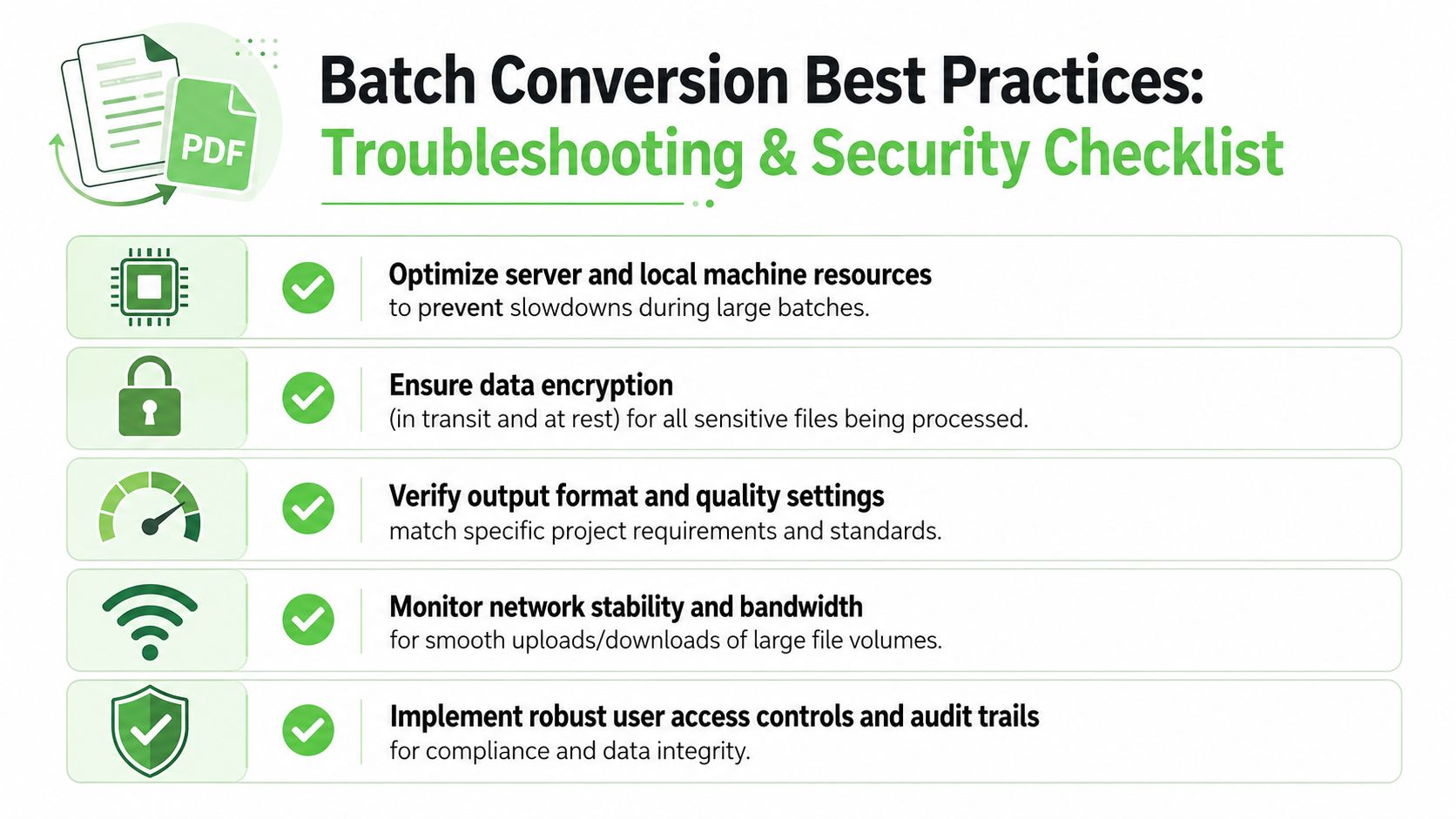
A batch job can succeed technically and still fail operationally. The common problems aren't mysterious. They usually come from oversized OCR runs, inconsistent source quality, or sloppy output hygiene.
Where batch jobs usually break
OCR-heavy conversion is the first place to look when performance gets erratic. For OCR batches, experts recommend processing in controlled batches of 10–20 pages rather than trying to run full-document OCR all at once, according to FileConvertLab's batch PDF conversion guidance. The same guidance recommends standardizing inputs to a consistent DPI such as 300 DPI before processing to reduce uneven text rendering and token noise.
That advice matters because OCR is slower and more resource-intensive than native text extraction. When teams ignore that, they get CPU saturation, stalled workers, and output that varies with machine load.
A simple troubleshooting checklist helps:
- Batch size first: Split long scanned files into smaller OCR runs when throughput collapses.
- Source normalization next: Standardize scan quality before blaming the converter.
- Validation always: Review a sample of outputs for searchability and text integrity.
- Separate pipelines: Don't mix clean digital PDFs and poor scans in one undifferentiated job queue.
Security and output hygiene
Security concerns are legitimate, especially for legal and clinical records. The first questions should be practical ones. Is data encrypted in transit? How long are uploaded files retained? Who can access outputs? Can you audit what was processed and by whom?
Output hygiene matters just as much for AI systems. Metadata leakage, bloated font payloads, and noisy page furniture all make documents harder to govern and more expensive to ingest. The cleanest pipelines strip what isn't useful, preserve what supports traceability, and keep the final Markdown compact and structured.
One more operational habit pays off consistently:
Treat converted files as data assets, not temporary exports. Version the templates, log the runs, and keep provenance attached to the output.
That's how you avoid the quiet failure mode where retrieval quality degrades over time and nobody can tell whether the cause was source quality, OCR settings, or a changed conversion profile.
If you need a practical way to turn PDFs, scans, and mixed document sets into AI-ready Markdown, Markdown Converters is built for exactly that workflow. It supports drag-and-drop batch jobs, OCR for difficult scans, and an API for production pipelines, while keeping the output focused on clean structure that works well in RAG and other LLM systems.
Related Articles
OCR Scanned Documents: A Guide to LLM-Ready Markdown
Learn the complete workflow to OCR scanned documents into clean, structured Markdown. A practical guide for RAG pipelines, token savings, and quality control.
Read articleAngular Markdown Editor: A Guide to AI-Ready Integration
Learn how to integrate an Angular Markdown editor into your app. This step-by-step guide covers setup, autosave, and preparing content for LLM workflows.
Read articleHow to Improve OCR Accuracy: A Practical Guide for 2026
Struggling with messy OCR output? Learn how to improve OCR accuracy with actionable steps for scanning, preprocessing, post-processing, and LLM integration.
Read article