
Bulk File Conversion: From Chaos to AI-Ready Data
Learn how to manage bulk file conversion at scale. Our guide covers planning, tooling, APIs, OCR, and automation for creating clean, AI-ready data.
You usually find out you have a bulk file conversion problem after the first naive attempt fails.
A team drops a shared folder on your desk. Inside: scanned contracts, DOCX policy manuals, exported HTML pages, slide decks, image-based PDFs, and a few mystery files nobody wants to claim. Someone says they need it all “loaded into the RAG system” by next week. Another person assumes conversion means saving everything as PDF. That's where projects drift off course.
For AI work, bulk file conversion isn't just format shifting. It's a normalization step for retrieval, chunking, grounding, and token control. If headings disappear, tables flatten into gibberish, or OCR returns a wall of text, the downstream system suffers even if every file technically “converted.”
The market is moving in that direction too. The global file conversion software market was valued at approximately USD 1.6 billion in 2024 and is projected to reach USD 3.6 billion by 2033, reflecting enterprise demand for tools that standardize mixed file types for AI and retrieval workflows, according to DataHorizzon Research's file conversion software market analysis.
Strategizing Your Conversion Pipeline
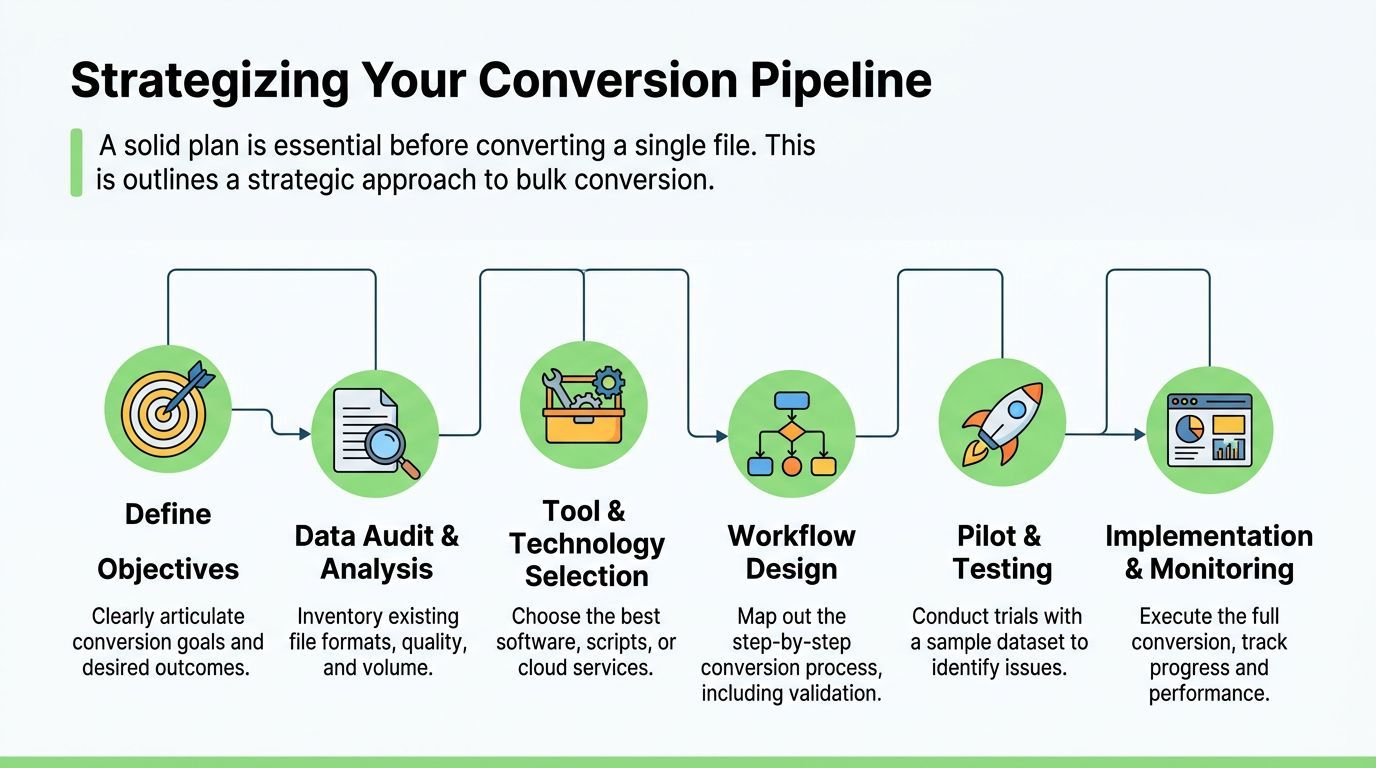
Treat bulk file conversion like a data pipeline project, not an office task. If the destination is an LLM, the output has to preserve enough structure for chunking and retrieval to work. Teams that skip planning usually end up reconverting the same corpus twice, first for “access,” then again for actual AI use.
Start with the retrieval job
The first decision is the job you want the converted files to do. A corpus meant for long-term archival has different requirements than a corpus meant for RAG or model tuning.
Ask a few hard questions up front:
- What will consume the output: a vector database, a fine-tuning workflow, analysts in a notebook, or all three?
- What structure matters most: headings, footnotes, tables, lists, captions, or source metadata?
- What can be dropped: visual flourishes, exact pagination, decorative headers, repeated navigation, and boilerplate.
- What must survive intact: section hierarchy, table cells, legal clause numbering, citations, and provenance.
Practical rule: If your target system chunks by headings, your conversion pipeline has to preserve headings first and prettiness second.
Audit the corpus before touching tools
Don't buy software or write scripts before you inspect the mess. In most migrations, the file list tells you more than stakeholder interviews do.
I'd inventory files into practical buckets:
| File group | Common issue | What to check first |
|---|---|---|
| Digitally native PDFs | Broken reading order | Heading extraction, tables, footnotes |
| Scanned PDFs | No text layer | OCR need, skew, contrast, handwritten marks |
| DOCX and PPTX | Style inconsistency | Heading styles, speaker notes, embedded images |
| HTML exports | Navigation noise | Main content extraction, duplicate menus |
| Images | Partial pages | Orientation, crop quality, multi-page grouping |
A useful audit includes filename patterns, language mix, duplicate documents, encrypted files, and whether source systems embed metadata you'll need later. This is also the point where you decide whether one pipeline can handle everything or whether scans need a separate lane.
Manual batch conversion often breaks on edge cases that nobody noticed during planning. If you want a good checklist for repeatable automation work, this guide on how to automate document conversion is the right kind of operational framing.
Define the target Markdown shape
For AI consumption, the output format should be boring in a good way. Consistent Markdown beats visually faithful but unstable output every time.
A solid target schema usually includes:
- Predictable heading levels so chunks split cleanly.
- Tables preserved as tables when structure matters.
- Lists kept as lists instead of flattened sentences.
- Source markers such as filename or page hints when provenance matters.
- Minimal wrapper noise so embeddings focus on content.
The strategic gap in the market is exactly here. Advice about batch conversion still tends to focus on PDF compliance instead of semantic preservation for AI systems. A cited industry angle notes that the gap between batch conversion to PDF and batch conversion to LLM-ready structured Markdown is rarely addressed, even though 70% of enterprises now use RAG systems, and maintaining headings, tables, and lists is a prerequisite for stable vector anchors, according to Nerdbot's discussion of batch conversion for business use.
Choosing Your Bulk Conversion Toolkit
Tool choice decides where your pain shows up. You either accept limitations in format coverage and output quality, or you absorb complexity in code and maintenance. There isn't a universal winner. There is only a better fit for your file mix and operating model.
Where desktop tools work
Desktop converters and lightweight web tools are fine for tactical jobs. If an operations team needs to turn a folder of DOCX files into PDFs for distribution, a GUI can be enough.
They start to struggle when your requirements look like this:
- Mixed formats in one run: PDFs, HTML, images, slides, and email files.
- LLM-ready output: not just “readable text,” but structured Markdown.
- Repeatability: same settings, same output rules, same logs.
- Integration: handoff into ETL jobs, vector ingestion, or internal apps.
The main failure mode is false confidence. A desktop app may complete every file without surfacing the fact that nested lists collapsed, tables became line noise, and scanned pages lost section boundaries.
When custom scripts make sense
Open-source libraries are attractive because they give you control. You can combine pypandoc, pdfplumber, python-docx, BeautifulSoup, OCR tools, and your own post-processing. For some teams, that's the right move.
It's also easy to underestimate the maintenance load.
A custom stack often means you own all of this:
- parser quirks across file types
- OCR orchestration
- temporary file handling
- retries and rate limiting
- logging and audit trails
- library upgrades that change output shape
Build custom when the document domain is narrow and the rules are unique. Don't build custom just because the first demo script worked on three files.
Why API first systems fit AI pipelines better
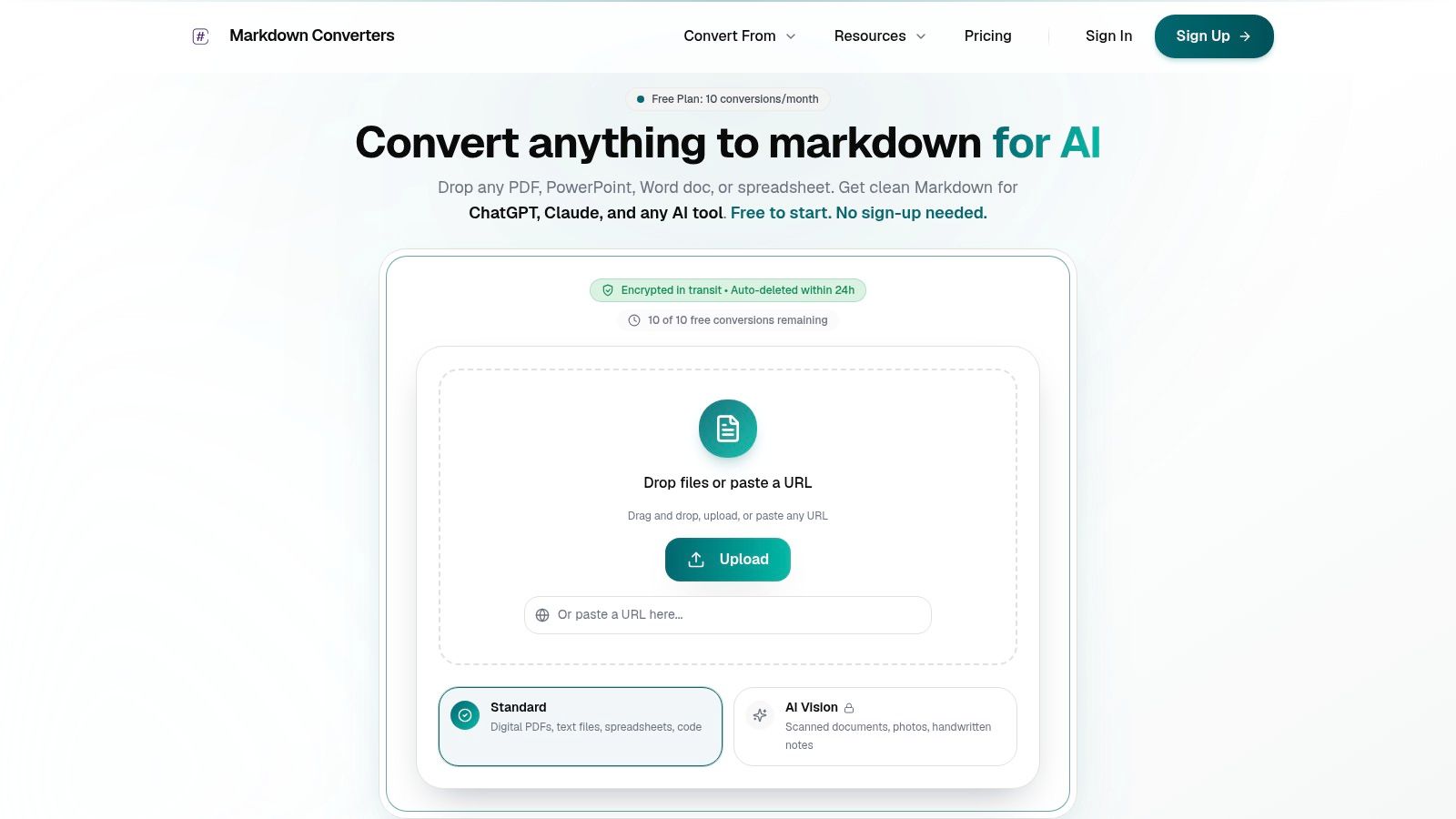
API-first conversion systems fit modern ingestion pipelines better because they move conversion into the same operating model as the rest of your stack. You can trigger jobs from a queue, save normalized output to object storage, enrich metadata, and feed embeddings without a human opening a window.
That's the core difference for AI projects. The target isn't “convert successfully.” The target is “convert consistently enough that retrieval quality doesn't drift across file types.”
A quick decision frame helps:
| Approach | Best for | Weak spot |
|---|---|---|
| Desktop or browser tool | Small ad hoc jobs | Hard to automate and validate |
| Custom script stack | Specialized domains | Ongoing maintenance burden |
| API-first platform | Repeatable production workflows | Vendor dependency and integration design |
If your team is already operating around queues, CI jobs, or scheduled ingestion, API-first usually wins because it collapses fewer assumptions. It can also support adjacent deployment patterns. Teams building internal AI workflows around containers and agents may find zero-DevOps OpenClaw deployments useful when they want managed execution without spending cycles on platform plumbing.
Automating Conversion with APIs and Batching
A document migration usually fails in a boring way. Job 18,742 dies on a malformed PDF, half the output directory contains partial Markdown, retries create duplicates, and nobody knows which files were clean enough to send into embedding.
Batching fixes that only if it is designed for recovery. Throughput matters, but restartability matters more when the target is RAG or training data. A file that converts into badly structured Markdown can hurt retrieval long after the batch job reports success.
Batch for recovery, traceability, and token quality
Small, typed batches are easier to reason about than one giant queue. They also make validation possible. Analysts at ModifyFiles recommend testing with 5 to 10 representative files before a full run and keeping batch sizes smaller, according to ModifyFiles guidance on converting multiple files at once.
That advice lines up with what works in production:
- Run a pilot on ugly files first. Include scans, exported PDFs, tables, slide decks, and documents with headers or footnotes.
- Batch by document behavior, not folder location. Native DOCX, scanned PDFs, HTML exports, and image-based pages fail in different ways and need different handling.
- Assign a batch ID and a source manifest. That gives you deterministic reruns and a clean audit trail.
- Write outputs atomically. A partially written
.mdfile should never be mistaken for a valid artifact. - Store conversion metadata next to the text. For AI pipelines, track source path, MIME type, converter version, OCR mode, page count if available, and a content hash.
That last point is easy to skip. It becomes expensive later when a retrieval regression shows up and the team cannot tell whether the issue came from chunking, embedding, or a bad conversion pass.
Teams that want managed execution instead of running their own service wrappers may also look at zero-DevOps OpenClaw deployments if they need scheduled jobs around document processing without building the runtime stack themselves.
A practical Python watcher
This example watches a folder, submits files to a conversion endpoint, and writes Markdown output to a destination directory. It's intentionally simple, but it uses patterns that hold up in production: idempotent file discovery, basic retry handling, and explicit output paths.
If you need the request shape for batched submissions, use the batch conversion endpoint documentation as the contract reference.
from pathlib import Path
import os
import time
import json
import requests

WATCH_DIR = Path("./incoming")
OUTPUT_DIR = Path("./converted")
PROCESSED_DIR = Path("./processed")
FAILED_DIR = Path("./failed")

API_URL = "https://api.example.com/convert"
API_KEY = os.getenv("CONVERTER_API_KEY")

POLL_INTERVAL_SECONDS = 5
MAX_RETRIES = 3
REQUEST_TIMEOUT = 120

for d in [WATCH_DIR, OUTPUT_DIR, PROCESSED_DIR, FAILED_DIR]:
    d.mkdir(parents=True, exist_ok=True)

def convert_file(file_path: Path) -> str:
    headers = {
        "Authorization": f"Bearer {API_KEY}"
    }

    with file_path.open("rb") as f:
        files = {
            "file": (file_path.name, f)
        }
        data = {
            "output_format": "markdown",
            "preserve_structure": "true",
            "ocr_mode": "auto"
        }

        response = requests.post(
            API_URL,
            headers=headers,
            files=files,
            data=data,
            timeout=REQUEST_TIMEOUT
        )
        response.raise_for_status()
        payload = response.json()

    # Expected shape:
    # { "markdown": "...converted content..." }
    return payload["markdown"]

def write_markdown(source_path: Path, markdown_text: str) -> Path:
    output_name = source_path.stem + ".md"
    output_path = OUTPUT_DIR / output_name
    temp_path = OUTPUT_DIR / (output_name + ".tmp")

    temp_path.write_text(markdown_text, encoding="utf-8")
    temp_path.replace(output_path)
    return output_path

def mark_done(file_path: Path, target_dir: Path):
    target_path = target_dir / file_path.name
    file_path.replace(target_path)

def process_one(file_path: Path):
    last_error = None

    for attempt in range(1, MAX_RETRIES + 1):
        try:
            markdown_text = convert_file(file_path)
            output_path = write_markdown(file_path, markdown_text)
            print(f"Converted {file_path.name} -> {output_path.name}")
            mark_done(file_path, PROCESSED_DIR)
            return
        except Exception as exc:
            last_error = exc
            print(f"Attempt {attempt} failed for {file_path.name}: {exc}")
            time.sleep(attempt * 2)

    error_log = {
        "file": file_path.name,
        "error": str(last_error)
    }
    (FAILED_DIR / (file_path.stem + ".json")).write_text(
        json.dumps(error_log, indent=2),
        encoding="utf-8"
    )
    mark_done(file_path, FAILED_DIR)

def scan_loop():
    seen_suffixes = {".pdf", ".docx", ".pptx", ".html", ".htm", ".png", ".jpg", ".jpeg"}
    print(f"Watching {WATCH_DIR.resolve()}")

    while True:
        candidates = sorted(
            p for p in WATCH_DIR.iterdir()
            if p.is_file() and p.suffix.lower() in seen_suffixes
        )

        for file_path in candidates:
            process_one(file_path)

        time.sleep(POLL_INTERVAL_SECONDS)

if __name__ == "__main__":
    if not API_KEY:
        raise RuntimeError("Set CONVERTER_API_KEY in your environment.")
    scan_loop()
The script is enough for a first pass, but AI ingestion usually needs one more layer. Write a sidecar JSON file for each Markdown output, record the source checksum, and reject empty or obviously degraded results before they reach chunking. A conversion pipeline should produce artifacts that downstream jobs can trust, not just text blobs with a .md extension.
Operational details teams usually miss
Production problems usually show up at the boundaries between conversion and indexing.
A few practices help:
- Keep processed and failed states separate. One directory should not represent two different outcomes.
- Check for duplicates before submission. Hash the source file or compare a stable export ID if the upstream system provides one.
- Validate structure, not just presence. A successful API response can still flatten headings, merge table rows, or drop list nesting. That hurts chunk quality and token efficiency.
- Keep the original filename and source URI in metadata. Retrieval debugging gets much easier when an answer can be traced back to the exact document.
- Sample every batch. Read a handful of outputs in raw Markdown form before embedding. Good Markdown for AI use should preserve headings, tables where possible, and logical section boundaries.
Automation counts when a failed run can restart cleanly, produce the same outputs for the same inputs, and keep low-quality Markdown out of the vector store.
Solving for Scans and Low-Quality Documents with OCR
Scanned documents are where bulk conversion projects stop being tidy. A digitally native DOCX can usually be coerced into shape. A tilted photocopy of a contract with stamps, signatures, and handwritten notes is a different class of problem.
Basic OCR is usually not enough
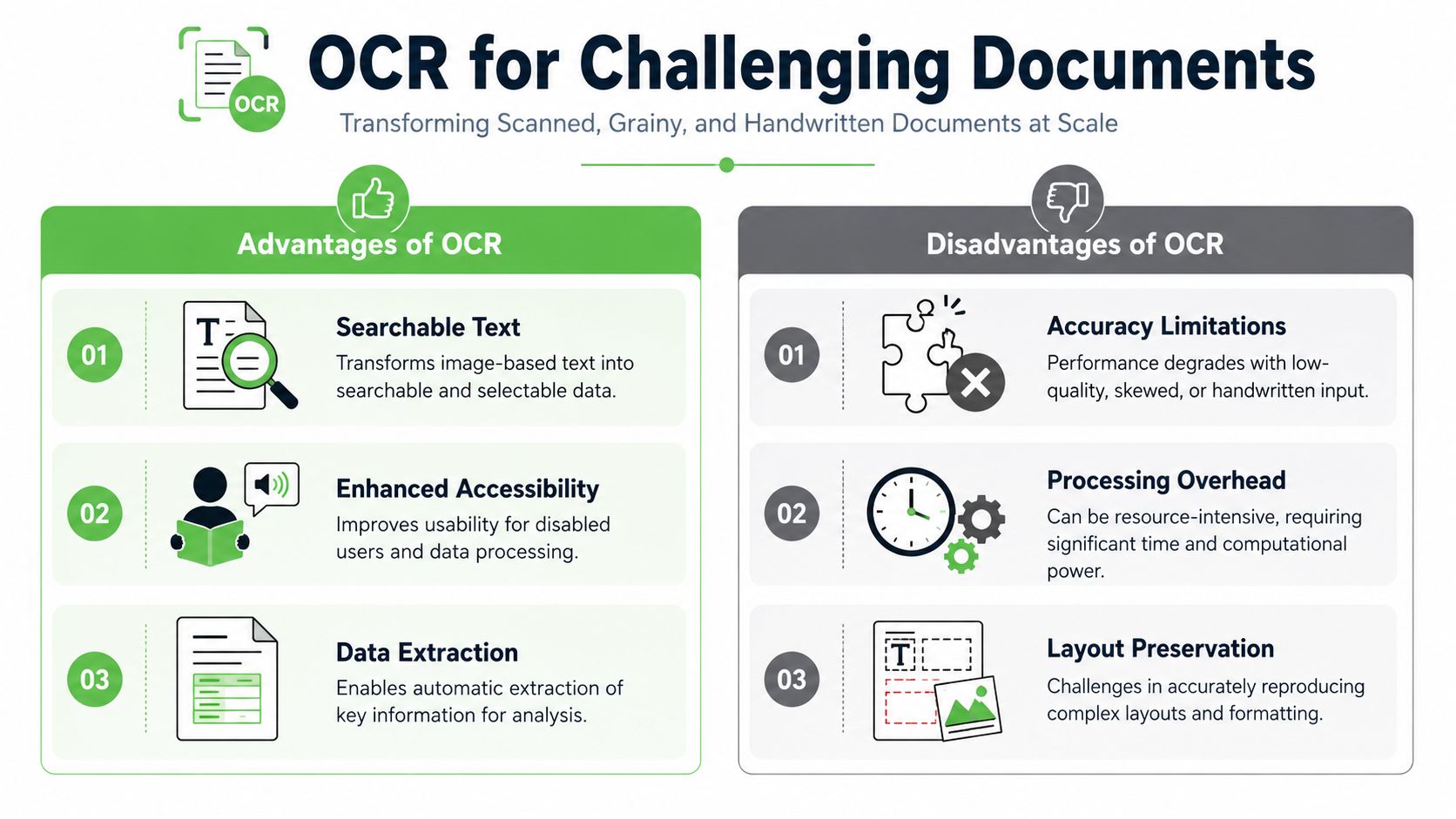
Traditional OCR is good at extracting text characters. It's less reliable at reconstructing document intent. You often get paragraphs merged together, list items stripped of hierarchy, and tables converted into a stream of tokens that no retriever can interpret well.
That difference matters more in AI pipelines than in human reading. A human can often infer structure from messy text. A chunker can't.
There's also a practical reliability issue in migration projects. Research on batch conversion to PDF/A found that manual interference stops occur at an average rate of 3 to 4 per processing run, depending on the tool, because inconsistent or corrupted documents halt the pipeline, according to Emerald's study on document quality in batch migration.
Layout aware extraction changes the outcome
Modern OCR systems increasingly combine text recognition with layout understanding. That's the useful shift. The pipeline isn't just reading letters. It's trying to infer headings, paragraphs, list boundaries, and tables from visual arrangement.
A cited market analysis notes that developers are increasingly integrating OCR into bulk conversion systems to improve extraction from low-quality sources and using machine learning to maintain file integrity across formats such as PDF, PPTX, and HTML into standardized Markdown, according to this LinkedIn market summary on file conversion technology.
If OCR gives you plain text but destroys layout, you've moved the problem downstream rather than solving it.
A related lesson comes from image workflows. Teams that already work with multimodal systems know that structure and composition matter as much as raw pixels. That same mindset shows up when you deconstruct AI images for prompts, because the useful signal is often in arrangement, not just extracted content.
A short demo is helpful here:
Where this matters most
Scans hit hardest in a few environments:
- Legal archives: clause numbering, exhibits, and signatures matter.
- Healthcare records: forms, handwritten annotations, and lab tables appear together.
- Research collections: scanned papers mix columns, footnotes, and figures.
- Operations manuals: diagrams, bullets, and warnings need clean boundaries.
When your corpus includes those patterns, OCR should be treated as a structural extraction problem, not just a text extraction checkbox. The most useful operator behavior here is to review sample outputs by document type and maintain a separate quality bar for scans. A detailed operational walkthrough for that workflow lives in this guide on OCR for scanned documents.
Advanced Optimization and Error Handling
Most failed conversion projects don't fail because the converter was weak. They fail because the pipeline assumed every file was clean, every network call would succeed, and every successful response was useful. That assumption collapses fast in production.
Why fire and forget fails
A serious bulk file conversion pipeline needs explicit control points. Retries, backoff, logging, and validation are not extras. They are the system.
The fastest way to create operational debt is to ship a pipeline with no distinction between these cases:
- transient API failure
- unsupported file
- corrupt source file
- conversion succeeded but output quality is unacceptable
Those states need different actions. Retry only helps one of them.
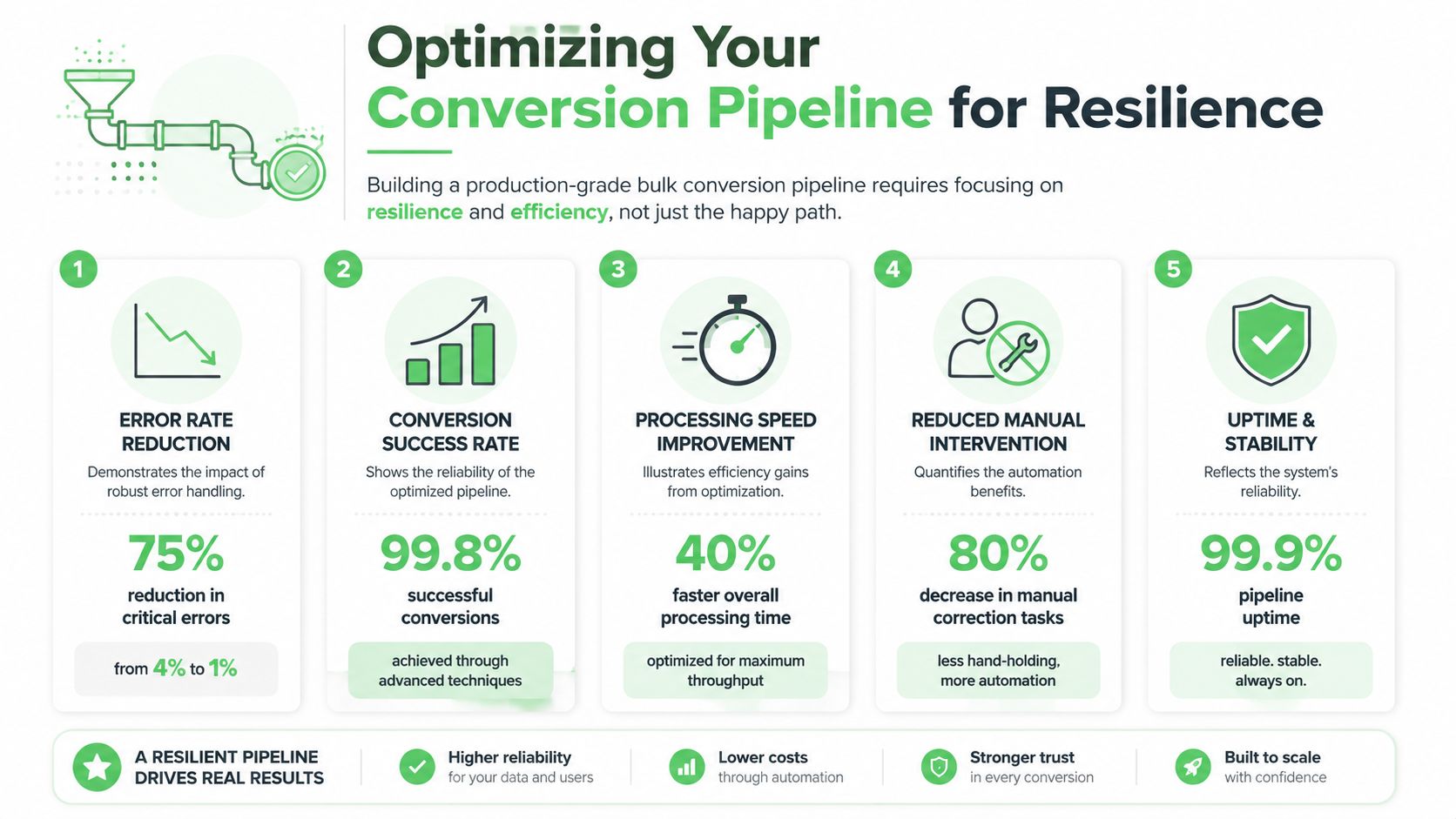
A solid operational pattern looks like this:
- Validate before submit. Check extension, file readability, and gross corruption.
- Retry selectively. Use exponential backoff for timeout and rate-limit style failures.
- Log structured events. Include file ID, source path, document class, and error category.
- Run post-conversion checks. Detect empty output, broken headings, and malformed tables.
- Escalate by queue. Scans and edge cases shouldn't block clean office files.
Token efficiency is an engineering concern
Teams often frame token cost as a prompt engineering issue. It starts earlier. Output format changes cost.
One market report projects the global File Conversion Software Market at approximately USD 0.35 Billion in 2026 and notes that token-efficient Markdown outputs can yield savings of up to 70% versus raw PDF or HTML uploads for LLM-driven applications, according to Business Research Insights on the file conversion software market.
That matters operationally because cleaner Markdown can improve several things at once:
| Output style | Common downstream issue |
|---|---|
| Raw PDF text dump | noisy chunks and bloated prompts |
| HTML with boilerplate | repeated navigation and weak relevance |
| Structured Markdown | cleaner sections and more predictable chunk boundaries |
You don't need perfect formatting to benefit. You need a stable enough structure that your chunker, retriever, and prompt templates stop fighting the source material.
Good conversion output reduces waste twice. It shrinks token load, and it cuts the amount of post-processing code you have to maintain.
Security and retention need explicit rules
Security is where teams accidentally smuggle risk into a convenience decision. If your corpus includes legal, clinical, HR, or internal product documents, file handling rules should be written before the first upload.
At minimum, define:
- Transport expectations: encrypted transfer in transit.
- Retention behavior: whether files are purged after delivery.
- Auditability: what metadata is logged and for how long.
- Allowed environments: local-only lanes for sensitive classes when required.
These decisions are architectural, not administrative. They influence tool selection, deployment shape, and who can debug failed conversions.
Real-World Workflows and Examples
Internal knowledge ingestion for RAG
An ML engineer inherits a knowledge base spread across DOCX files from policy teams, exported HTML from an internal wiki, and scanned PDFs from older operations binders. The first pass converts everything to plain text. Retrieval quality is poor because headings vanish and wiki exports drag navigation chrome into every chunk.
The better workflow starts with file grouping, then a pilot run on representative samples from each group. Native files move through the standard lane. Scans go through OCR review. Output lands as normalized Markdown with source metadata attached to each document record.
Embedding gets easier after that. The engineer can split by heading hierarchy, preserve tables that matter, and keep retrieval grounded to original files instead of mystery fragments.
Scanned legal archives for discovery
A paralegal receives a large matter archive made up of scanned pleadings, exhibits, correspondence, and image-based PDFs from older systems. A generic “convert all to searchable PDF” workflow makes the files text searchable, but clause numbering, table structure, and exhibit labels remain inconsistent.
A more reliable process starts in a web UI for quick inspection of OCR behavior on a handful of difficult files. Once the output quality is acceptable, the legal ops team moves to scripted batch processing so the archive can run overnight with clear failure logs and rerun queues.
The result isn't just a searchable archive. It's a usable corpus for legal review, chronology building, and AI-assisted retrieval where structure still means something.
If you need a practical way to turn mixed documents, scans, and web pages into AI-ready Markdown, Markdown Converters is built for that workflow. It handles broad format coverage, OCR for difficult inputs, and API-based automation for teams building RAG pipelines, ETL jobs, or internal search systems.
Related Articles
Batch PDF Conversion: A Practical Guide for 2026
Learn practical batch PDF conversion workflows, from simple UI uploads to automated API processing. Convert scanned PDFs with OCR and create AI-ready Markdown.
Read articleAngular Markdown Editor: A Guide to AI-Ready Integration
Learn how to integrate an Angular Markdown editor into your app. This step-by-step guide covers setup, autosave, and preparing content for LLM workflows.
Read articleMD File Reader Online: Convert for AI & LLM Workflows
Unlock the power of our MD file reader online. Convert any document to clean, AI-ready Markdown for RAG & LLM workflows. More than just viewing!
Read article