
10 Best Practices for Data Security in 2026
Explore the top 10 best practices for data security in 2026. This guide covers encryption, access control, compliance, and more for legal, healthcare, and AI.
Your team ships a document workflow that looks ordinary on paper. A scanned intake form hits OCR, a background job extracts text, an API passes the file to storage, a RAG pipeline indexes the contents, and an assistant retrieves it later for a user response. One weak permission, one over-retained backup, or one unvalidated upload is enough to turn that chain into a reportable incident.
Modern data risk shows up in the parts of the stack that teams often treat as plumbing. Temporary object storage, worker queues, logs, model ingestion jobs, backup snapshots, service accounts, and third-party connectors all handle sensitive material. By the time security reviews catch up, the data has already been copied across systems, regions, and trust boundaries.
That creates a different security problem than the old database-centric model. OCR pipelines process files that may contain PHI or financial records. API-driven systems move data between services faster than manual review can keep up. AI and RAG workflows introduce another layer of exposure because source documents, embeddings, prompts, logs, and retrieval outputs can all become part of the attack surface.
Generic advice does not carry much weight here. “Use encryption” and “limit access” are starting points, not operating guidance. Teams need controls tied to the actual data lifecycle: how files enter the system, where they are transformed, who can retrieve them, how long they are retained, and what evidence exists for auditors when HIPAA, GDPR, or SOC 2 questions arrive.
The best practices for data security in this guide focus on those implementation details. The goal is simple: reduce exposure in modern data workflows without breaking the OCR, API, and AI features the business depends on.
1. End-to-End Encryption for Data in Transit
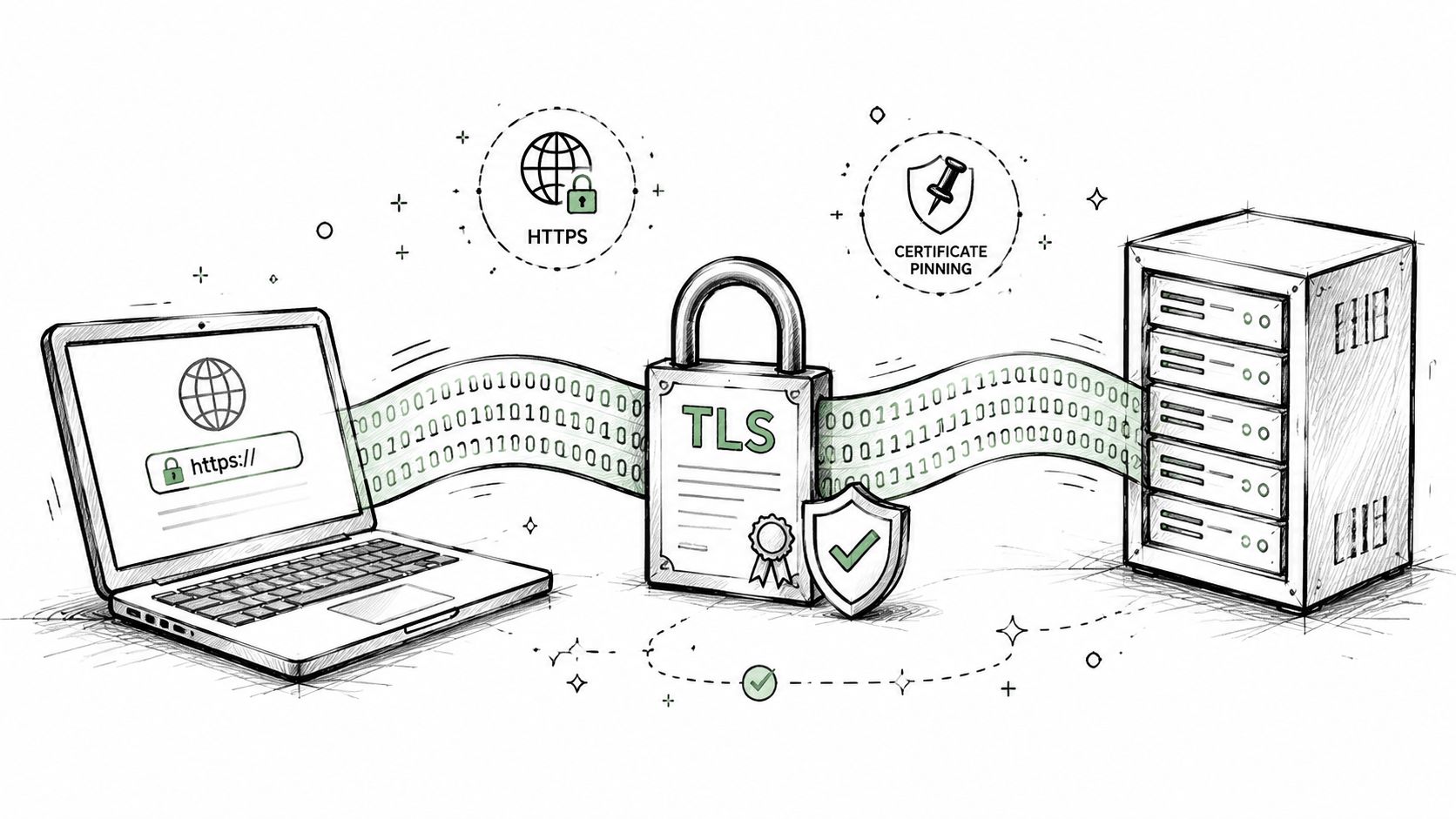
When files move between browsers, APIs, background workers, and storage services, transport security has to be the default path, not the “secure mode.” Palo Alto Networks lists strong authenticated protocols such as TLS 1.3 as a core data security best practice, alongside encryption standards such as AES-256 for broader protection of sensitive data in motion and at rest, in its guide to data security best practices.
Healthcare teams uploading patient documents through a web app need the same baseline as a law firm pushing case files over REST or an AI team sending scanned PDFs into an OCR service. If any link in that chain falls back to weak transport, plaintext redirects, or misconfigured certificates, you've created an interception point before your downstream controls even matter.
Use strong transport defaults
Use certificates from a trusted CA such as Let's Encrypt or DigiCert, enforce HTTPS everywhere, and publish HSTS so clients don't drift back to insecure transport. For API systems, validate certificate chains in every environment, including staging, because bad habits usually start there and then get promoted into production.
A secure implementation also includes the connections you don't see in the main architecture diagram. Worker-to-storage traffic, OCR service callbacks, internal admin panels, and webhook deliveries all need the same standard. Teams often protect the public endpoint and forget the internal hop that carries the document.
Practical rule: If a file can travel over a network, assume an attacker will eventually try to observe, replay, or redirect that traffic.
Where teams usually get this wrong
The common failures are boring. Expired certificates. TLS termination at the edge with unencrypted traffic behind the load balancer. Test environments with relaxed validation. Mobile or desktop clients that skip hostname verification because it “fixed” a connection issue during development.
A few habits help keep transport security operational:
- Track certificate ownership: Assign a real team or person to renewal and revocation.
- Test externally and internally: SSL Labs is useful for public endpoints, but private services need their own validation workflow.
- Pin down redirects: Force HTTPS on every route, including file upload endpoints and signed download URLs.
- Document exceptions: If a legacy integration can't meet your standard, write it down and isolate it.
Transport encryption doesn't solve authorization, logging, or retention. It does prevent your data from being exposed before those controls get a chance to work.
2. Automatic Data Purging and Minimal Data Retention
The safest sensitive file is often the one you no longer have. That matters even more in OCR and AI workflows, where uploaded documents are frequently copied into temporary storage, preprocessing queues, extracted text blobs, and job artifacts long after the user thinks the task is done.
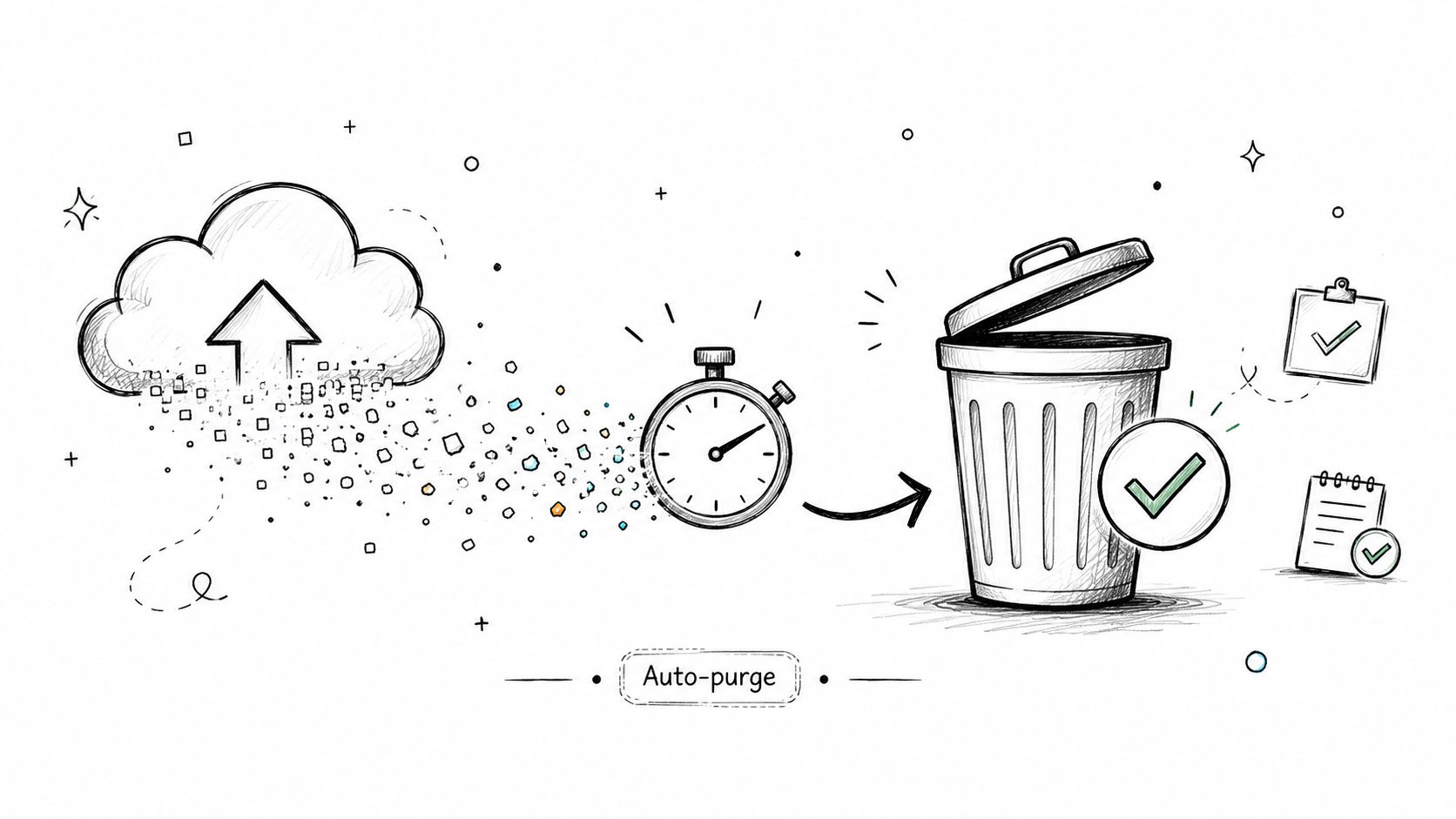
Minimal retention is also directly aligned with best practice guidance. Palo Alto Networks emphasizes limiting data retention and enforcing secure deletion to reduce exposure, especially for regulated environments handling personal or health information. In practice, that means deleting source files, derivative artifacts, and temporary outputs as soon as the business need ends.
Delete on purpose
A law firm may upload a confidential settlement agreement for conversion. A healthcare research group may process scans for LLM analysis. A manufacturing team may send technical manuals through an API. In each case, automatic purging shrinks the window in which a storage compromise, misrouted permission, or backup leak can expose the original file.
Good deletion design includes more than deleting the obvious object. You also need to decide what happens to extracted metadata, OCR text, thumbnails, queue references, and retry payloads. If the original document is gone but the parsed text still sits in a worker log or dead-letter queue, you didn't solve the exposure problem.
Retention is a compliance decision
HIPAA, GDPR, and SOC 2 don't reward teams for keeping unnecessary data around. They reward teams that can justify retention, control access, and dispose of data predictably. That usually means default-short retention with an explicit override for customers who can justify longer storage.
The operational side matters too. Deletion should cascade. Audit records should preserve evidence of the event without preserving the sensitive payload. If you support remote work, device handling is part of the same lifecycle, which is why operational controls such as remote employee laptop recovery for data security matter outside the data center too.
Keep deletion logs. Don't keep the deleted data.
What doesn't work is vague policy language like “we purge regularly.” Build timers, triggers, and verification into the system. Then test recovery attempts against supposedly deleted files so you know the purge is real.
3. Role-Based Access Control and Team Permissions
Most internal data exposure isn't caused by someone breaking in through a movie-style exploit. It's caused by a legitimate account that can see too much, download too much, or approve too much. That gets worse in multi-tenant platforms, where one permission mistake can blur boundaries between customers, teams, and environments.
RBAC is where you decide whether “user” means anything useful. In practice, it usually doesn't. You need roles tied to job function and system behavior.
Map roles to workflows
A paralegal doesn't need the same rights as a partner. A clinical reviewer doesn't need deployment permissions. An ETL service account doesn't need to browse historical uploads. Split roles around actions such as upload, convert, retrieve, export, administer billing, and manage team settings.
For multi-tenant knowledge systems, isolation between customer workspaces and tenant-aware permission checks are critical. The architecture patterns in secure multi-tenant Markdown knowledge bases are a good example of how to keep access boundaries enforced in the application layer, not just in the UI.
What works better than broad admin access
Least privilege works best when it's operationally convenient. If the only way to get work done is to request full admin, people will request full admin. Design narrower roles that still match real tasks.
A practical pattern looks like this:
- Editor roles: Can upload and convert documents but can't manage team permissions.
- Viewer roles: Can review approved outputs without accessing raw source files.
- Service accounts: Can call a limited API scope for a specific pipeline only.
- Temporary elevation: Expires automatically after a defined task or incident.
Between 2020 and 2024, MFA adoption increased from 57% to 69%, while cloud backup usage rose from 58% to 63%, according to Edge Delta's data security statistics roundup. That trend matters here because RBAC without strong authentication is weak control theater. If roles matter, account assurance has to matter too.
Overpermissioning usually starts as convenience and ends as audit pain.
Review permissions on a schedule, but also review them after reorganizations, offboarding, and pipeline changes. The role model that worked before your OCR service connected to an assistant integration probably isn't the one you need now.
4. API Authentication and OAuth 2.0 with Scoped Tokens
API credentials deserve the same scrutiny as human identities, and usually more. They don't get tired, they don't question strange requests, and they often sit inside automation with broad access for months. In OCR, ETL, and RAG systems, one overprivileged token can expose every document your pipeline touches.
Scoped OAuth 2.0 tokens are a practical way to limit blast radius. If a pipeline only needs documents:convert, don't also give it delete, export, or admin capabilities. If a retrieval agent only needs read access to a specific workspace, lock it there.
Start with the authentication model documented in Markdown Converters API authentication, then tighten scope boundaries around the actual workflow instead of the engineering team's convenience.
Scope every machine credential
An AI engineering team might issue a token only for conversion jobs. A manufacturing documentation system might use a separate token for retrieval. A healthcare processing agent might use short-lived credentials for a narrow batch run. Those distinctions matter because incident response is faster when you can revoke one purpose-built token instead of breaking half the platform to contain a leak.
Don't confuse “token exists” with “authentication is handled.” You still need storage discipline. Put secrets in AWS Secrets Manager, HashiCorp Vault, or your cloud provider's equivalent. Keep separate credentials for development, staging, and production so a test leak doesn't become a production incident.
A short explainer can help align developers on the basics:
Token hygiene matters more than token format
Teams often spend too much time debating bearer tokens versus another standard and not enough time fixing basic hygiene. Rotation schedules, expiration, revocation, logging, and scope review matter more day to day than abstract purity.
Use a few hard rules:
- Separate secrets by environment: Never reuse production credentials in lower environments.
- Rotate on schedule and on suspicion: Don't wait for confirmed compromise.
- Scan repositories: Prevent committed secrets from reaching version control.
- Log auth failures: Repeated token misuse often shows up before a full incident.
What doesn't work is one shared API key pasted into every service because it was faster during the first integration sprint.
5. Regular Security Audits and Penetration Testing
You can't secure modern data workflows by reading your own architecture diagrams and trusting that the implementation matches them. Penetration testing exists because systems drift. Engineers add endpoints, change storage paths, expose helper interfaces, and forget to update assumptions.
For data platforms, the most valuable audits aren't generic perimeter tests. They target the actual surfaces where files enter, move, and exit. Upload handlers, OCR workers, conversion APIs, assistant integrations, admin dashboards, and storage permissions all deserve attention.
Audit the actual attack surface
A useful test might uncover weak file validation on a web upload route, metadata leaking into logs, or an object storage policy that allows more access than intended. Those findings are common because they live in operational seams between product code and infrastructure, not in a single obvious bug.
Third-party auditors help because they don't share your blind spots. But they need the right scope. If your product supports web uploads, REST automation, and chat-based retrieval, the test plan should cover all three. Otherwise you get a nice report on one corner of the system and no signal on the path your highest-risk customers use.
Testing is only useful if remediation is real
A pentest report is just a list of expensive regrets unless you tie it to owners, severity, deadlines, and verification. Security teams should define remediation expectations before the test starts so nobody debates urgency after the finding lands.
A few practices make audits much more useful:
- Choose relevant testers: Look for familiarity with your language stack, cloud setup, and file-processing model.
- Include remediation tracking: Every finding needs an owner and a re-test path.
- Cover customer-facing evidence: Share high-level security posture details when buyers ask for them.
- Prepare for audits continuously: A SOC 2 readiness assessment framework helps teams gather evidence before the audit becomes a fire drill.
Security reviews shouldn't be annual theater. They should be one part of a cycle that includes fix, verify, and re-check after meaningful changes.
6. Input Validation and Secure File Processing
File processing is one of the easiest places to underestimate risk. People hear “document conversion” and think formatting problem. Attackers hear “parser” and think entry point.
That difference matters in OCR and AI ingestion systems because they accept PDFs, Office files, images, archives, and exported data from tools you don't control. Every one of those formats can carry malformed structures, misleading extensions, embedded objects, or payloads designed to exhaust resources.
Treat every file as untrusted
Validate content by signature, not by filename. A malicious executable renamed with a .pdf extension should fail before it reaches your parser. ZIP archives need decompression limits so nested bombs can't consume memory or storage. Filenames, metadata, and path values need sanitization so they can't trigger injection or path traversal in downstream systems.
One of the simplest mistakes is trusting “internal” sources. Internal systems are often just external systems that were integrated six months ago. If a partner system or assistant integration can upload content, treat it with the same skepticism as a browser upload from the public internet.
Safe parsing beats clever parsing
Use dedicated parsers for each file type and run them in isolated environments. A PDF parser should not share broad filesystem access with the service handling image OCR. Timeouts and resource caps matter because availability is part of security. If one crafted file can stall a worker pool, that's a production issue, not merely a parser issue.
Useful controls here include:
- Magic byte validation: Check file signatures before processing.
- Malware scanning: Run ClamAV or a comparable engine with updated rules.
- Sandboxed conversion workers: Limit network, disk, and process privileges.
- Strict size and time limits: Fail safely when processing exceeds policy.
The parser is part of your attack surface, whether you wrote it or imported it.
What doesn't work is piling on regex checks and assuming that's enough. Secure file handling depends on isolation, parser choice, and resource control just as much as input validation itself.
7. Encryption at Rest for Stored Data and Backups
Encryption at rest is the control that saves you when storage is exposed, snapshots leak, or media leaves the environment. It's also the control teams often overstate. Turning on encryption for one database doesn't mean the system is covered if exports, caches, object storage, and backups remain untreated.
For stored documents, parsed text, metadata, and backups, strong encryption such as AES-256 is the expected baseline in modern security guidance. The harder part is key management. Data is only meaningfully protected if key access is separated, restricted, and monitored.
Encrypt storage and separate key control
Use managed key services such as AWS KMS, Google Cloud KMS, or Azure Key Vault unless you have a compelling reason to build more yourself. These services simplify rotation, permissions, auditability, and recovery planning. They also help draw a clear line between data administrators and key administrators, which auditors like because it supports separation of duties.
For a document workflow, that usually means encrypting object storage, relational metadata stores, search indexes that contain extracted text, and any queue or cache that might temporarily hold sensitive content. If your OCR pipeline writes intermediate text to a scratch bucket, that bucket needs the same standard as your primary storage.
Backups are part of production risk
Backups often become the weak link because they're created automatically and reviewed rarely. Teams secure the live database, then forget the snapshot copied for recovery, analytics, or migration testing. If the backup isn't encrypted, tightly permissioned, and covered by deletion policy, it can outlive every protection you added to the main service.
Practical controls include:
- Envelope encryption: Protect object storage with service-managed data keys under KMS control.
- Key rotation policy: Automate it and document who can approve exceptions.
- Recovery testing: Verify that encrypted backups can be restored.
- Key usage monitoring: Alert on unexpected decrypt activity or administrative changes.
Encryption at rest isn't a substitute for access control or retention policy. It's the layer that keeps a storage failure from becoming a readable-data failure.
8. Secure Logging and Audit Trails
An OCR worker extracts text from an intake form, a retrieval service sends chunks into a RAG pipeline, and an analyst later asks who viewed the record, what was exported, and whether the access was approved. If your logs only show a generic API success message, you cannot answer that question with confidence. For HIPAA, GDPR, and SOC 2, that gap quickly becomes more than an operations problem.
Good audit trails are built around accountability. Each event should capture the actor, the action, the resource, the time, the request source, and the outcome. In modern data systems, that means more than login events. It includes document upload, OCR start and completion, extraction failures, embedding generation, retrieval queries against sensitive indexes, token issuance, permission changes, export jobs, deletions, and privileged admin actions.
The hard part is keeping logs useful without turning them into a second copy of your sensitive data.
Log events, not sensitive payloads
Store enough detail to reconstruct activity. Do not store raw document text, prompts containing personal data, full access tokens, session secrets, medical content, or complete API credentials. I have seen teams secure primary storage well, then leak the same regulated data into application logs because a parser error dumped the request body during debugging.
Structured logs help here because they support field-level redaction, filtering, and alerting. Define a schema for security events and enforce it across APIs, workers, OCR jobs, and AI services. If one service logs user IDs and another logs email addresses and raw payloads, investigations slow down and compliance scope grows.
Design logs for incident response and evidence
Audit data needs its own protections. Send logs to a separate system, restrict who can modify retention settings, and limit read access to people with a real investigation or compliance need. If an attacker gains administrative access, one of the first follow-on actions is often log tampering or log deletion.
Retention also needs policy, not guesswork. Security teams usually need fast access to recent events for active investigations, while legal and compliance teams may need longer-term retention for evidence. Set those tiers deliberately and document them. For GDPR, that usually means balancing accountability requirements against data minimization. For HIPAA and SOC 2, it means proving that access to sensitive records and administrative actions can be reviewed later.
A useful logging program usually includes:
- Security event coverage: Authentication attempts, token creation, role changes, document access, exports, deletions, OCR job activity, and admin actions.
- Data minimization rules: Redaction for personal data, secrets, and document contents before logs leave the service.
- Anomaly detection: Alerts for bulk downloads, repeated failed authentication, unusual geographic access, or service accounts querying outside normal patterns.
- Integrity controls: Immutable storage, write-once retention where appropriate, and verification that log records have not been altered.
- Clock discipline: Synchronized timestamps across API nodes, background workers, and third-party processing components.
Verbose debug logging in production usually creates more problems than it solves. For API-driven document systems and AI workflows, the safer approach is targeted diagnostic logging behind controlled feature flags, with automatic redaction and short retention. That gives engineers enough signal to troubleshoot failures without creating a hidden archive of regulated data.
9. Vulnerability Management and Dependency Updates
An OCR worker crashes on a malformed file. The incident review starts with the document that triggered it, but the underlying problem is older and more common. A parser library, base image package, or transitive dependency sat unpatched long enough to turn routine file handling into an attack path.
That pattern shows up often in modern data systems. API services, document converters, vector pipelines, OCR jobs, and RAG ingestion workers all pull in third-party code with very different update cycles. If you process regulated data, a missed dependency update is not just an engineering hygiene issue. It can become a reportable security event under HIPAA, trigger GDPR scrutiny if personal data is exposed, and raise SOC 2 questions about change management and vulnerability remediation.
Patch the full runtime, not just the app manifest
Dependency scanning in CI is useful, but it only covers part of the attack surface. Teams also need visibility into container base images, OS packages, language runtimes, browser automation tools, OCR binaries, PDF and image parsers, and the separate worker fleets that often power async processing.
File-processing components deserve priority. In document workflows, the risky code is often buried below the application layer in libraries that parse PDFs, office files, archives, and images. Those packages rarely get the same attention as web framework updates, even though they handle untrusted input directly.
For teams building conversion and ingestion paths for regulated material, this also affects how you validate regional handling and processing controls. The design work described in this guide to GDPR-compliant document conversion only holds up if the underlying services and dependencies are kept current across every environment.
Make emergency patching boring
The teams that patch fastest usually did the operational work long before the emergency. They standardize base images, keep staging close to production, and test upgrades against real file samples, not just unit tests. That reduces the chance that a security fix breaks OCR output, alters extraction behavior, or causes a queue backlog in downstream AI pipelines.
I treat patch latency as an architectural problem, not just an ops task. If one service can update in a day but the document workers need a week because no one knows what they run, the actual remediation timeline is a week.
A workable program usually includes:
- Automated scanning: Check application dependencies, container images, and host packages on every build and on a recurring schedule.
- Runtime inventory: Track exact versions for API services, background workers, OCR engines, model-serving components, and parsing libraries.
- Severity-based SLAs: Define how quickly critical, high, and medium issues must be fixed, with exceptions documented and approved.
- Safe rollout testing: Validate patches against representative documents, authentication flows, and storage integrations before production release.
- Patch records: Keep evidence of what changed, when it changed, and how the team verified that the fix did not break processing or compliance controls.
Unpatched dependencies rarely announce themselves. They wait in the background until a scanner, researcher, customer, or attacker finds them first.
10. Data Residency and Geographic Compliance
Data location isn't just a billing preference. It changes the legal and contractual obligations around how you process, store, and transfer information. That's especially important for healthcare records, legal documents, employee data, and any RAG corpus built from regulated material.
Many teams think about residency too late. They build the workflow first, then discover their OCR service writes temporary files in one region, their model processing runs in another, and their backups replicate somewhere they can't easily justify to a regulator or customer.
Region choice changes your obligations
If a German healthcare organization needs data to remain in the EU, “our provider is global” isn't an answer. If a legal team needs document classes processed under different jurisdictional rules, your architecture has to support that separation. Region selection should be explicit at signup, deployment, or workspace creation, not buried in support tickets.
For GDPR-sensitive workflows, region and transfer controls should be part of the service design. Teams dealing with document conversion and AI-ready outputs can use guidance like this overview of GDPR-compliant document conversion to align processing with regional obligations from the start.
Turn residency into an enforceable control
A residency policy is only useful if code, infrastructure, and operations enforce it. Geofencing, region-bound storage policies, restricted replication, and region-specific logging all matter. So do contracts such as DPAs, because customers and auditors will ask where data lives, where it can move, and who can access it.
Practical implementation steps include:
- Region-bound storage and compute: Keep upload, processing, and persistence in the approved geography.
- Cross-border transfer controls: Block fallback routing to other regions unless explicitly authorized.
- Residency-aware backups: Recovery copies need the same regional rules as primary data.
- Audit evidence: Keep logs that show where data was processed and retrieved.
What doesn't work is promising regional processing while debugging, analytics, or support exports still move sensitive artifacts elsewhere. Residency has to cover the whole lifecycle, not just the primary storage bucket.
10-Point Data Security Best Practices Comparison
| Feature | 🔄 Implementation Complexity | ⚡ Resource Requirements | 📊 Expected Outcomes | ⭐ Effectiveness / Quality | 💡 Ideal Use Cases & Key Advantages |
|---|---|---|---|---|---|
| End-to-End Encryption for Data in Transit | Medium, TLS 1.3 + cert pinning and WebSocket encryption | Low ongoing compute; requires certificate ops and monitoring | Prevents interception; meets transport-layer compliance | ⭐⭐⭐, Industry standard, high trust | Protects uploads/APIs (legal, healthcare); transparent to users; use HSTS and regular certificate audits |
| Automatic Data Purging and Minimal Data Retention | Low, policy + automation workflows | Low storage costs; needs secure deletion tooling and logs | Reduces breach surface; simplifies GDPR right-to-be-forgotten | ⭐⭐⭐, Strong privacy guarantee when implemented | Best for services needing minimal retention (legal, research); implement deletion logs and cryptographic proof-of-deletion |
| Role-Based Access Control (RBAC) and Team Permissions | Medium, design roles, permission matrices, UI | Moderate, identity store, audit logging, admin UX | Limits insider risk; enforces least privilege | ⭐⭐⭐, High control for multi-user orgs | Enterprise & team plans; define roles by function, audit regularly, support temporary elevation |
| API Authentication and OAuth 2.0 with Scoped Tokens | Medium, OAuth flows, token management, scopes | Moderate, auth server, secrets storage, rotation | Secure third-party integrations; scoped blast radius | ⭐⭐⭐, Standard for secure APIs | ETL and agent integrations; use scoped tokens, rotate keys, store secrets in vaults |
| Regular Security Audits and Penetration Testing | Medium–High, vendor coordination and remediation processes | High, third-party costs, internal engineering for fixes | Finds vulnerabilities early; provides audit evidence | ⭐⭐, Very effective but costlier and periodic | Critical for compliance-focused customers; choose auditors familiar with your stack and define SLAs |
| Input Validation and Secure File Processing | Medium, validators, sandboxing, scanners | Moderate, sandbox infra, malware engines, parsers | Prevents malicious payloads and DoS from files | ⭐⭐⭐, Essential for file-handling services | Required for untrusted uploads (conversion pipelines); use magic-byte checks, sandboxes, and updated malware signatures |
| Encryption at Rest for Stored Data and Backups | Medium, KMS integration and key rotation | Moderate, CPU overhead, KMS/HSM costs, backup encryption | Protects data if storage compromised; aids compliance | ⭐⭐⭐, Strong mitigation for storage breaches | Important for cached/temp storage (healthcare/legal); use managed KMS, rotate keys, plan disaster recovery |
| Secure Logging and Audit Trails | Medium, structured logs, redaction, immutable storage | Moderate, log storage/search costs and alerting | Enables forensics and compliance; detects anomalies | ⭐⭐⭐, High value for investigations | Legal discovery and HIPAA audits; redact sensitive fields, separate log access, set retention policies |
| Vulnerability Management and Dependency Updates | Medium, SCA tooling, patch testing, staging | Moderate, scanning tools, QA resources, rollout pipelines | Reduces attack surface from third-party libs | ⭐⭐, Prevents known-exploit risks but ongoing | Critical for pipelines using many libraries (PDF/OCR); automate scanning, maintain staging and SLAs for critical patches |
| Data Residency and Geographic Compliance | High, multi-region deployments, geofencing, DPAs | High, multiple regions/cloud accounts, compliance overhead | Ensures regulatory compliance and reduced latency | ⭐⭐, Essential for jurisdictional compliance | Required for GDPR/HIPAA/regional laws; offer region choices, maintain DPAs, and audit data flows |
Build Your Data Security Fortress
The best practices for data security work as a system, not as a checklist of isolated controls. Encryption in transit helps if data is intercepted. Encryption at rest helps if storage is exposed. RBAC helps if identities are scoped correctly. Audit trails help when something still goes wrong. Minimal retention helps by removing data before another control has a chance to fail. Each layer assumes another layer will eventually be tested.
That layered mindset matters even more in modern data workflows. OCR pipelines create intermediate artifacts. RAG systems duplicate content into vector stores, caches, and retrieval indexes. API-driven processing introduces machine identities that often outnumber human operators in practice. Assistant integrations make retrieval easier, but they also widen the path sensitive content can travel. If you secure only the database and the public app, you're protecting the part of the system that's easiest to see, not necessarily the part most likely to leak.
Start with the controls that reduce exposure fastest. For many teams, that means enforcing transport encryption everywhere, turning on automatic purging, and tightening role and token scope. Those changes don't solve every problem, but they eliminate a lot of common failure modes quickly. Then move into the controls that improve resilience over time: secure logging, audit readiness, routine testing, dependency management, and region-aware architecture.
Compliance should shape implementation, not replace it. HIPAA, GDPR, and SOC 2 are useful because they force discipline around access, retention, evidence, and accountability. They're less useful when teams treat them as paperwork exercises. Auditors don't secure data. Systems, defaults, and operators do. The strongest environments I've seen are the ones where compliance artifacts naturally fall out of good operational design instead of being assembled in a panic before review.
One practical way to think about priorities is this. Ask where your most sensitive document can enter the system, where it can be copied, who can retrieve it, where it can persist by accident, and how you would prove what happened after the fact. That short exercise usually reveals the effective roadmap faster than a long policy workshop. In modern workflows, the dangerous gap is rarely a total lack of controls. It's the mismatch between how the data truly moves and where your controls stop.
The threat environment keeps getting harsher, and the economics of failure are still ugly. The answer isn't paranoia. It's disciplined architecture and operational follow-through. Build for least privilege. Delete aggressively. Encrypt by default. Log what matters. Test the ugly paths, not just the happy ones. That's how you make data systems trustworthy enough for legal review, healthcare processing, and AI ingestion without slowing them to a crawl.
If you want a strategic lens on the business side of staying disciplined, these recurring revenue cyber security strategies are a useful reminder that security maturity is built through repeatable habits, not one-time cleanup projects.
If you need to convert sensitive files into AI-ready Markdown without adding unnecessary handling risk, Markdown Converters is built for that workflow. It supports OCR, API automation, and assistant-based retrieval while using encrypted uploads in transit and automatic file purging after delivery, which makes it a practical fit for legal, healthcare, research, and RAG ingestion teams that need cleaner documents and tighter operational control.
Related Articles
Markdown Reader Windows: Best Tools for 2026
Markdown reader windows - Find the best markdown reader for Windows in 2026. Compare top tools to open, edit, and preview Markdown files effortlessly
Read articleHow to Download a Folder from Dropbox Without Losing Your
Learn how to download a folder from Dropbox quickly and easily, with step-by-step instructions for 2026.
Read articleOCR Handwriting Recognition: A Practical Guide for 2026
Unlock the power of your handwritten data. Our guide to OCR handwriting recognition covers methods, metrics, and how to integrate it into RAG workflows.
Read article