
WYSIWYG MD Editor: A Guide for AI & Modern Workflows 2026
Discover what a WYSIWYG MD editor is, how it beats source/preview tools, and why it's crucial for RAG, AI pipelines, and clean documentation workflows.
You wrote the document in Word. The headings looked right, the table aligned, and the bullet hierarchy made sense. Then someone asked you to paste it into a knowledge base, a docs platform, or an AI ingestion workflow that expects Markdown. Suddenly the spacing broke, the table collapsed, and your clean document turned into a mix of odd line breaks and formatting debris.
That problem isn't just annoying. It creates real operational drag when legal teams, healthcare staff, researchers, and AI engineers all need one document format that works for both humans and machines. A good WYSIWYG MD editor solves that gap. It lets people edit visually while still producing structured Markdown that travels well across publishing systems, version control, and retrieval pipelines.
The tool is often described as a convenience feature for writers. That's too small a frame. In modern workflows, a WYSIWYG Markdown editor is often the point where readable content becomes reliable data.
The Frustration of Formatting
A familiar workflow goes like this. Someone drafts a policy in Microsoft Word, a teammate edits it in Google Docs, and then the final version gets pasted into a system that wants Markdown. The bold text mostly survives. The nested list doesn't. The table becomes plain text. Links come through with odd styling or disappear entirely.
That failure isn't random. Word processors store formatting with a lot of hidden structure. Markdown is intentionally simple. It represents headings, lists, links, and emphasis with lightweight text rules. When you force rich visual formatting into a plain-text structure without a proper translator, things fall apart.
For teams that don't live in Markdown every day, this creates a bad trade. Either people learn syntax they don't want to learn, or they keep using visual tools and accept messy output. Neither option is great when the document has to move between people, systems, and AI tools.
Clean formatting isn't just about appearance. It's about whether the same document can survive handoffs without being rebuilt.
A WYSIWYG MD editor exists to remove that trade. It gives people a visual editing experience that feels closer to a familiar document editor while generating Markdown underneath. Instead of asking every contributor to think in hash marks, pipes, and asterisks, the tool handles the translation as they work.
That matters most when the document isn't the final destination. If the file will feed a docs site, a knowledge base, a contract repository, or an AI system, structure matters as much as writing quality. Markdown keeps the structure portable. WYSIWYG editing keeps the workflow usable.
If you need a quick refresher on how Markdown itself works before choosing an editor, this Markdown basics guide is a helpful starting point.
What Is a WYSIWYG MD Editor Really
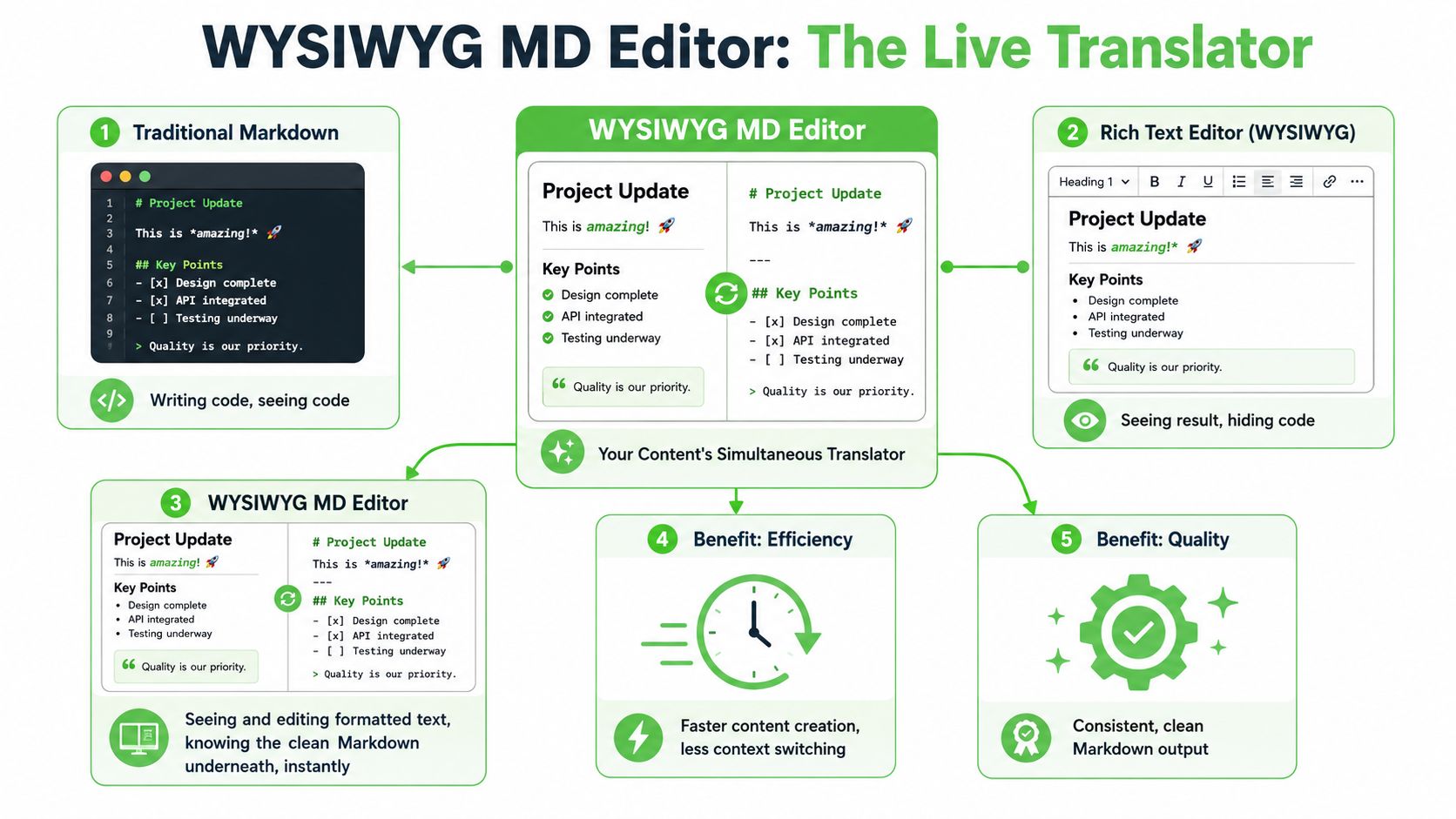
A WYSIWYG MD editor is a visual authoring tool that writes Markdown while people work in a familiar document-style interface. The user sees headings, lists, tables, and emphasis as formatted content. The system stores those choices as Markdown instead of burying them inside proprietary document code.
That distinction matters more than it first appears.
In a simple writing workflow, this feels like convenience. In a business workflow, it becomes infrastructure. A compliance team editing a policy, a solutions architect updating a product runbook, and an operations analyst maintaining a retrieval corpus for a RAG system may all need the same thing. They need content that is easy for humans to edit and reliable for downstream systems to parse.
More than a visual editor
A generic rich text editor focuses on appearance first and storage second. A WYSIWYG MD editor has a harder job. It must let someone work visually while preserving a text format that other systems can trust.
The best comparison is a form that writes clean database records while the user fills out friendly fields. The person entering the information should not need to think about schema design. The database still needs clean structure. A WYSIWYG Markdown editor plays the same role for documents.
That is why these editors matter in AI pipelines. Retrieval systems work better when content has stable headings, predictable lists, readable tables, and portable links. If the source document is full of hidden styling, inconsistent HTML, or editor-specific blocks, chunking quality drops and citations become harder to trace. Clean Markdown gives RAG workflows a better starting point.
What the editor is actually doing
A good WYSIWYG MD editor handles three tasks at the same time:
- Render content visually so contributors can edit without memorizing syntax.
- Maintain valid Markdown underneath so the file stays portable across tools and repositories.
- Preserve structure during edits so documents remain usable for publishing, conversion, search indexing, and AI retrieval.
That third point is where weaker tools fail. A polished interface can still produce messy output. If a table turns into nested HTML, or headings lose their hierarchy after a copy-paste, the document may still look fine on screen while becoming harder to govern, convert, or feed into a model.
This is especially important in regulated industries. Financial services, healthcare, legal operations, and enterprise security teams often need a clear chain from authored document to reviewed output. Markdown helps because it is plain text, diff-friendly, and easier to validate in content workflows. WYSIWYG editing helps because subject matter experts can contribute without wrestling with syntax rules.
A practical test
Ask one question: Does the tool create Markdown-native content, or does it only disguise a rich text editor with export options?
That difference shapes everything downstream. Markdown-native content is easier to version, transform, audit, and reuse. Export-first content often creates cleanup work later, especially when documents need to move into static sites, knowledge bases, document conversion systems, or vector databases.
Teams building their own editing experience run into the same design tradeoff. The interface has to feel familiar, but the stored output has to stay structured and portable. If you're evaluating implementation patterns, this guide to building Vue rich text interfaces is a useful technical reference because it shows how editor UX choices affect the quality of the content produced.
Source vs Preview vs WYSIWYG Editors
The market uses the word "Markdown editor" loosely. In practice, there are three different editing models, and they create very different experiences.
Three editing models
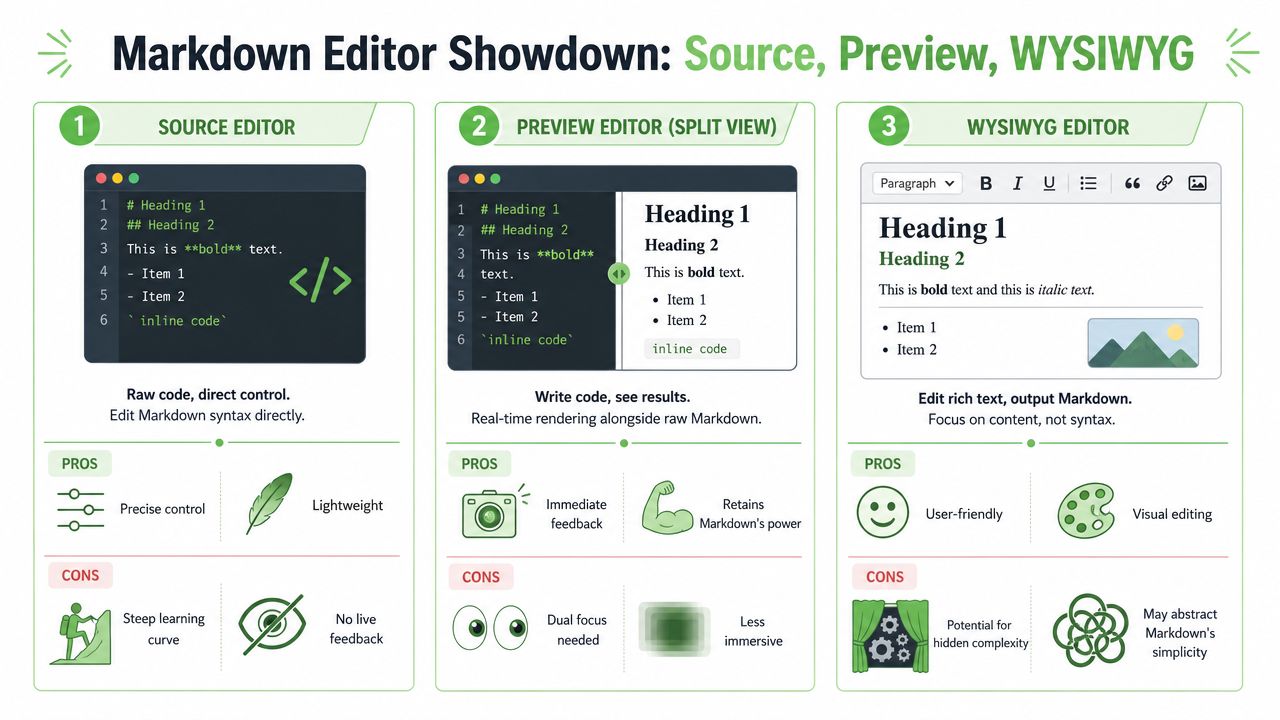
Source editor.
This is the purest form. You write raw Markdown in a plain text environment such as VS Code or a minimal editor. You see the syntax directly. Developers often prefer this because it gives exact control and clean diffs in Git.
Preview editor.
This model usually shows Markdown on one side and rendered output on the other. You still write syntax, but you get immediate feedback. Many documentation tools use this middle ground because it preserves Markdown literacy while reducing guesswork.
WYSIWYG editor.
This model lets you interact with the rendered document itself. You click into a heading, edit a table visually, and apply emphasis without writing symbols by hand. The editor handles the Markdown conversion under the surface.
A short comparison helps:
| Editor type | Best for | Main friction |
|---|---|---|
| Source | Developers, docs in Git | Syntax burden |
| Preview | Technical users who want feedback | Split attention |
| WYSIWYG | Mixed teams, business users, regulated workflows | Quality depends on export fidelity |
A lot of teams discover the limits of source-first tooling when non-technical contributors join the process. The syntax barrier is real. 68% of business users report that "technical syntax" is their primary obstacle, according to the discussion summarized in the GetGrav community thread on WYSIWYG adoption barriers.
Here's a quick visual walkthrough before the deeper evaluation.
Which one fits which team
A legal reviewer doesn't want to inspect raw pipes inside a table. A clinician updating a care protocol doesn't want to remember how nested lists behave in a specific Markdown flavor. A machine learning engineer, on the other hand, may care less about the editor chrome and more about whether the saved output is structurally clean.
That means the right choice depends on who edits, not just who owns the system.
- Source editors fit engineering-heavy teams when contributors already understand Markdown and version control is the center of the workflow.
- Preview editors fit technical documentation teams that still want direct syntax visibility while checking output in real time.
- WYSIWYG editors fit mixed environments where operations, compliance, legal, clinical, and technical staff all touch the same content.
The amateur mistake is choosing based on personal preference. The professional move is choosing based on the weakest handoff in the workflow. If one non-technical approver can break the process, the editor needs to absorb that complexity for them.
Essential Features for Modern Workflows
A professional WYSIWYG MD editor shouldn't be judged by whether it can make text bold. That bar is far too low. The ultimate test is whether it can preserve structure under pressure.
What professionals should check first
Start with tables. Many tools can display a table. Fewer can let someone edit rows, columns, alignment, and cell content without damaging the Markdown underneath. The same applies to nested lists, callouts, task lists, footnotes, and code blocks.
Then check output quality. Some editors claim Markdown support but generate HTML-heavy content or unstable formatting patterns. That creates downstream cleanup work and defeats the point of using Markdown in the first place.
High-performance tools also differ in how they render changes. According to the summary in this guide to Markdown editors, strong WYSIWYG Markdown editors use incremental rendering engines that update in milliseconds and may include inline AI diff review, which can reduce document revision time by 40% by highlighting semantic inconsistencies.
Fast rendering isn't a cosmetic feature. It's what makes complex editing feel trustworthy.
A practical evaluation checklist
If you're selecting a tool for business use, review it like an operations system, not like a note-taking app.
- Structure fidelity: Can it preserve headings, tables, lists, blockquotes, and callouts without strange export behavior?
- Extended syntax support: Check the Markdown features your team uses, especially footnotes, task lists, and fenced code blocks.
- Revision workflow: Look for version history, comments, approvals, or at least a reliable change review pattern.
- Integration path: API access, export options, and predictable file output matter more than visual polish.
- Collaboration fit: Decide whether your reviewers work in-browser, in Git, or across both.
If you want a broader view of the software environment before narrowing your shortlist, this roundup of reviewed technical authoring software is useful because it compares tools by documentation use case rather than by marketing category alone.
For hands-on testing, it's also worth spending time with an actual browser-based Markdown editor tool so you can inspect how different formatting choices behave in plain Markdown.
One final check catches many bad decisions. Create a sample document with a long table, nested bullets, internal links, and a callout. Export it. Open the Markdown in a plain text editor. If the output looks confusing, inconsistent, or HTML-heavy, the tool probably isn't ready for professional workflows.
Advanced Use Cases for WYSIWYG Markdown
At 4:30 p.m., a compliance officer is reviewing a policy update, an operations lead is cleaning up a vendor procedure, and an AI engineer is preparing the same content for retrieval. If each person edits a different version, the organization now has three documents, three formats, and three chances to introduce errors. A WYSIWYG MD editor helps keep one structured source that humans can review and machines can process.
That matters because advanced use cases are really pipeline use cases. The editor is not just a writing surface. It is the point where document structure is either preserved or damaged before the content reaches search indexes, vector stores, approval systems, and audit trails.
Why AI pipelines care about document structure
A retrieval system does not read like a person. It breaks content into chunks and uses headings, lists, tables, and other visible boundaries as anchors. If those anchors shift every time someone edits the document, retrieval quality drops and grounding gets harder.
Structured Markdown is useful in RAG because it keeps those anchors explicit. As noted earlier, benchmarks have shown that well-structured Markdown can lower token use and reduce hallucinations compared with messy, unstructured inputs. The practical lesson is simple. Cleaner structure gives AI systems better material to retrieve from.
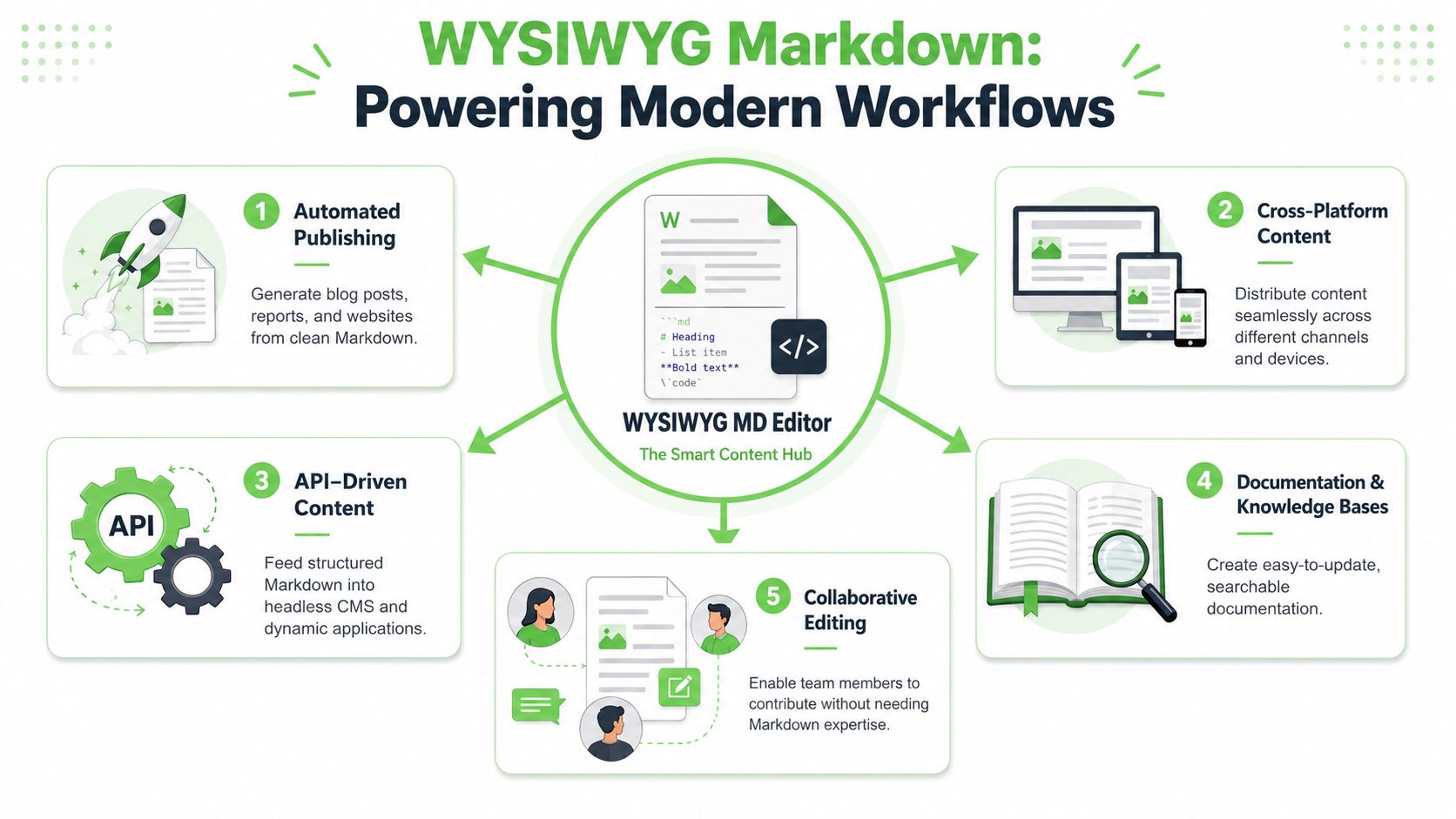
A WYSIWYG MD editor helps because non-technical contributors can keep the document structurally clean without editing raw Markdown line by line. A heading remains a heading. A table remains a table. A numbered procedure keeps its order. That consistency improves chunking, retrieval, citation, and reuse.
For teams designing content specifically for retrieval systems, this guide to Markdown for AI workflows explains why normalized structure improves ingestion and downstream performance.
Why regulated teams care even more
In regulated work, formatting is not cosmetic. It carries meaning.
A misplaced heading in a policy can change scope. A broken table in a contract can hide an obligation. A flattened list in a clinical instruction can blur sequence and risk interpretation errors. WYSIWYG Markdown helps teams edit in a familiar interface while keeping the underlying document plain, inspectable, and version-friendly.
That makes it useful as an operating layer for regulated content:
- Legal teams can preserve clause hierarchy, numbered sections, and schedules in a format that stays readable during review and stable during export.
- Healthcare and clinical teams can maintain structured notes, procedures, and reference material without asking staff to learn markup syntax.
- Compliance teams can keep a cleaner source document for approvals, retention, audit review, and machine processing across multiple systems.
The business advantage is easy to miss if you only frame these tools as editor preferences. Professionals use a WYSIWYG MD editor to reduce rework between review, publishing, and AI ingestion. Amateurs use it to make text look nice on screen.
Integrating Editors with Conversion Workflows
Most content doesn't begin life as Markdown. It arrives as a PDF, a DOCX file, a slide deck, a scan, an exported web page, or a photographed document from someone's phone. That changes the problem.
Where most teams get stuck
Teams often buy a WYSIWYG MD editor and expect it to solve the entire workflow. It won't. If the source material is trapped inside a scan or messy export, the editor only helps after the content has been converted into usable structure.
This matters a lot in AI preparation. A 2025 survey found that 82% of AI and ML engineers preferred using tools that could convert diverse documents into a normalized Markdown structure for preprocessing training data, with organizations achieving up to 70% token savings in the process. The preference makes sense. Normalized Markdown is easier to inspect, chunk, store, and reuse than raw document formats.
A workable end-to-end flow
A practical workflow looks like this:
- Ingest the source file. This might be a scanned contract, an OCR-heavy PDF, a DOCX policy, or a technical manual exported from another system.
- Convert it into structured Markdown. The goal isn't just text extraction. It's preservation of headings, lists, tables, and meaningful boundaries.
- Open that Markdown in a WYSIWYG editor. Reviewers can now edit the content visually without breaking the machine-readable format.
- Publish or ingest downstream. The same cleaned document can move to a knowledge base, a version-controlled docs repository, or an LLM retrieval pipeline.
That flow solves a common false choice. You don't have to choose between human-friendly editing and machine-friendly structure. You convert first, edit second, then distribute from a clean canonical format.
A scanned agreement is a good example. OCR alone may recover text, but poor structure makes review difficult and retrieval unstable. Once the content is normalized into Markdown, a WYSIWYG editor becomes the finishing environment where legal or operations staff can check section order, repair table issues, and approve the final text without touching raw syntax.
Frequently Asked Questions
Is a WYSIWYG MD editor the same as a rich text editor
No. A generic rich text editor often stores HTML or proprietary document structures. A WYSIWYG MD editor is useful because it aims to preserve Markdown as the output, not just visual styling during editing.
Can these editors handle scanned PDFs by themselves
Usually not well enough for serious work. If the document is a scan, photo, or degraded PDF, you normally need a conversion or OCR step first. The editor is for reviewing and refining structured Markdown after extraction.
Why aren't all WYSIWYG editors good for AI pipelines
Because many of them generate bloated HTML or lose semantic markers during export. That weakens retrieval quality and increases token usage. As discussed in the Obsidian forum conversation about WYSIWYG challenges, this is a common but poorly answered problem. Most tools fail by producing output that causes up to 70% higher token costs and unstable retrieval, while specialized conversion approaches are better at preserving structure for AI use.
Should developers still use source editors
Sometimes, yes. If the whole team is comfortable with raw Markdown and the workflow lives in Git, a source editor can still be the right choice. The value of a WYSIWYG MD editor rises when multiple roles need to contribute without syntax becoming the bottleneck.
What's the simplest buying rule
Check the saved Markdown, not just the editing experience. If the output is clean, structured, and portable, the editor is doing its real job.
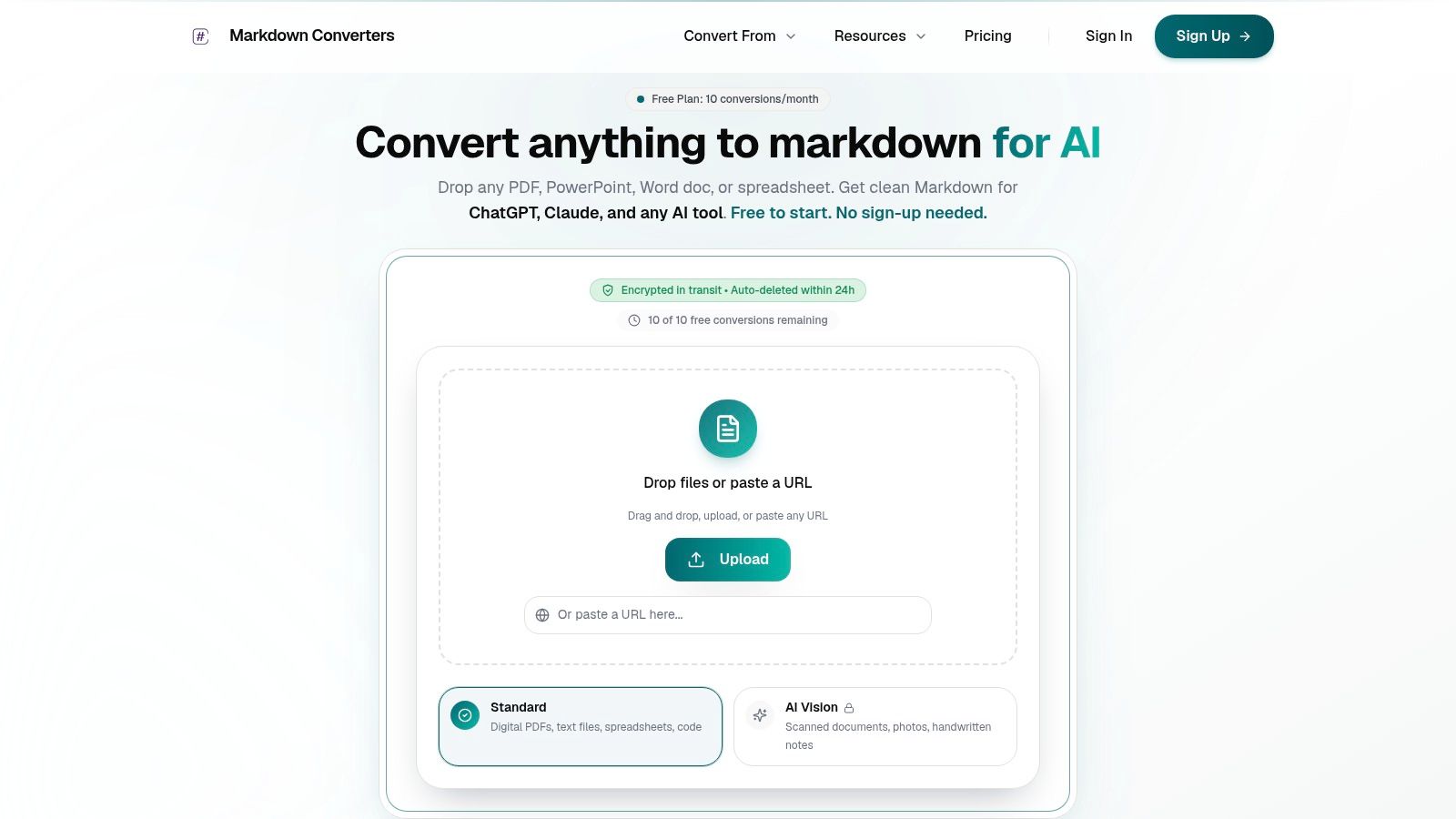
If your team works with PDFs, scans, web pages, or office files before editing in Markdown, Markdown Converters can help you standardize that front end of the workflow. It converts diverse documents into clean, AI-ready Markdown for review, publishing, and RAG pipelines, which makes your WYSIWYG editing layer far more useful.
Related Articles
Markdown Reader Windows: Best Tools for 2026
Markdown reader windows - Find the best markdown reader for Windows in 2026. Compare top tools to open, edit, and preview Markdown files effortlessly
Read articleBatch PDF Conversion: A Practical Guide for 2026
Learn practical batch PDF conversion workflows, from simple UI uploads to automated API processing. Convert scanned PDFs with OCR and create AI-ready Markdown.
Read articleTop 10 Windows Markdown Editor Free Tools for 2026
Find the best Windows Markdown editor free for your needs in 2026. Our list covers top tools for developers, writers, and LLM workflows, with detailed reviews.
Read article