
Collaborative Markdown Editor: Key Features & AI Tools
Transform teamwork with a collaborative markdown editor. Explore key features, use cases, selection tips, and AI integration for 2026.
Three people edit the same spec. One person works from a Word attachment, another leaves comments in a shared drive copy, and a third pastes revisions into Slack because the file won't open cleanly on mobile. By Friday, nobody knows which version is current, which comments were resolved, or why a key requirement disappeared.
That mess gets worse when the document isn't just for humans. Product briefs, research notes, policy docs, model cards, and runbooks now feed search systems, AI assistants, and retrieval pipelines. A document that looks fine in a rich text editor can become noisy, expensive, and brittle once it moves downstream.
That's why teams keep moving toward the collaborative markdown editor. It keeps the authoring experience simple, but it also gives technical teams something richer than simplicity alone. They get portable text, cleaner version control, and a format that works well in modern AI workflows. If you've been stitching together meeting notes, specs, and source files by hand, this is usually where the workflow starts to stabilize.
Escaping Document Chaos
The usual failure pattern isn't dramatic. It's ordinary. A requirements doc starts in one tool, comments happen somewhere else, approvals live in email, and final edits get copied into a knowledge base that strips formatting on import.
That's how teams end up with “final,” “final-v2,” and “final-approved-2” sitting side by side. I've seen this most often with product specs, operating procedures, and internal playbooks because they change fast and attract feedback from different roles. A PM wants readability, legal wants traceability, engineering wants plain text, and operations wants a version that still makes sense six months later.
A simple way to spot the problem is to look at how your team handles a product or policy draft. If requirements still move through attachments and screenshots, the collaboration layer is already broken. A practical reset is to start from a lightweight template, such as this RapidNative product requirements document, then move the team into a workflow where the file itself stays readable and reviewable from the start.
Another friction point is conversion. Remote teams rarely begin with neat markdown files. They pull from PDFs, old DOCX files, copied meeting notes, exported tickets, and browser content. If that sounds familiar, this guide to document conversion workflows for remote teams captures the operational issue well: the problem isn't writing one clean file, it's creating one source of truth out of many messy inputs.
Practical rule: If a document matters enough to review, reuse, or feed into another system, it needs a stable home before it needs prettier formatting.
A collaborative markdown editor fixes the root issue by making the working document both editable and durable. The team collaborates in real time, but the result is still plain text. That combination matters more than it sounds. It removes the gap between drafting, reviewing, publishing, and reusing content elsewhere.
What Is a Collaborative Markdown Editor?
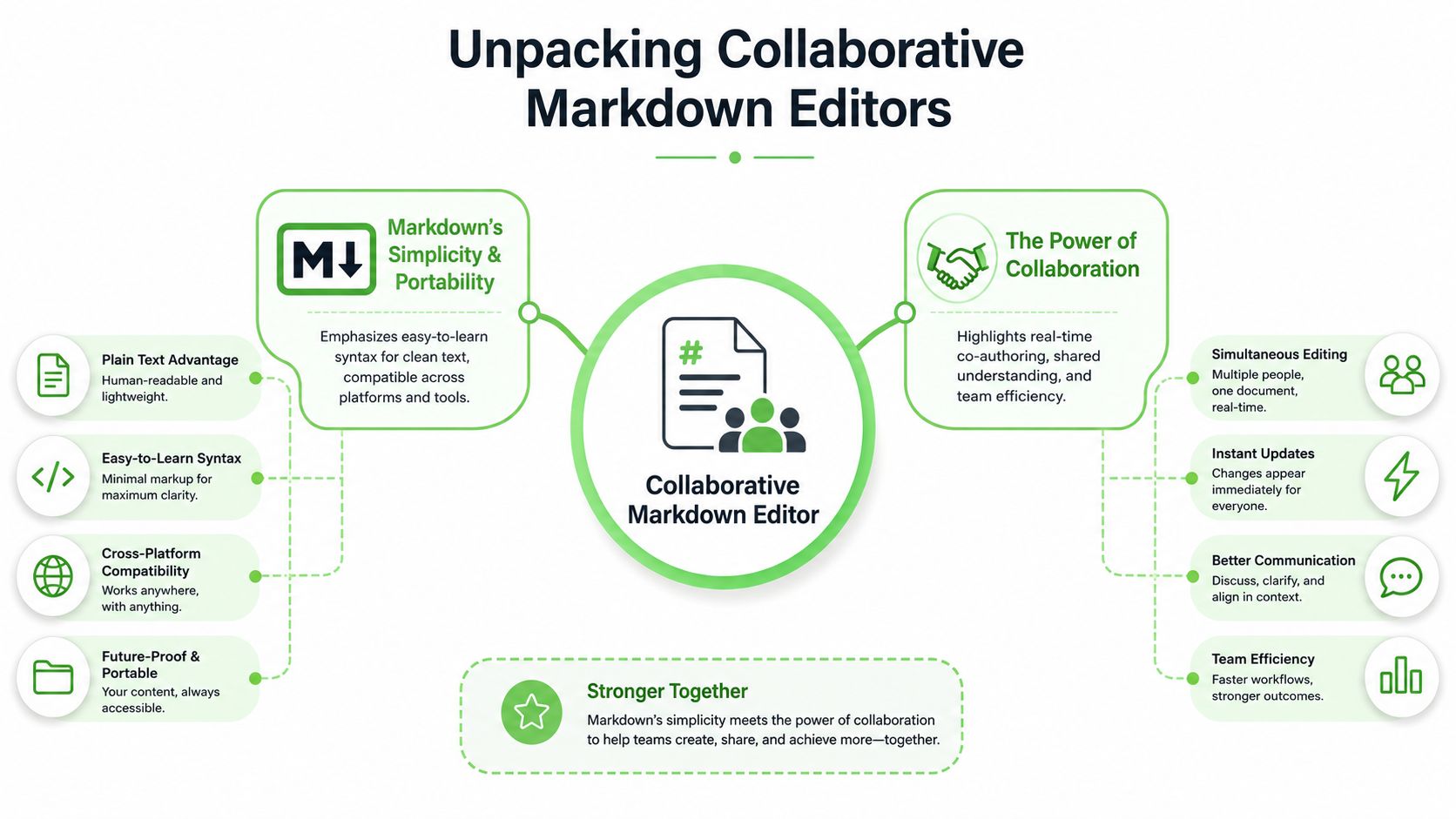
A collaborative markdown editor combines three ideas that usually live in separate tools.
First, there's Markdown. It's plain text with lightweight formatting for headings, lists, links, tables, and code blocks. That gives you files that are easy to read in raw form and easy to move between systems without dragging along proprietary formatting.
Second, there's collaboration. Multiple people can edit the same document at the same time, usually with shared cursors, comments, suggestions, and live updates. That's the familiar part for teams coming from Google Docs or Notion.
Third, there's the editor itself, which acts as the workspace where those two ideas meet. It gives non-technical contributors a usable interface while still producing a portable text artifact that technical systems can store, diff, version, and parse cleanly.
A more useful analogy
The closest shorthand is this: think of it as Google Docs behavior with plain text output. People can co-author in a browser, but the underlying document isn't trapped inside a rich text format that becomes awkward in Git, brittle in exports, or noisy in AI pipelines.
That matters because rich text tools optimize for visual editing, while markdown workflows optimize for portability. A collaborative markdown editor gives you enough of both to make cross-functional work less painful.
What teams actually gain
For writers and operators, the big win is reduced friction. They don't have to wrestle with style corruption, mystery formatting, or broken exports.
For engineers and AI teams, the value is different:
- Portable files: Markdown can live in repositories, shared folders, docs platforms, and automated pipelines with less cleanup.
- Readable diffs: When a line changes, reviewers can usually see the change clearly.
- Cleaner structure: Headings, lists, and tables stay explicit, which makes downstream processing more predictable.
That's also why these tools appeal to teams deciding between a visual editor and a code-first workflow. If you're comparing interface styles, this review of a WYSIWYG markdown editor is a useful companion because many teams don't need to choose one extreme. They need a tool that lets some people write visually while preserving a markdown-native source.
The best collaborative markdown setup doesn't force everyone to think like a developer. It gives the team a shared file format and hides complexity where possible.
The Core Features That Power Collaboration
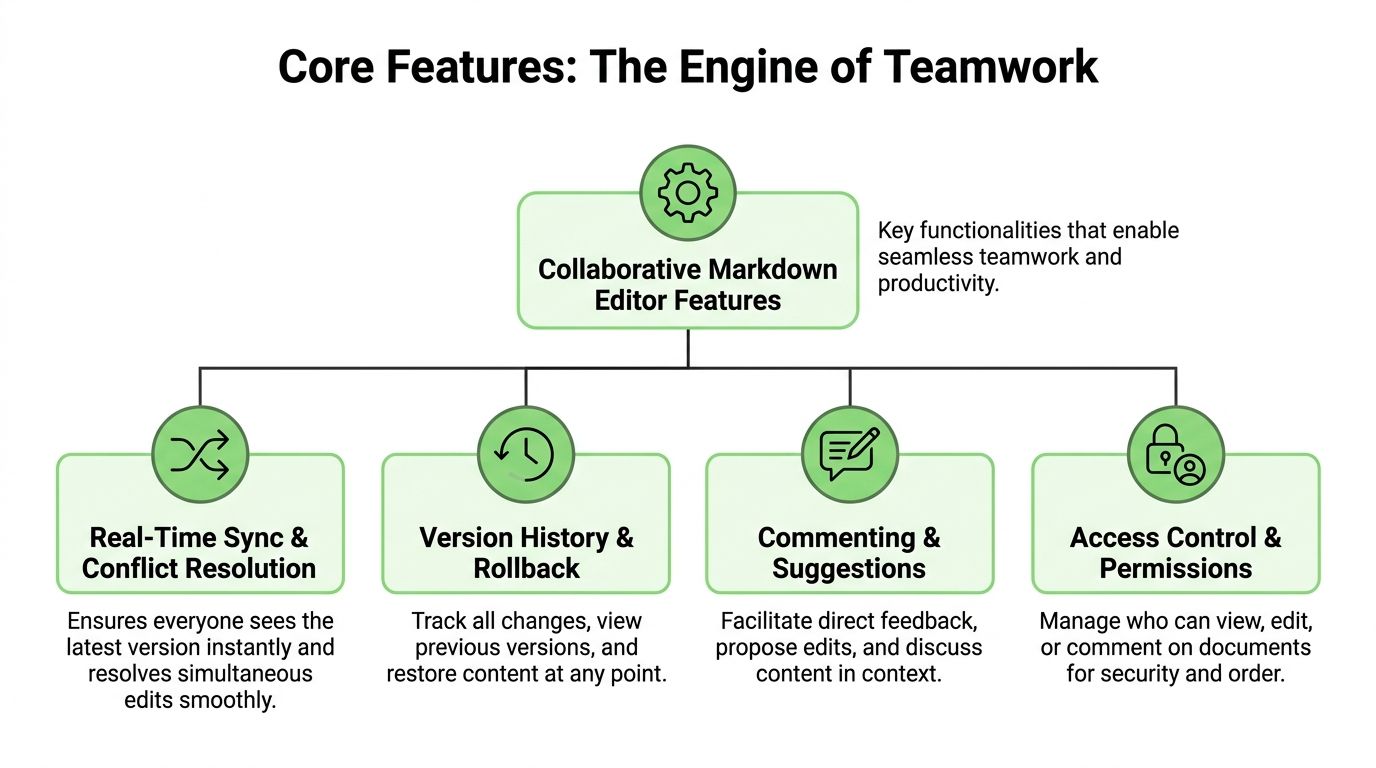
A collaborative markdown editor lives or dies on the quality of its collaboration engine. If edits lag, comments feel bolted on, or rollback is unreliable, people go back to attachments and side channels fast.
Real-time editing that people trust
Real-time sync has to feel invisible. Users shouldn't think about transport protocols or merge strategies, but they absolutely notice when text jumps around or someone's edit disappears.
HackMD's published description of its collaboration model is useful here. A real-time collaborative markdown editor can achieve sub-50ms latency for text synchronization across distributed nodes by using WebSocket-based bidirectional communication and operational transformation, and benchmark data shows OT reduces edit collision resolution time by 70% compared to naive lock-based approaches according to HackMD's overview. In practice, that means contributors can type together without constantly waiting on document locks or manually reconciling overlapping edits.
Later in the evaluation process, I usually ask one blunt question: when two people edit the same paragraph, does the tool stay calm? If it doesn't, nothing else matters much.
A short demo helps show what this looks like in practice:
Version history that stands up in reviews
Version history isn't just a convenience feature. It's the record of who changed what, when, and why.
That's where Git-backed approaches become interesting. Perchpad was noted for backing the collaborative workspace with Git so each change is committed automatically, creating an immutable audit trail in a folder of flat markdown and CSV files, as discussed in this Perchpad Git-backed editor thread. This design is especially attractive for legal, compliance, and technical documentation teams because the document history isn't hidden behind an opaque database view.
Here's the practical trade-off:
| Approach | Works well for | Weak spot |
|---|---|---|
| Database-backed collaboration | Fast onboarding, polished browser UX | History can feel abstract or harder to export cleanly |
| Git-backed collaboration | Auditability, reproducibility, repo-based workflows | Can feel less friendly to non-technical reviewers |
If your documents become evidence, policy, or training material, I'd bias toward stronger history and provenance over slicker presentation.
Extensibility without format drift
The good editors don't stop at plain headings and bullets. Teams often need comments, suggestions, diagrams, math, embedded references, or niche review formats.
The hard part is adding those features without turning the output into a proprietary blob. A markdown workflow works because the file remains durable outside the tool. Once extensions break portability, the editor stops being an asset and starts becoming a trap.
- Commenting and suggestions: Useful when review needs context, not just line diffs.
- Structured add-ons: Diagrams, tables, and citations help technical teams, but only if exports stay readable.
- Specialized review syntax: Academic and editorial groups sometimes care about formats such as CriticMarkup, which many mainstream tools ignore.
Field note: Fancy editing features are only valuable if the exported file still makes sense in another system six months later.
Security controls that match the workflow
Permissions aren't enough on their own. Teams need to know where documents live, how long they persist, and whether the system can prove authorship later.
A lightweight collaboration tool may be perfect for brainstorming and terrible for controlled documents. An enterprise platform may satisfy audit needs but be so rigid that people bypass it. Good security in this category means matching retention, access, and review controls to the actual document lifecycle, not just checking a “private workspace” box.
Use Cases From the Boardroom to the Lab
The fastest way to understand a collaborative markdown editor is to watch where it removes pain in real work. The use cases vary, but the pattern is consistent: one shared document, less format friction, clearer history.
Legal and policy work
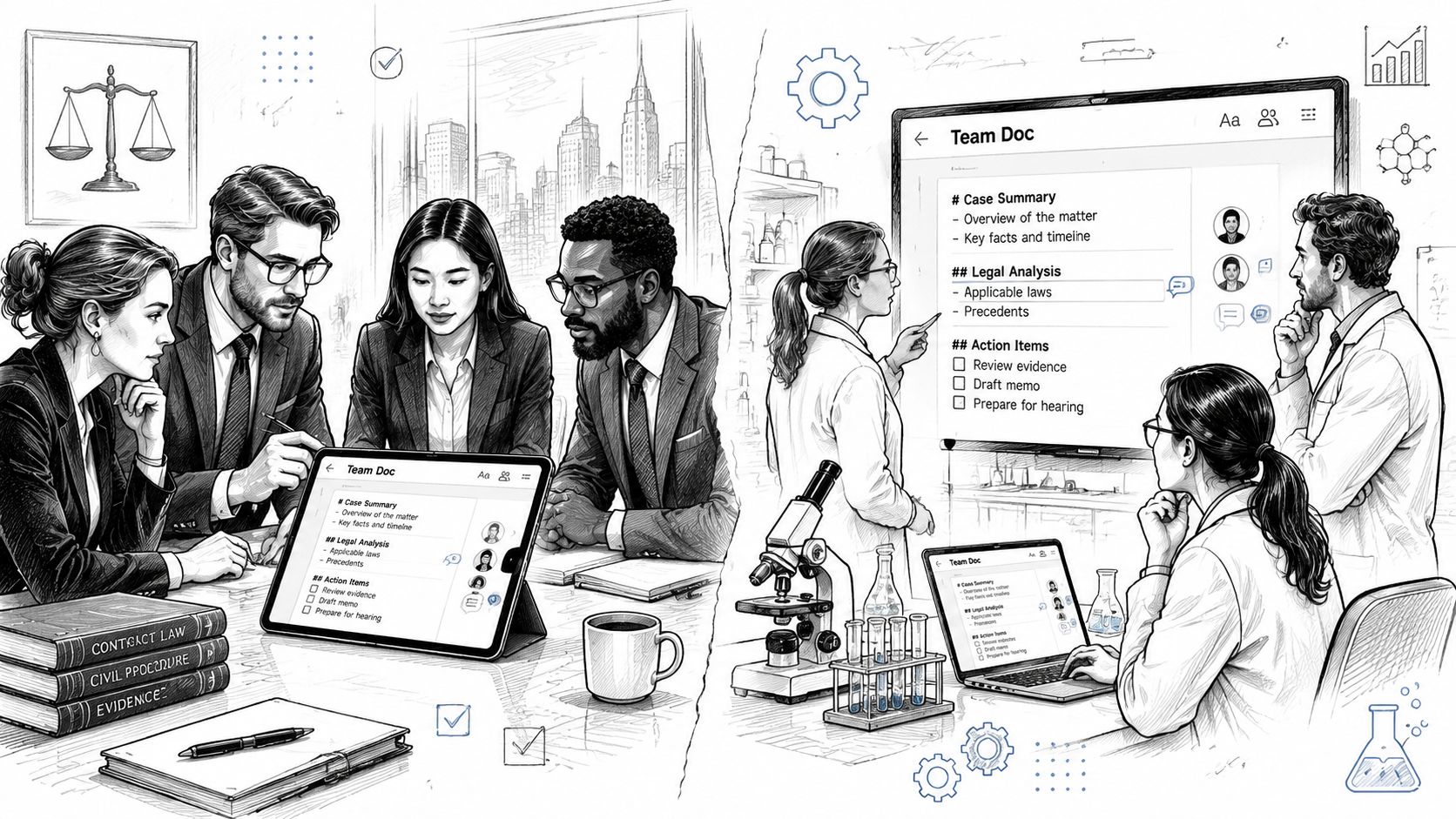
A legal team can use markdown drafts for internal negotiation notes, policy text, and clause review when they need a cleaner revision trail than email gives them. The main advantage isn't that lawyers want markdown syntax. It's that the organization wants durable text, clearer diffs, and a better record of how language changed over time.
Research and academic collaboration
Research groups often co-author literature reviews, methods sections, and shared notes across institutions. In that setting, markdown helps because references, tables, and section structure stay visible in the source. Reviewers can focus on content rather than wondering why copied text broke the layout.
Some academic teams also care about editorial conventions that richer office suites don't support well. A markdown-first workflow tends to fit better when the output may later move into Git, publishing pipelines, or reproducible notebooks.
Healthcare and regulated operations
Healthcare teams don't just need shared editing. They need confidence that protocols, guidance, and internal reference docs were updated by the right person and can be reviewed later.
That makes collaboration design more important than interface polish. If a tool supports easy sharing but weak authorship records, regulated teams usually treat it as a drafting pad, not a system of record.
Manufacturing and technical documentation
Manufacturing teams often maintain SOPs, maintenance instructions, and field manuals that must stay synchronized across operations, engineering, and quality. Markdown works well here because procedures are highly structured. Steps, warnings, tables, and revision notes don't need a heavy document format to stay usable.
A collaborative markdown editor also reduces the usual handoff pain between subject matter experts and whoever owns publication. The source remains readable even before layout or portal publishing enters the process.
AI and ML knowledge work
Model documentation, prompt libraries, evaluation notes, architecture decisions, and experiment summaries benefit from markdown because they're both human-readable and machine-friendly. Teams can maintain them as living documents instead of static exports.
One of the strongest patterns I've seen is using markdown docs as both working notes for humans and durable inputs for AI systems. That alignment removes a lot of duplicate effort.
How to Choose the Right Editor for Your Team
A collaborative markdown editor can be a great fit and still be the wrong choice for your environment. Selection goes sideways when teams compare only surface features. Shared cursors and comments matter, but hosting model, retention behavior, and export quality usually matter more.
Start with hosting and ownership
The first decision is whether you want SaaS convenience or self-hosted control. SaaS tools are easier to adopt and usually better polished. Self-hosted tools are easier to align with internal security rules, network boundaries, and repository-based workflows.
Then look at the storage model. Some platforms are built around application databases. Others lean into file-based or Git-backed storage. If your team already treats documentation like code, file-based systems often fit more naturally.
For teams comparing open tools and self-hosted options, this guide to an open-source markdown editor is a practical place to map features against ownership requirements.
Check the compliance model before the UI
Many evaluations become overly optimistic. Teams often appreciate the editing experience during a trial, only to subsequently discover the retention and audit model doesn't match their obligations.
A 2025 industry survey found that 82% of legal and healthcare organizations reject current collaborative markdown tools because of “inadequate data purge with auditability” or “missing change attribution per section,” according to the analysis published in mist's discussion of ephemeral collaboration. That gap tells you what to inspect first if you work with regulated or sensitive content.
Ask direct questions:
- Data purge behavior: Can the system remove content on schedule without destroying the audit story?
- Change attribution: Can reviewers see who changed a specific section, not just who touched the document?
- Role separation: Can the team distinguish drafters, approvers, commenters, and viewers?
- Provenance: Can you prove where a final text block came from if someone challenges it later?
If your team handles sensitive documents, “ephemeral” and “auditable” have to coexist. One without the other usually creates new risk.
Evaluate how the editor fits existing work
A tool that forces everyone into a brand-new process won't stick. The best fit usually complements what people already do.
I like to test against three document types: one high-comment draft, one operational document with approvals, and one technical file that eventually lands in a repo or internal knowledge base. That exposes whether the editor is really a workspace or just a nicer note pad.
If you want a sharper comparison mindset, the product positioning in these insights from WriteStack is useful because it highlights a broader truth: collaboration tools succeed when they fit the whole writing and review process, not when they win a feature checklist in isolation.
Advanced Integration for AI and RAG Workflows
Here, the collaborative markdown editor stops being “just documentation software” and becomes part of the AI stack.
Markdown is one of the best working formats for retrieval workflows because it preserves structure without wrapping everything in presentation markup. Headings remain headings. Lists stay lists. Tables are still identifiable as tables. That makes chunking, indexing, and grounding more predictable than when teams feed raw PDFs or messy HTML into retrieval systems.
Markdown as an ingestion format
HackMD's CodiMD lineage matters here because it highlights the practical link between collaborative editing and machine processing. HackMD has over 1 million users globally, and its markdown-native output can reduce token usage by up to 70 to 80% compared to equivalent HTML or raw PDF text, which lowers compute cost and expands effective context for AI agents and retrieval pipelines according to the HackMD CodiMD repository notes. That isn't a cosmetic benefit. It affects how much source material you can pass into prompts and how cleanly your retriever anchors content.
For RAG work, lower-noise inputs usually matter as much as model choice. Teams often spend too much time tuning embeddings and too little time fixing source documents.
Where collaborative editing fits in the pipeline
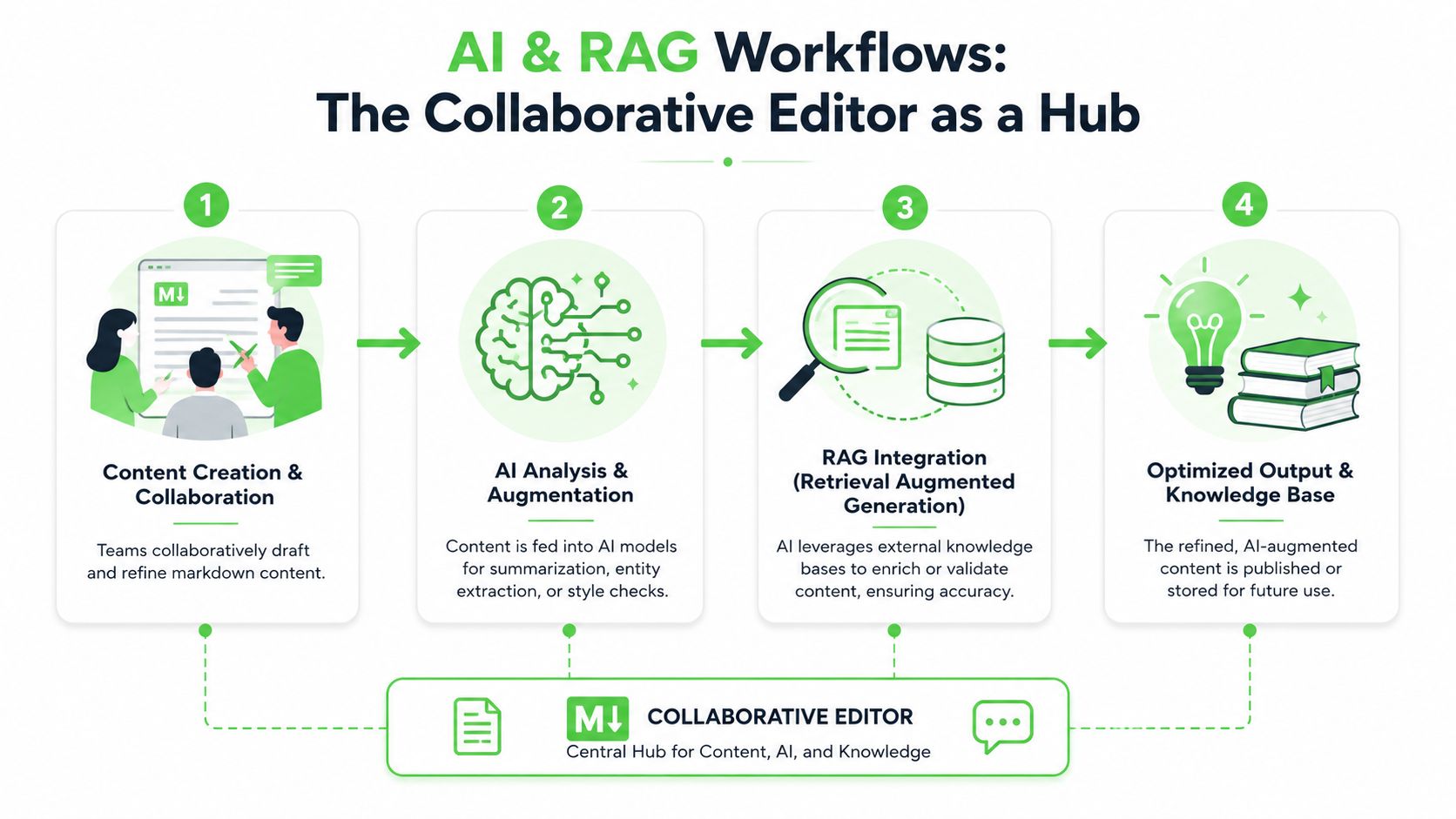
In a healthy workflow, the editor sits between ingestion and retrieval use.
A common sequence looks like this:
- Source collection: Teams gather PDFs, DOCX files, scans, spreadsheets, wiki exports, and web pages.
- Normalization: Those heterogeneous files are converted into structured markdown so headings, lists, and tables become predictable.
- Collaborative review: Subject matter experts refine the markdown in a shared editor, resolve ambiguity, and remove duplicate or outdated sections.
- Downstream use: The cleaned files move into a vector store, search index, prompt library, training set, or internal knowledge base.
That middle step is easy to underestimate. If people can't collaboratively correct the normalized files, ingestion quality stays low and retrieval quality suffers unnoticed.
There's also a budget angle. Teams experimenting with local models should understand that infrastructure cost doesn't disappear just because a model runs on local hardware. This breakdown on understanding Ollama's true costs is useful context when you're deciding whether to optimize model spend, preprocessing quality, or both.
What breaks AI workflows
The worst source material for AI systems is usually not “unstructured” in the abstract. It's inconsistently structured.
Here's what repeatedly causes trouble:
- Mixed formats in one corpus: Raw PDFs beside copied HTML beside manually edited text fragments.
- Presentation-heavy exports: Files that preserve appearance but lose semantic boundaries.
- No editorial checkpoint: Documents go straight from upload into indexing without subject matter review.
- Hidden revisions: Teams can't tell whether the indexed version includes approved edits or stale drafts.
Clean markdown is often the difference between a retriever that feels grounded and one that keeps surfacing half-relevant fragments.
A collaborative markdown editor helps because it gives humans a shared place to make the corpus cleaner before AI touches it. That's a better investment than endlessly trying to compensate for bad source material with clever prompting.
Tips for Successful Adoption and Sample Workflows
A good rollout starts with a document that already causes friction. Pick the spec that keeps drifting between Slack, Google Docs, and tickets. Pick the SOP nobody trusts because nobody knows which version was approved. Collaborative markdown editors gain traction when they remove a daily annoyance, not when they arrive as a new standard with no obvious payoff.
The practical mistake is treating adoption as a feature tour. Teams need a working editorial process. They need templates, review rules, ownership, and a clear answer to one question: which markdown file becomes the source for search, retrieval, or model training?
A rollout pattern that works
Keep the first phase narrow enough to observe and boring enough to repeat.
- Start with one active document type: Requirements, runbooks, incident notes, and policy updates work well because edits happen often and disagreements surface fast.
- Create a small template set: A spec, meeting note, decision log, and postmortem template usually cover the first wave.
- Define file and folder rules early: Consistent names and paths make markdown easier to review in the editor, easier to sync into Git, and easier to feed into downstream indexing jobs.
- Train inside real work: Run a short session on a live document. Have reviewers comment, resolve edits, and publish the final markdown in one sitting.
- Set an editorial checkpoint for AI-bound content: If a file will end up in a RAG index or training set, require human review after conversion and before ingestion.
That last step matters more than teams expect. Clean markdown helps, but only if someone verifies headings, tables, lists, and code blocks after conversion from PDFs, DOCX files, or web pages. For AI workflows, the editor is not just a writing surface. It is the last place to catch structure problems before they turn into bad chunks, weak retrieval, and noisy training examples.
Two sample workflows
A common product workflow looks like this: convert source material into markdown, draft the spec collaboratively, resolve comments in the editor, approve the final version, then publish the same file to the docs hub and the repository that feeds internal search or RAG. One file serves humans first and machines second, which keeps the corpus easier to maintain.
A regulated workflow is stricter. Teams convert incoming source files, assign limited editing rights, require section-level review from named approvers, then archive the approved markdown with its revision history before indexing only the approved version. That extra gate slows publishing a bit, but it prevents draft language from slipping into retrieval systems or compliance records.
The teams that get value fastest keep the toolchain simple. Markdown is portable. That portability is what makes collaborative editing useful beyond documentation. The same files can move into version control, static publishing, vector pipelines, and evaluation datasets without another format conversion in the middle.
If your team is trying to turn scattered PDFs, DOCX files, scans, spreadsheets, and web pages into a clean markdown corpus before collaborative review, Markdown Converters is built for that preprocessing step. It converts messy source material into AI-ready Markdown that's easier to edit, version, search, and feed into RAG or training workflows.
Related Articles
WYSIWYG MD Editor: A Guide for AI & Modern Workflows 2026
Discover what a WYSIWYG MD editor is, how it beats source/preview tools, and why it's crucial for RAG, AI pipelines, and clean documentation workflows.
Read articleMarkdown Reader Windows: Best Tools for 2026
Markdown reader windows - Find the best markdown reader for Windows in 2026. Compare top tools to open, edit, and preview Markdown files effortlessly
Read articleHow to Download a Folder from Dropbox Without Losing Your
Learn how to download a folder from Dropbox quickly and easily, with step-by-step instructions for 2026.
Read article