
Top 10 Markdown Editor Open Source Tools for 2026
Discover the best markdown editor open source for 2026. We review 10 top tools for writers, developers, and AI engineers, from VSCodium to Joplin.
You're probably dealing with one of two problems right now. Either your current Markdown editor is technically capable but irritating in daily use, or it's pleasant for writing and weak everywhere else: version control, collaboration, file portability, or AI data prep. That gap matters more than it used to.
Markdown now sits in the middle of software docs, internal knowledge bases, research notes, legal drafts, and LLM ingestion pipelines. The broader text editor market was valued at USD 2,538.9 million in 2025 and is projected to reach USD 4,500.0 million by 2035, according to WiseGuy Reports' text editor market report. That growth tracks what many teams already feel on the ground. Text editors are no longer just writing surfaces. They're part of production workflows.
The open-source side has also expanded fast. As of 2026, SourceForge lists over 150 distinct open-source Markdown editor projects, and new open-source Markdown editor releases have grown 35% year over year since 2023, based on SourceForge's Markdown editor directory. More choice sounds good until you have to pick one.
This guide keeps the focus where it belongs: workflow fit. If you're an AI engineer preparing clean corpora, a legal team that cares about privacy and retention, or a writer who just wants clean files and less friction, the best markdown editor open source option depends on how you work.
1. VSCodium
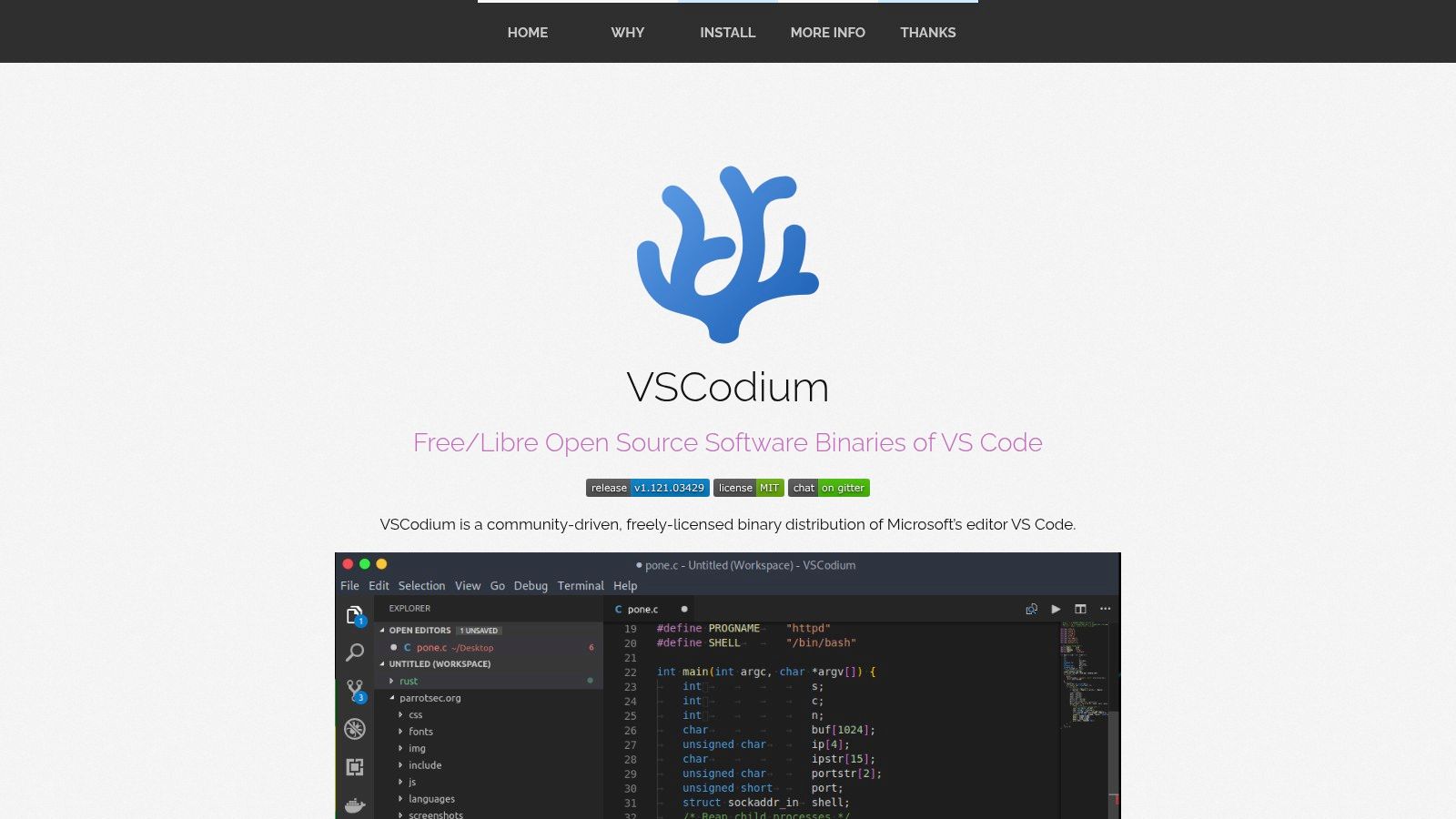
VSCodium is the markdown editor open source pick I recommend most often to engineering teams. It gives you the familiar VS Code editing model without Microsoft telemetry or proprietary packaging, which makes it easier to adopt in organizations that care about transparency and controlled tooling.
Its biggest advantage isn't Markdown syntax support. Plenty of editors can render headings and checkboxes. VSCodium matters because Markdown lives next to code, issues, CI config, docs folders, prompts, and changelogs. When your documentation is repo-centric, being in the same editor as the rest of the project saves time every day.
Why it works in repo-first teams
You get built-in preview, Git integration, diffing, outline navigation, and access to extensions through Open VSX. That combination makes it strong for teams maintaining docs-as-code, API references, architecture decision records, or prompt libraries.
If your team also needs browser-based cleanup and format normalization before files enter an AI workflow, pair VSCodium with a dedicated Markdown editor tool rather than trying to make the editor do every conversion job itself.
Practical rule: Use VSCodium when Markdown is part of a software repository, not just a personal note system.
A few trade-offs matter:
- Best strength: It scales well to large documentation trees with many linked files.
- Main limitation: Some Microsoft-hosted extensions aren't available by default.
- Real friction: New users can get lost in settings, workspaces, and extension choices.
Visit VSCodium if you want an open editor that still feels like a serious development environment.
2. Joplin
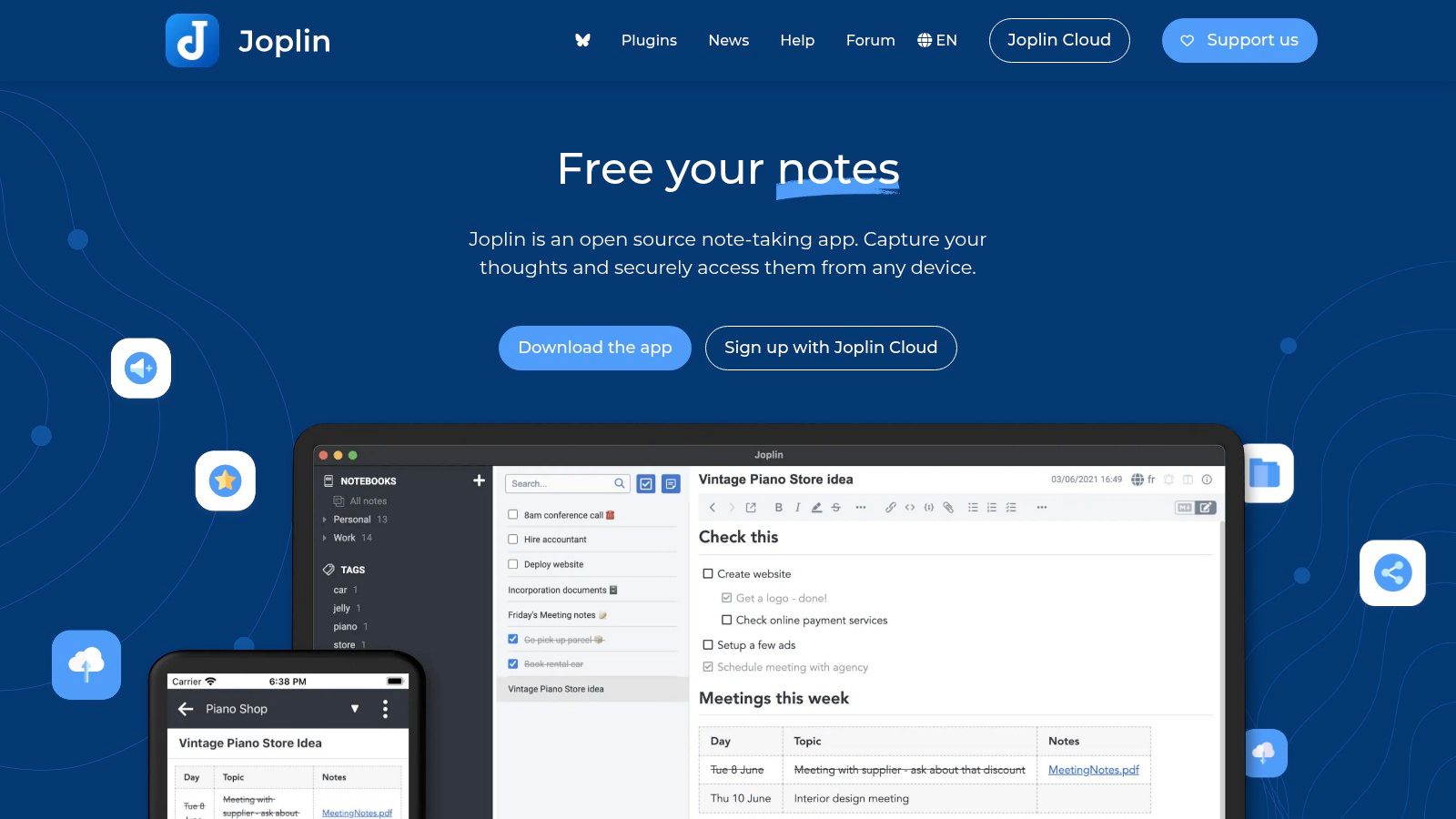
A common failure point in documentation work starts before publishing. Notes live in a browser clipper, drafts sit in a personal wiki, and sensitive research ends up in a cloud app the legal or security team never approved. Joplin solves a different problem than repo-based editors. It gives teams a private note system with Markdown at the center, plus offline access and end-to-end encryption.
That matters for legal teams, compliance staff, consultants, and researchers who collect source material first and turn it into polished documents later. Joplin's web clipper is useful in that workflow because it pulls web content into a searchable note base instead of leaving it scattered across tabs and bookmarks.
Where Joplin fits best
Joplin is strongest when the unit of work is a note, case file, research notebook, or clipped source collection. Sync support for Joplin Cloud, Nextcloud, Dropbox, OneDrive, and WebDAV gives teams room to match existing storage policies instead of rebuilding their process around a single vendor.
The trade-off is structural. Joplin stores and organizes information well, but it does not feel as natural as a repo-first editor when every file needs to live in a visible Git directory with branch-based review. Shared editing is also more about sync and handoff than live collaboration.
For AI engineers and teams preparing data for retrieval workflows, Joplin can be a practical staging area. I've seen it work well for collecting raw notes, clipped product docs, policy text, and SME interviews before export into a cleaner corpus for chunking and metadata tagging. If your contributors are still inconsistent with headings, lists, and links, a short Markdown syntax guide for new contributors saves cleanup time before those notes enter an LLM or RAG pipeline.
Use Joplin if privacy, note capture, and offline access matter more than repo-native workflows.
3. Zettlr
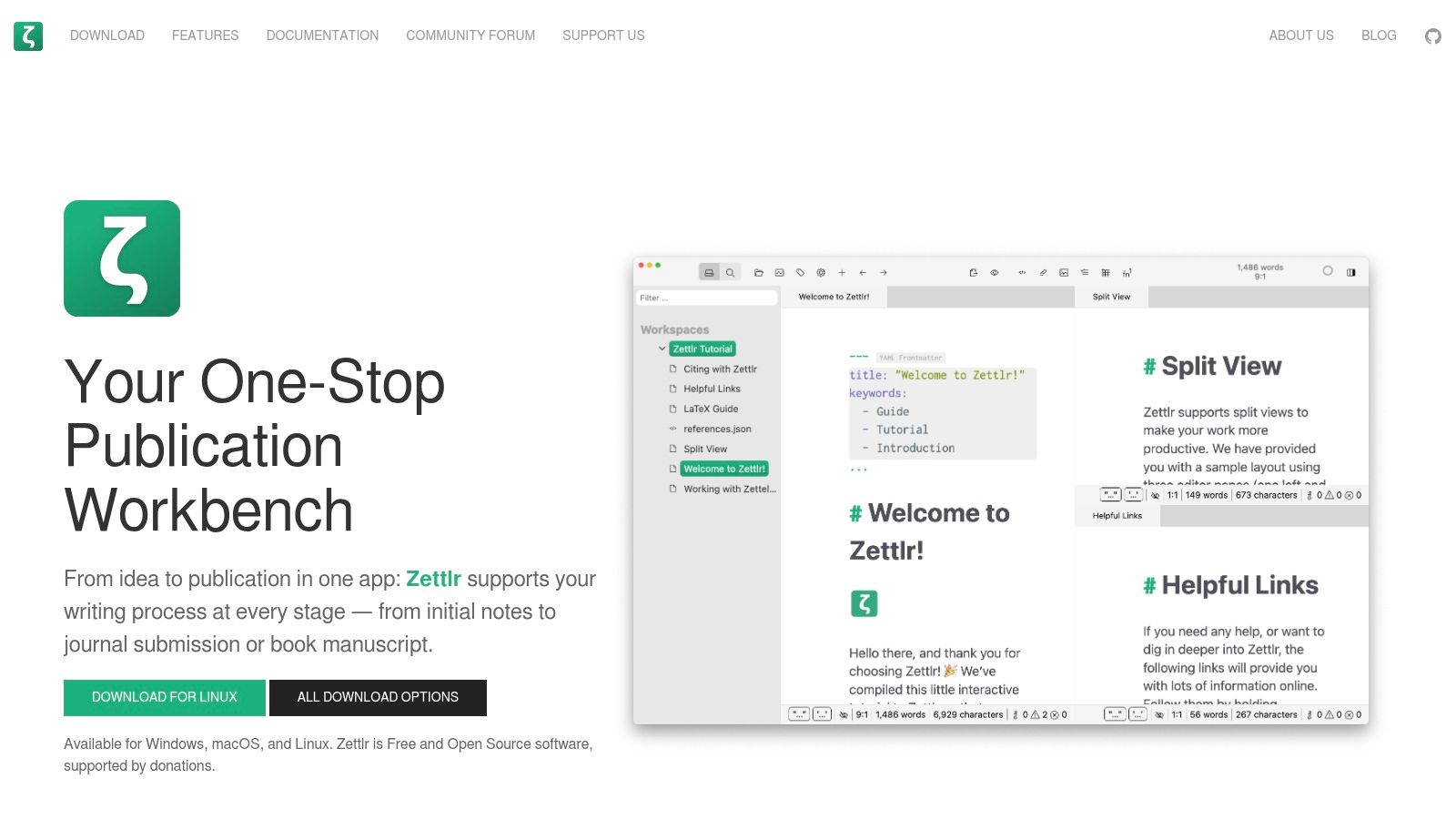
Zettlr targets a narrower audience than VSCodium or Joplin, and that's exactly why it works. If you write papers, dissertations, book-length drafts, literature reviews, or source-heavy technical reports, Zettlr understands the messier reality of long-form research better than most Markdown editors do.
Its project view, citation support, tabs, and Pandoc-based exports make it more than a plain text editor. It feels closer to a writing environment built for structured thinking. That's valuable when you need notes, source references, and draft sections to stay connected instead of scattered across unrelated tools.
Best for long structured writing
Zettlr isn't minimal. That's the point. Academic and research workflows usually need more than a fast text pane. They need citation handling, export flexibility, and enough project structure to keep a large body of work coherent.
If you're still teaching contributors or junior teammates the format itself, a quick Markdown basics guide helps more than expecting them to learn syntax by osmosis.
For research-heavy writing, a good editor should reduce document management overhead, not just make the text look nice.
The downside is setup complexity. Advanced export pipelines often depend on Pandoc, and that extra layer can frustrate people who only wanted simple writing. Still, for academics and analysts who live in structured documents, Zettlr is one of the more practical open options available.
4. MarkText
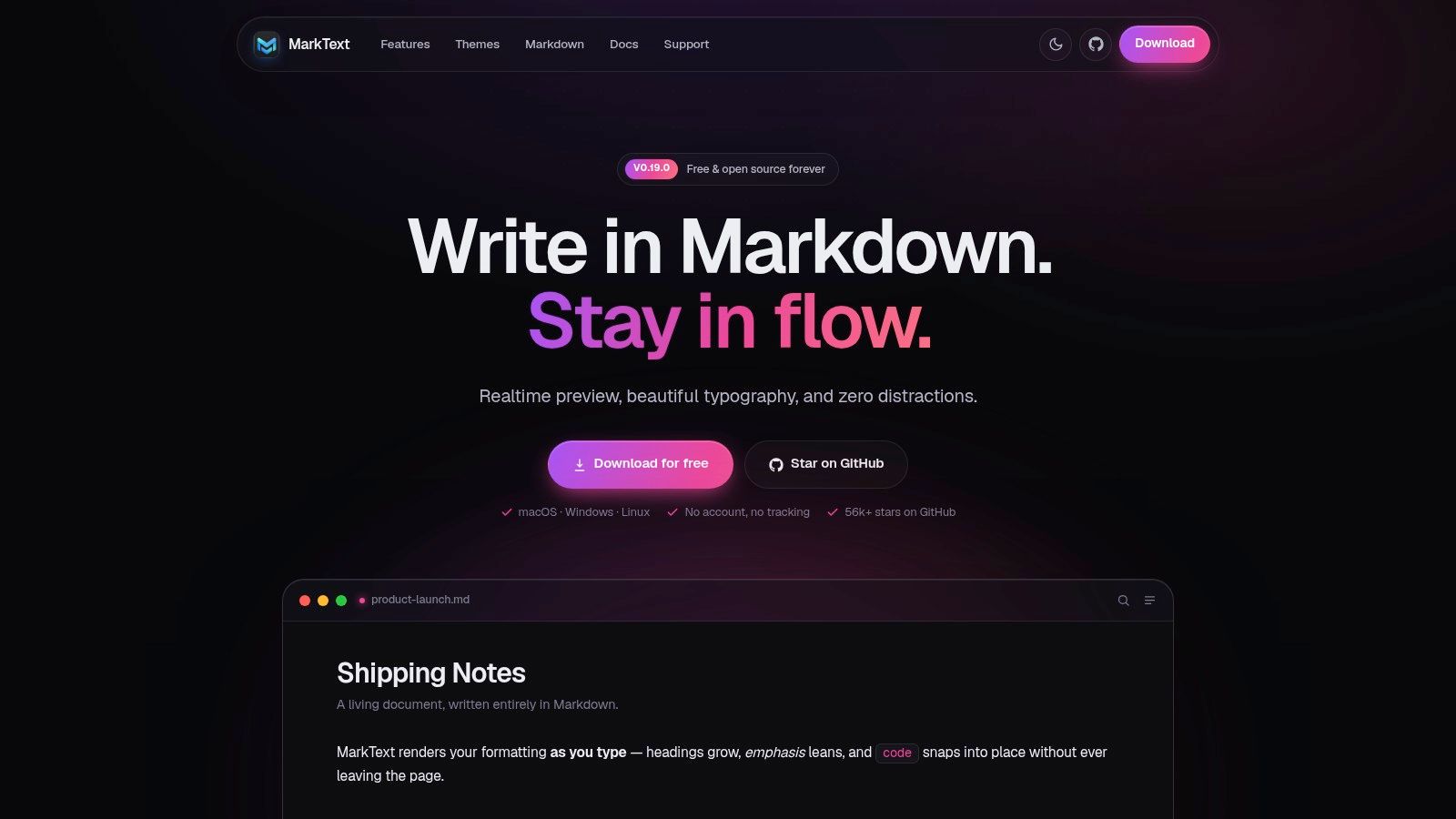
MarkText is the editor I point to when someone says, "I want Markdown, but I don't want to stare at raw markup all day." It renders formatting as you type, keeps the interface clean, and still produces readable Markdown files underneath. That balance is harder to get right than it looks.
For writers, product marketers, and internal documentation owners, MarkText often feels easier on day one than an IDE-style editor. You don't need a split pane to believe the document is working. You can just write.
Who should pick MarkText
MarkText is a strong fit when editing comfort matters more than extension ecosystems. It supports rich text paste conversion, export to common formats, and focus-oriented writing modes. That's enough for a lot of solo work.
It also benefits from the broader trend toward WYSIWYG and AI-native tooling. Nimbalyst's Markdown editor guide describes the 2026 open-source Markdown scene as being dominated by WYSIWYG and AI-native tools, which helps explain why editors in this style keep attracting attention.
If you're comparing interfaces before committing, it's worth looking at a dedicated WYSIWYG Markdown editor overview alongside MarkText itself.
- Good fit: Solo writers who want clean output without code-editor complexity.
- Watch for: Historically uneven maintenance periods, so check current release status for your OS.
- Less ideal for: Teams that need heavy Git workflows, collaboration, or deep automation.
See MarkText if your main requirement is comfortable writing with minimal setup.
5. HedgeDoc

HedgeDoc solves a different problem from most editors on this list. It isn't trying to be your private desktop writing app. It's trying to be collaborative Markdown that teams can run themselves.
That distinction matters for legal teams, healthcare organizations, and internal documentation groups that want shared editing without defaulting to Google Docs. Self-hosting changes the conversation. You keep control over deployment, retention, access, and audit expectations instead of adapting your workflow to a consumer SaaS tool.
Why teams choose it
HedgeDoc supports live multiuser editing, comments, embeds, and presentation mode. It can function as a shared drafting surface for policies, meeting notes, internal runbooks, and collaborative documentation.
SourceForge's Markdown editor directory notes that web-based collaborative editors like HedgeDoc represent 18% of the total open-source Markdown ecosystem, and that HedgeDoc had accumulated 28,000+ GitHub commits by 2026 in that same directory listing. That tells you this category isn't a side niche anymore. It's a real operational choice for teams that need Markdown plus collaboration in one place.
Operational note: HedgeDoc is excellent once it's running. It is not the easiest recommendation for teams that don't want to own hosting.
Its main downside is exactly that. You need infrastructure and someone willing to maintain it. The AGPL license can also trigger review in some organizations. Still, for self-hosted collaborative writing, HedgeDoc remains one of the strongest options.
6. StackEdit
StackEdit is what I use when I need a browser-first editor that still feels capable. It runs in the browser, works offline, supports several Markdown flavors, and handles publishing better than most lightweight web tools. That mix makes it useful when you can't install software or don't want to.
The practical appeal is speed. Open a tab, write, sync, publish, leave. No desktop install, no heavy environment setup, no negotiating with locked-down devices.
Best use cases for StackEdit
StackEdit works well for consultants, trainers, technical writers, and anyone who moves between machines. It supports GFM, CommonMark, Markdown Extra, and LaTeX math, plus sync and publishing paths to platforms like Google Drive, Dropbox, GitHub, Blogger, WordPress, and Zendesk.
The limitation is local-first control. Browser tools always ask you to think a bit differently about where files live and how they move. If your workflow depends on a visible folder tree and native file operations, StackEdit may feel indirect.
Vrite's write-up on its open-source WYSIWYG editor also highlights a broader market gap around modern AI-assistant workflows and notes that the common question about open-source Markdown editors with native MCP-based in-chat conversion and retrieval remains unanswered. That's relevant here because StackEdit is smooth for editing, but it doesn't close that chat-to-doc retrieval loop by itself.
Use StackEdit when portability matters more than deep local integration.
7. Dillinger
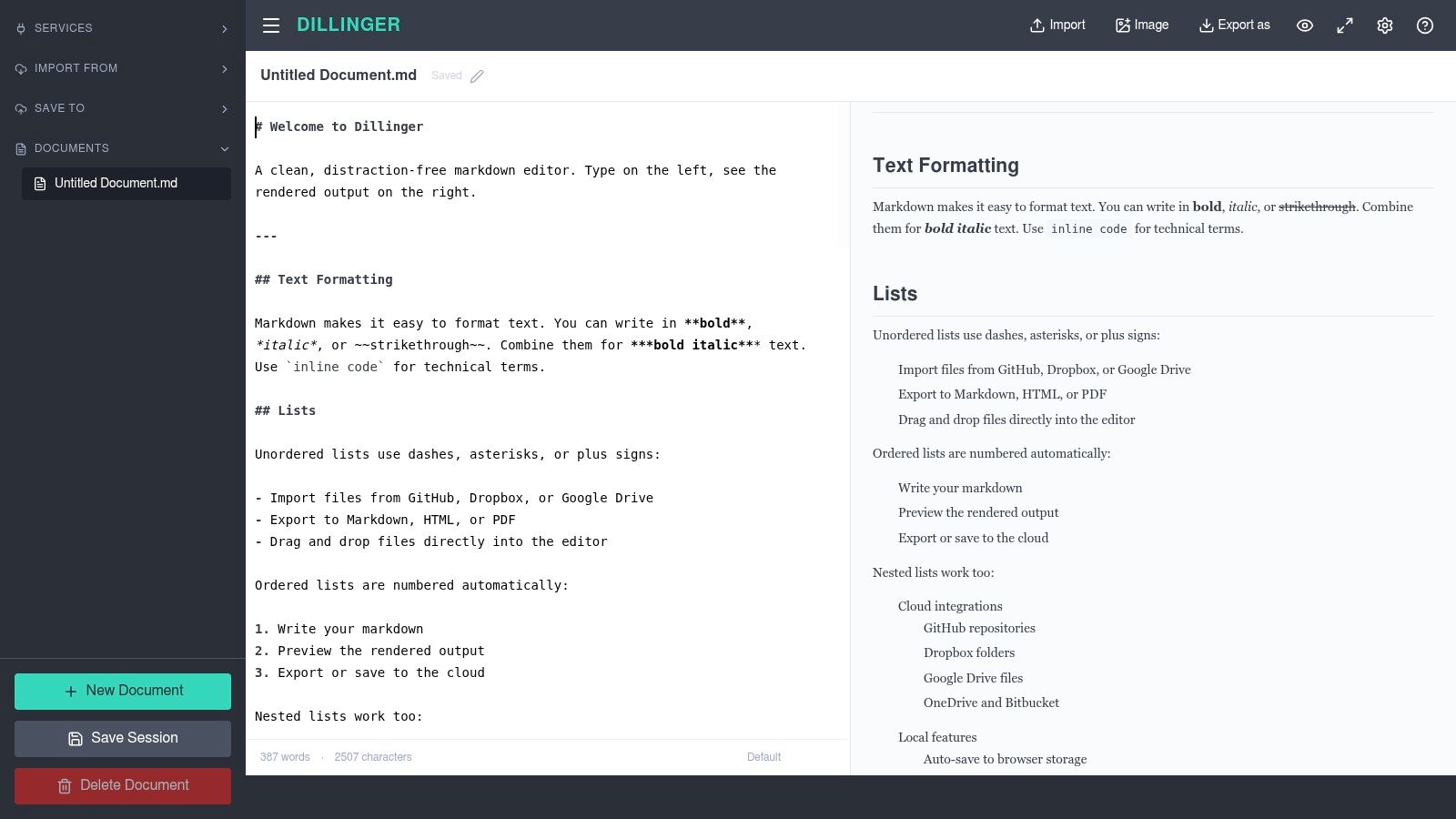
Dillinger is the editor for quick work. Not ambitious work. Quick work. If you need to paste text, clean it up, preview it, and export it without ceremony, Dillinger does that well.
That sounds modest, but there's a real place for an editor that doesn't insist on becoming your whole system. Plenty of documentation tasks are temporary: convert a rough draft, fix formatting, demo Markdown to a client, or export a one-off file.
When simple is the right answer
Dillinger gives you live preview, browser-based editing, and import or export paths through common cloud services. The Monaco-style feel helps if you want a code-like editor in the browser without setting up anything local.
Its weakness is the obvious one. This isn't where I'd build a durable writing or documentation workflow. Collaboration is limited, advanced authoring features are light, and long-term note organization isn't the point.
- Use it for: Fast edits, demos, and quick conversions.
- Don't use it for: Team knowledge management or large writing projects.
- Best mindset: Treat Dillinger as a handy utility, not a writing home.
If that's exactly what you need, Dillinger is still a solid option.
8. VNote
VNote sits in a useful middle ground. It isn't as notebook-opinionated as some note apps, and it isn't as extension-driven as VSCodium. Instead, it focuses on Markdown-first knowledge organization with notebooks, split view, search, outlines, and good media handling.
That makes it attractive for technical documentation vaults, engineering notes, product specs, and operational knowledge collections where text and attachments need to coexist without too much friction.
Where VNote earns its place
VNote feels best when you have a growing body of Markdown content and want stronger organization than a bare folder gives you. Search, outline support, and attachment handling become more important as note collections get messy.
I also like that it doesn't try too hard to abstract away Markdown. You still feel like you're working with documents, not trapped in an opaque database-first interface.
Keep VNote in mind when your note collection has outgrown minimalist editors, but you still don't want IDE overhead.
The main trade-off is ecosystem size. You won't get the same plugin depth or community volume that comes with Joplin or the VS Code world. Still, VNote is practical for users who want a dedicated Markdown knowledge workspace on the desktop.
9. ghostwriter
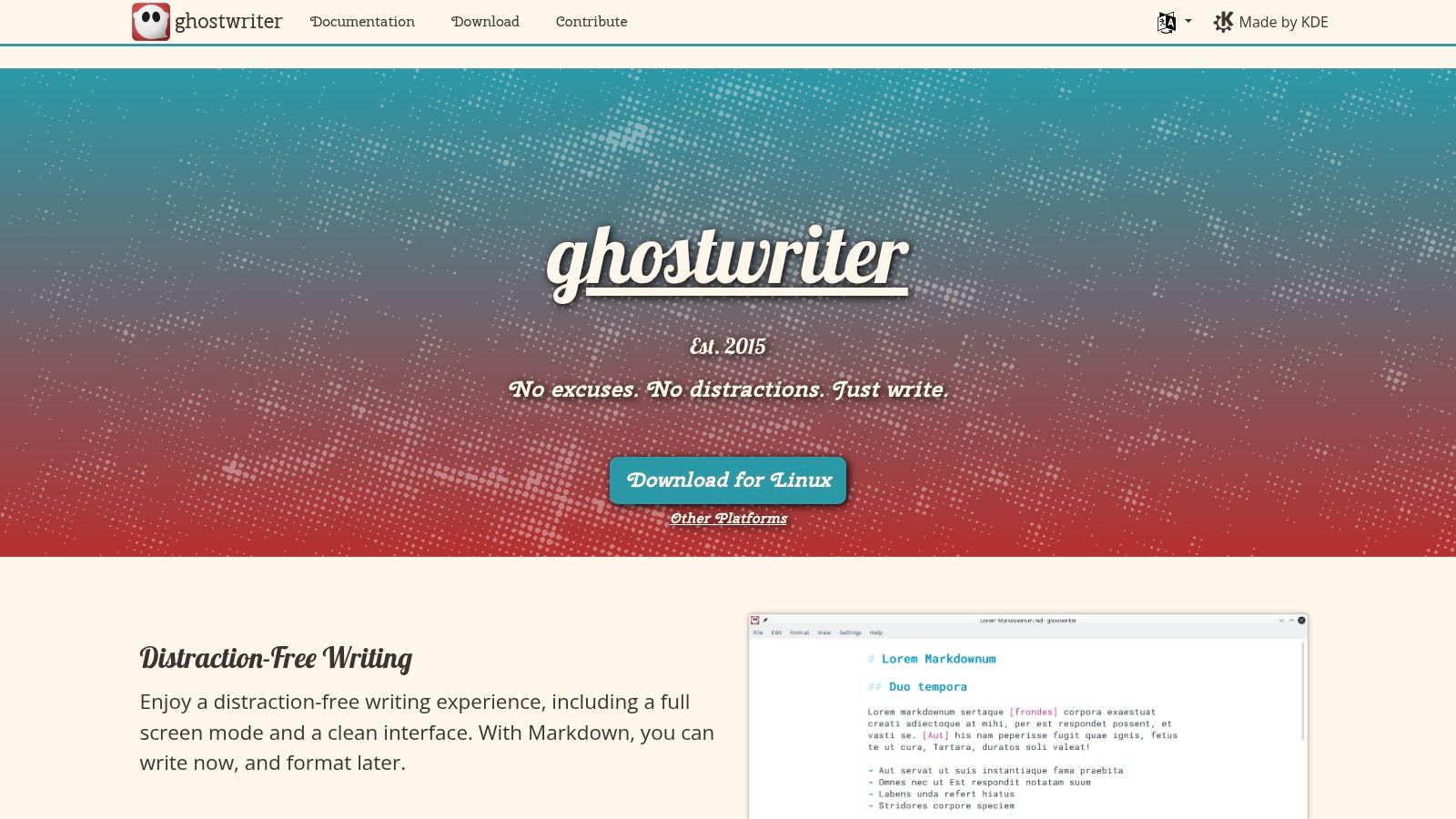
A common drafting problem shows up after the first hour, not the first minute. Cursor movement starts to feel noisy, sidebars pull attention away from the sentence, and an editor with too many controls turns simple writing into constant interface management. ghostwriter avoids that trap.
It is a focused desktop Markdown editor built for long writing sessions. The value is not breadth. The value is staying in flow while drafting reports, technical explainers, meeting summaries, SOPs, and first-pass documentation that will be cleaned up later in another tool.
Where ghostwriter fits best
ghostwriter works well for solo drafting. Focus mode, typewriter mode, live word counts, and preview support are all aimed at one job. Keep the writer moving. That makes it a good fit for technical writers shaping rough content before repo handoff, legal teams preparing clause-heavy drafts offline, and analysts turning notes into readable internal documents.
I would not choose it for docs-as-code workflows that depend on repo search, extensions, linting, or integrated Git operations. AI engineers preparing Markdown for RAG pipelines will hit similar limits. ghostwriter is good for creating clean source text, but it does not help much with metadata, chunking rules, provenance, or repeatable export steps. In that workflow, it is a drafting surface, not the full pipeline.
That distinction matters.
The upside is clarity. ghostwriter keeps formatting predictable, stores work locally, and stays out of the way. The downside is equally clear. Collaboration is minimal, automation options are limited, and teams that need comments, publishing hooks, or repository tooling will outgrow it quickly.
Use ghostwriter if your main requirement is sustained writing comfort and clean Markdown output, especially for individual contributors who edit first and operationalize later.
10. QOwnNotes
QOwnNotes is one of the most practical choices for people who care about plain files on disk. Every note can live as an individual Markdown file, which makes the app unusually friendly to Git versioning, external sync, and downstream processing.
That matters for technical teams, legal operations, and AI engineers who don't want their notes trapped in a proprietary storage layer. If your notes may later feed scripts, conversion jobs, or retrieval pipelines, transparent files beat clever abstractions almost every time.
Best fit for pipeline-friendly notes
QOwnNotes integrates with Nextcloud and ownCloud, supports search and tagging, and keeps the UI focused on editing and organizing plain-text notes. The visual design is more utilitarian than modern note apps, but the file model is excellent.
For AI and RAG work, that file transparency is more than a preference. The Mundimark awesome-markdown-editors background page points to a critical gap in open-source editors: they generally don't prioritize zero-config LLM-native output, structured chunks, provenance metadata, or predictable chunk boundaries required by retrieval systems, and it cites a Stanford AI Lab finding that 68% of LLM integration failures stem from inconsistent document structure during ingestion. QOwnNotes doesn't solve that by itself, but it gives you clean, versionable Markdown to build from.
Use QOwnNotes when you want notes that remain ordinary files first and app objects second.
Top 10 Open-Source Markdown Editors: Feature Comparison
| Product | Core features ✨ | UX ★ | Value 💰 | Target 👥 | USP 🏆 |
|---|---|---|---|---|---|
| VSCodium | Built‑in Markdown preview, Mermaid, massive extension ecosystem, Git workflows | ★★★★★ Fast, extensible editor for large .md repos | 💰 Free OSS, telemetry‑free binaries | 👥 Engineers, repo‑centric docs teams | 🏆 Telemetry‑free VS Code experience + extensions |
| Joplin | Markdown editor, web clipper (HTML→MD), E2EE, multi‑cloud sync | ★★★★☆ Solid cross‑device note UX with plugins | 💰 Free OSS; optional paid cloud or self‑host | 👥 Privacy‑minded users, legal & research | 🏆 End‑to‑end encryption + web clipper |
| Zettlr | Zettelkasten tools, citation integration, Pandoc export, project views | ★★★★☆ Research‑focused editor & export pipeline | 💰 Free OSS | 👥 Academics, researchers, structured writers | 🏆 Built‑in citation + Pandoc export |
| MarkText | Real‑time WYSIWYG editing, paste→clean Markdown, PDF/HTML export | ★★★★☆ Minimal, live‑formatted writing surface | 💰 Free (MIT) | 👥 Writers preferring real‑time formatting | 🏆 WYSIWYG that outputs clean Markdown |
| HedgeDoc | Live multiuser editing, comments, presentation mode, self‑hostable | ★★★★☆ Real‑time collaboration (requires ops) | 💰 Free OSS; self‑host costs apply | 👥 Teams wanting Google‑Docs style control | 🏆 Self‑hosted collaborative Markdown |
| StackEdit | In‑browser editor, LaTeX math, multi‑cloud sync & publish, offline | ★★★★☆ Full‑featured browser UX, offline capable | 💰 Free browser app | 👥 No‑install users, bloggers, students | 🏆 Direct publish + multi‑cloud sync |
| Dillinger | Live preview, import/export (MD/HTML/PDF), cloud integrations | ★★★☆☆ Fast, simple web editor for quick tasks | 💰 Free web tool | 👥 Quick edits, demos, one‑off conversions | 🏆 Zero‑setup online Markdown editor |
| VNote | Notebook organization, split view, outline, strong media handling | ★★★★☆ Snappy desktop for large note collections | 💰 Free OSS | 👥 Technical writers, docs vaults | 🏆 Excellent media & large‑collection support |
| ghostwriter | Focus/typewriter modes, live stats, drag‑drop image insertion | ★★★★☆ Lightweight, distraction‑free drafting | 💰 Free OSS | 👥 Long‑form writers, solo authors | 🏆 Focused UX for deep writing sessions |
| QOwnNotes | Notes as individual .md files, Nextcloud/ownCloud sync, tagging & search | ★★★★☆ Utilitarian but flexible for pipelines | 💰 Free OSS | 👥 Users needing file‑based notes & Git | 🏆 True files‑on‑disk model ideal for versioning |
Choosing Your Open-Source Markdown Workflow
The best markdown editor open source setup usually isn't about finding one perfect tool. It's about removing the most expensive friction in your actual workflow.
If your work starts in repositories and ends in pull requests, VSCodium is the strongest default on this list. It handles Markdown where many engineering teams already live: next to code, config, issues, and version control. If your work is private research or legal note capture, Joplin is often the better choice because encryption, sync flexibility, and clipping matter more than Git-native behavior. For collaborative drafting under your own infrastructure, HedgeDoc stands out because it gives teams shared editing without giving up control of data and hosting.
Writers have a different set of needs. MarkText and ghostwriter both keep the editing surface calm, but they do it differently. MarkText is better when you want a more visual, formatted writing experience. ghostwriter is better when you want minimalism and long-form drafting discipline. Zettlr is the clear specialist pick for academic and research-heavy writing where citations and export pipelines aren't optional.
For lighter browser-first work, StackEdit and Dillinger both make sense, though for different reasons. StackEdit is more capable and better for ongoing browser-based writing. Dillinger is the faster utility when you need to edit and export something quickly.
For note systems that need to stay portable and useful outside the app, QOwnNotes and VNote deserve serious attention. QOwnNotes is especially strong when file transparency matters for automation, Git, or AI ingestion workflows. VNote is better when you want a more managed Markdown knowledge base on the desktop.
One more practical point matters in 2026. Editing and AI preparation are not the same job. Open-source editors are good at writing, previewing, and organizing Markdown. Most still aren't designed to produce consistent, LLM-ready outputs with stable structure, provenance, and retrieval-friendly chunking. That means AI engineers, legal teams, and healthcare users often need a second layer for conversion and normalization before content enters a RAG pipeline or chat workflow. That's where a separate processing step often saves more time than trying to force the editor to do everything.
If you're also building publishing processes around your documentation, content publishing guides are useful for tightening the handoff from draft to distribution.
If your workflow doesn't stop at writing, Markdown Converters is worth adding alongside your editor. It turns PDFs, DOCX files, web pages, scans, spreadsheets, and other messy inputs into clean Markdown built for LLMs and retrieval pipelines, and it also supports in-chat conversion and document retrieval through MCP integrations for Claude, ChatGPT, and Cursor.
Related Articles
Top 10 Windows Markdown Editor Free Tools for 2026
Find the best Windows Markdown editor free for your needs in 2026. Our list covers top tools for developers, writers, and LLM workflows, with detailed reviews.
Read article10 Best Windows Markdown Editor Options for 2026
Find the best Windows Markdown editor for your workflow. We review 10 top tools for developers, writers, and AI-data prep, from VS Code to Obsidian.
Read article10 Best MD Editors for Developers & Writers in 2026
Find the best MD editor for any workflow. Our 2026 guide reviews 10 top tools for developers, writers, and RAG pipelines, from Obsidian to Typora.
Read article