
How to Fix Broken Links: A Complete 2026 Guide
Learn how to fix broken links. Our 2026 guide offers step-by-step detection, URL updates, redirects, & monitoring for WordPress, GitHub Pages, & static sites.
You usually notice broken links at the worst possible time. A technical writer updates a doc, a developer changes a route, and suddenly a help article, a navigation item, and a shared knowledge base entry all point to dead pages. The result is familiar, people hit 404s, support gets noisier, and everyone starts asking who owns the fix.
Broken links are rarely just one person's mistake. They're a maintenance problem that crosses content, development, and documentation systems, including RAG pipelines that depend on clean source material. If you want a practical workflow for how to fix broken links, you need a process that finds them, ranks them, repairs them in the right way, and then checks that search engines and downstream systems see the corrected version.
Why Fixing Broken Links Matters
The frustration is immediate. A docs editor clicks a link in a release guide, a developer follows the same path in staging, and both land on an error page that shouldn't exist anymore. If that broken URL sits in navigation, a footer, or a top landing page, it hits far more people than a dead link buried in an old archive post, which is why prioritization matters as much as discovery, as noted by Lucky Orange's guidance on high-traffic and sitewide links in Icons to avoid broken links.
Broken links also create a mess in systems that reuse site content. In documentation and RAG workflows, a dead URL can corrupt citations, make a source look unavailable, or send retrieval backends toward stale pages instead of current ones. That's not just inconvenient, it breaks trust in the content layer.
Practical rule: a broken link on a visible page is a user problem first and an SEO problem second.
Search engines feel the issue too. A practical repair loop uses crawling plus Search Console validation, because the job isn't finished when you find the error. It ends when the corrected URL is rechecked and reindexed, which is why broken-link repair has to include detection, correction, and revalidation together, not as separate chores.
Detect Broken Links Across Platforms
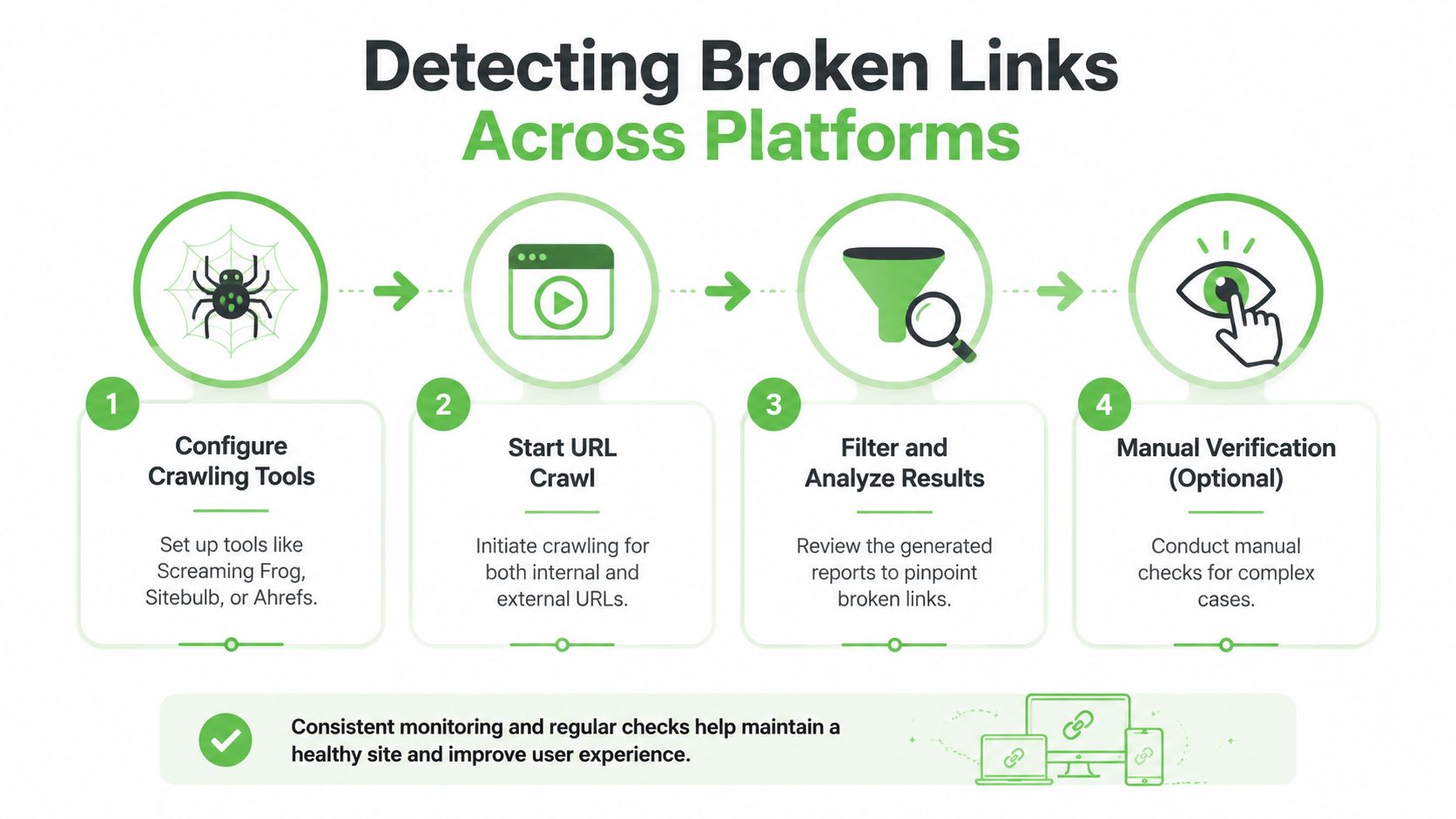
The fastest reliable method is still a full crawl. Tools like Screaming Frog, Sitebulb, and Ahrefs Site Audit can scan a site and surface broken internal and external links, but the useful part is the filtering. Sort by HTTP status so you can separate 4xx client errors like 404, 403, and 410 from 5xx server errors like 500, 502, and 503, plus timeout or DNS failures. That distinction tells you whether the fix belongs in content, redirects, or infrastructure, according to the workflow outlined in how to fix broken links with a crawler.
Start with crawl configuration
Don't stop at internal URLs. Redirect chains and external-link failures are often missed unless the crawl is configured to check both, and that's a common reason teams think they've “fixed everything” when they haven't. If you only scan pages your own crawler follows by default, you'll miss dead outbound links in docs, footers, and reference sections.
For non-developers, hosted scanners and plugin-based checks are enough for a first pass. For developers, a command-line crawl in CI or a local pass before release is better because it fits into a repeatable workflow. If your content team is auditing Markdown-heavy documentation, a linter such as the Markdown linter tool can help catch link formatting issues before they ship.
Use Search Console as the confirmation layer
Google Search Console matters because it shows what Google has already seen. The Pages report surfaces “Not found (404)” errors, which gives you a second view that complements your own crawl. For edge cases, manual checks in the browser still help, especially when a link resolves through redirects or only fails in a specific environment.
Some of the hardest failures aren't obvious link breaks, they're soft errors, redirect detours, or external references that only fail after content drift.
For that reason, a focused resource on fixing soft 404 errors is useful when a page technically loads but still behaves like a dead end. And in content repositories, the same logic applies to your source Markdown, so it helps to keep Markdown basics for links and images close at hand while editing docs and knowledge bases.
Prioritize Repairs by Impact
Not every broken link deserves the same urgency. A dead link in a buried archive page is annoying, but a broken link in a header, footer, or top landing page affects more real visitors and more internal discovery. That's why the best triage model starts with where the link appears, then asks how much traffic and authority the page carries, which matches the prioritization logic called out in Lucky Orange's discussion of broken-link sorting in find broken links.
| Criteria | Description |
|---|---|
| Sitewide placement | Links in navigation, headers, or footers affect many pages at once. |
| Page importance | Top landing pages and high-intent pages deserve first attention. |
| Backlink value | Broken URLs with inbound links can waste existing authority if left untouched. |
| Error type | 404s, 5xx errors, and timeout issues usually need different fixes. |
| Content age | Older pages may be lower priority unless they still attract traffic or links. |
A practical rule is simple. Fix the link where it lives if the source text is wrong. Redirect the old URL if the content moved. Recreate the page if the old address still has value because other sites point to it or users still land there. Use a 410 only when the page is intentionally gone and you want to signal that decision clearly.
Build a triage list, not a raw export
Raw crawler exports are noisy. What matters is a shortlist that combines error severity with page importance. If a broken URL sits inside a product page, a pricing page, or a documentation entry that people rely on, move it up immediately. If the error is on a low-traffic archive page with no clear value, it can wait until the high-impact fixes are done.
The best teams don't ask, “How many broken links do we have?” They ask, “Which ones are costing us the most right now?” That changes the whole repair order.
Repair Techniques for Different Environments
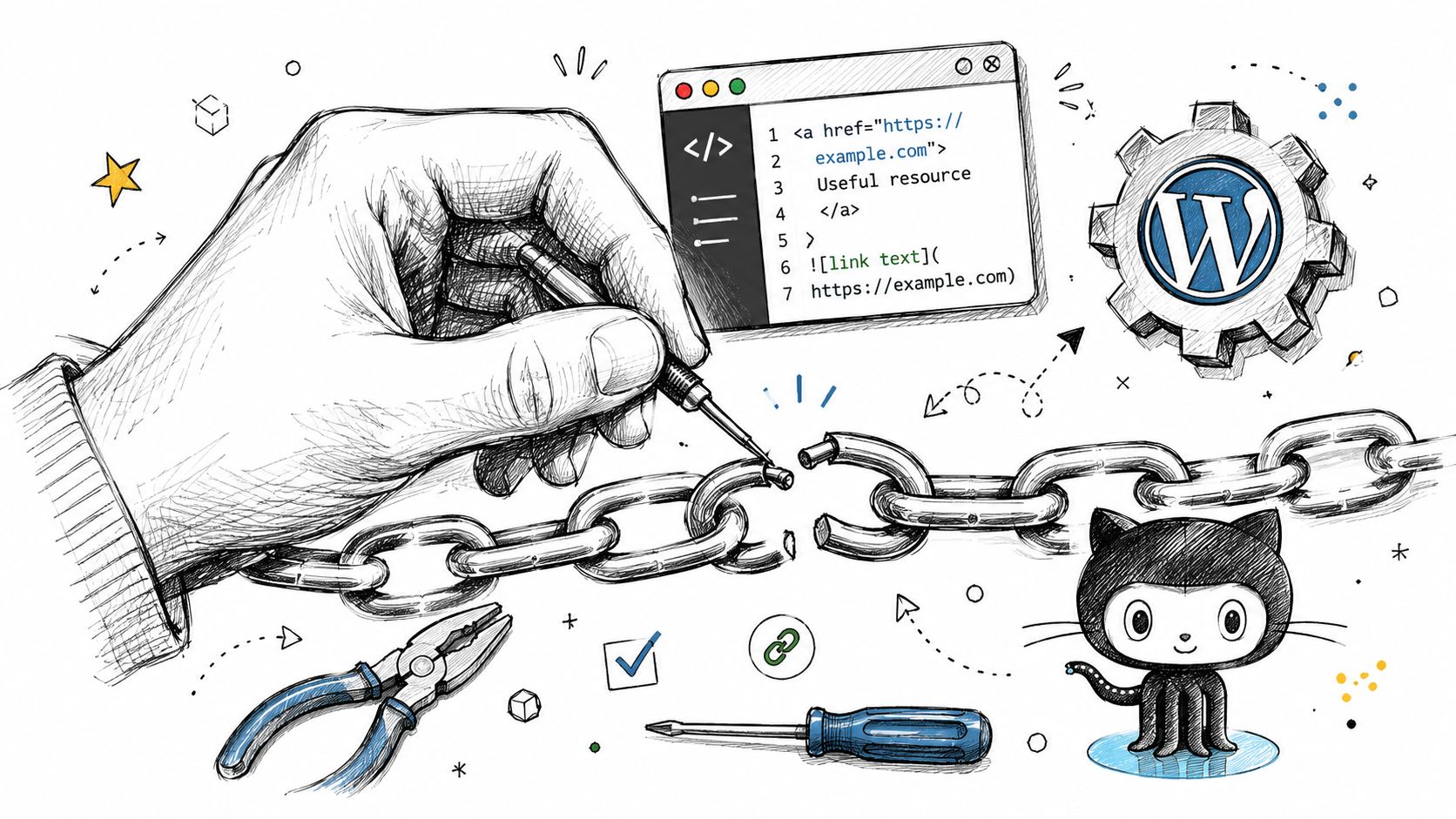
The right fix depends on why the link broke. If it's a typo in the source, update the URL. If the page moved, implement a 301 redirect to the closest relevant live page. If the content still matters because it has backlinks or traffic value, recreate it at a stable URL instead of pretending it never existed. That sequence is the practical remediation path described in what to do with broken links.
For static sites, the repair is usually direct. In HTML or Markdown, update the destination and republish. In Jekyll or Hugo, route redirects or front matter changes are often the cleanest option when the slug changes. In WordPress, you're usually working through permalinks, post edits, or managed redirect plugins, which keeps non-developers out of the server layer.
A useful distinction is 301 versus 302. A 301 tells browsers and crawlers the move is permanent, which is usually what you want when content has been relocated. A 302 says the change is temporary, so use it only when the old URL is expected to come back. If the page is intentionally removed, a 410 is cleaner than leaving a dead link in place.
The best code-level fix is still the simplest one.
Broken Link Text
Change it to the correct destination, or replace the source path if the content has a new home. When the same broken URL appears in multiple docs, fix the canonical source first, then update every reference copy so the error doesn't return later.
The internal mechanics matter, but so does clarity in the content itself. The links and images guide at Markdown Converters' link and image reference is useful when editors are updating docs by hand and want to avoid new formatting mistakes while repairing old ones.
If a broken URL still earns backlinks, treat it like an asset, not an accident.
That's why recreating content can be smarter than redirecting blindly. A redirect is convenient, but if the old page has real external value, a refreshed page that preserves the topic often serves both users and search engines better than a generic destination.
Verify Repairs and Refresh Index
Fixing a link isn't enough. You need to prove it resolves the way you intended, and that the change made it back into search and crawl systems. A quick command-line check with tools like curl or httpie is the fastest way to confirm the final HTTP response before you rely on browser behavior or dashboard data.
Then rerun the crawler that found the problem in the first place. If the repair was correct, the original broken URL should no longer appear in the error bucket, and redirect chains should be shorter or gone entirely. That matters because a fix can still be technically wrong if it resolves through multiple hops or lands on a page that isn't actually relevant.
Google Search Console closes the loop. The Pages report helps you confirm that the original Not found (404) issue is no longer present, and the workflow described in the earlier section recommends requesting re-crawl or validation so Google rechecks the affected URLs. That step matters for both visibility and timing, because you want search engines to revisit the corrected path instead of holding onto the old error state.
Confirm from more than one angle
Server logs can show whether bad requests dropped after the fix. Third-party analytics can show whether visitors stopped landing on dead ends. Use both if you can, because a repair that works in the browser but still gets hit by internal references or old backlinks isn't fully done.
A clean response code is only the first checkpoint. The real win is when the old failure stops appearing in logs and reports.
This is the point where developer and non-developer workflows meet. The editor checks the content, the developer checks the route, and both check the revalidation status before moving on.
Automate Monitoring and Maintenance
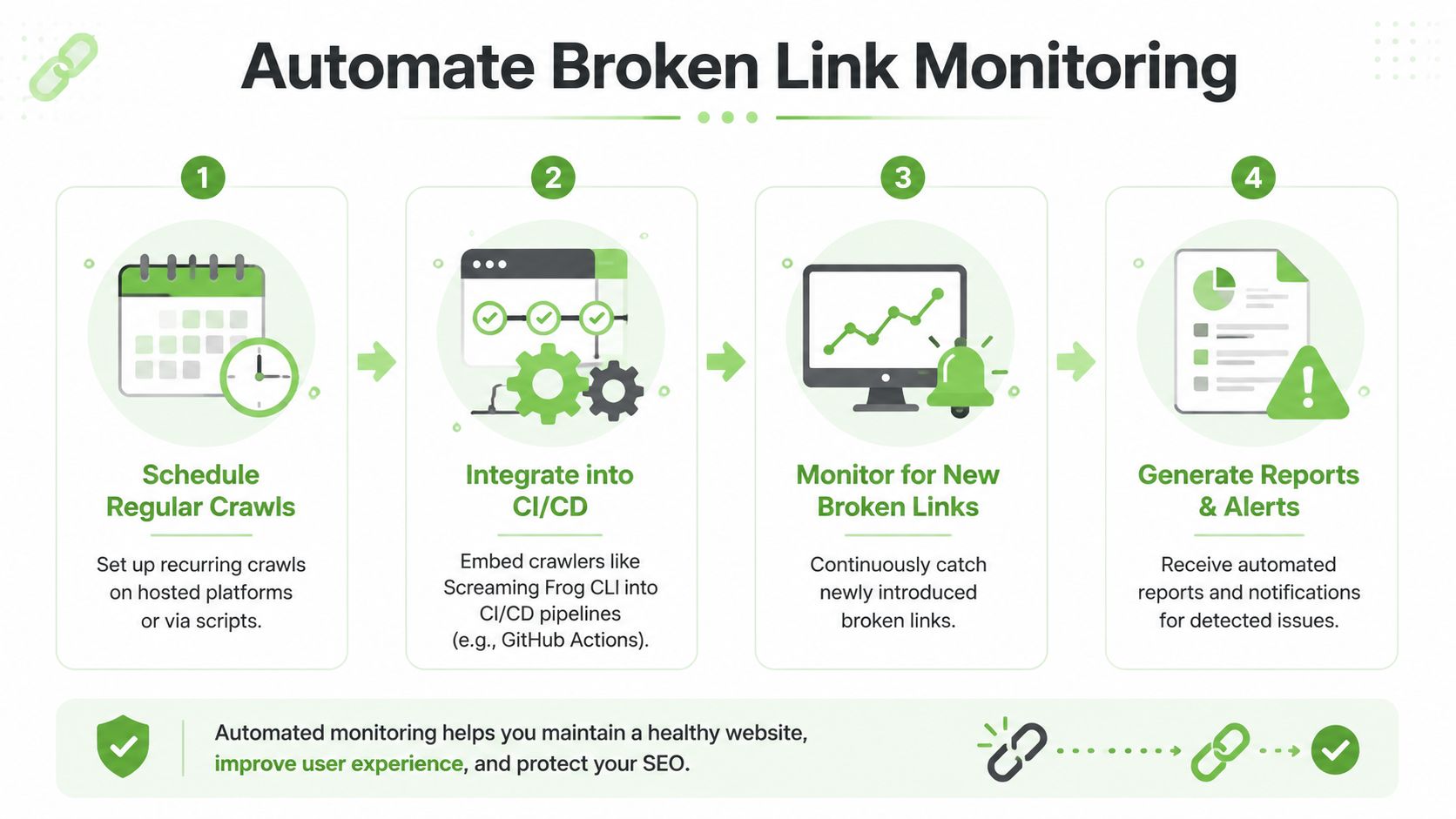
The best long-term setup is automatic detection with human review. A scheduled crawl catches new problems before users do, and a recurring Search Console check tells you which issues Google has encountered. For smaller sites, Screaming Frog's free version can crawl up to 500 URLs, which is enough for many documentation sets and lean marketing sites, while the recommended baseline is still to fix the link and request a re-crawl or validation so Google rechecks the affected URLs, as outlined in this broken-link workflow.
Put checks where content changes happen
If your team ships often, add a crawl step to CI or a release checklist. That way, broken links get caught when a merge request or content push introduces them, not after users find them. For documentation repos, a Markdown-focused check is especially useful because broken references often enter through copied snippets, old tutorial examples, or renamed assets.
The automation layer doesn't have to be heavy. A hosted crawler can run on a schedule. A GitHub Actions job can call a CLI crawler. A reporting step can send alerts to email or Slack. If your workflow already uses APIs for content ingestion or reporting, a reference like how to integrate APIs in Markdown workflows fits naturally into the same maintenance mindset.
Use alerts to narrow the review list
The goal isn't to automate judgment, it's to automate discovery. Let the system flag new 404s, failed external links, and broken references in documentation. Then assign a human to decide whether to update the source, redirect the path, or retire the reference.
That's especially important in RAG and documentation pipelines. A source document can look fine in a repository while still containing stale links that break retrieval quality, frustrate readers, or send them to the wrong canonical page. Automated monitoring keeps those problems from piling up between releases.
Maintaining Link Health Long Term
Link health stays manageable when it becomes routine. Run crawls after site changes, review logs, and make broken-link checks part of pre-merge or pre-publish review. If you also keep content teams aligned on link conventions and reference cleanup, you'll prevent most of the churn before it reaches production.
A solid external network helps too, especially when you're building authority around updated resources. A practical link building platform like PRWiz can support the broader strategy of earning and maintaining useful references, which matters when you're deciding whether an old URL should be redirected, recreated, or retired.
If you want fewer dead ends across your site, start by repairing the pages people see, then automate the checks that keep them clean. Then use Markdown Converters to normalize documentation and source content so link cleanup becomes easier to repeat across teams and pipelines.
Keep your link audits on a schedule, treat redirects as a deliberate choice, and validate every repair against live crawl data. If your team works across docs, code, and AI-ready content, Markdown Converters can help you turn messy source material into cleaner Markdown that's easier to review, update, and keep free of broken links.
Related Articles
Markdown Reader Windows: Best Tools for 2026
Markdown reader windows - Find the best markdown reader for Windows in 2026. Compare top tools to open, edit, and preview Markdown files effortlessly
Read articleHow to Download a Folder from Dropbox Without Losing Your
Learn how to download a folder from Dropbox quickly and easily, with step-by-step instructions for 2026.
Read articleOCR Handwriting Recognition: A Practical Guide for 2026
Unlock the power of your handwritten data. Our guide to OCR handwriting recognition covers methods, metrics, and how to integrate it into RAG workflows.
Read article