
Master Image Text Recognition for AI Success
Master image text recognition for AI pipelines. Learn techniques, tools, & best practices to turn scanned documents into structured, LLM-ready data.
Teams usually discover image text recognition when an AI project stalls on something embarrassingly basic. The contract archive is full of scanned PDFs. The field notes live in phone photos. The manufacturing drawings were photographed at odd angles on a shop floor. Someone uploads those files into ChatGPT or Claude and gets a mess back, or nothing useful at all.
At that point, the problem isn't “AI.” It's ingestion. The model can only reason over what your pipeline gives it, and most document pipelines still assume text is already clean, selectable, and structured. It isn't. Valuable information sits inside pixels.
That's where image text recognition becomes practical infrastructure, not just a feature checkbox. It turns images into machine-readable text, but for modern LAG and LLM workflows, that still isn't enough. You also need hierarchy, tables, lists, and sane chunk boundaries. If you're starting from iPhone photos, even mundane prep helps. Converting image formats before OCR, including HEIC to PDF, can make intake more consistent when users send mixed files from mobile devices.
Introduction From Unreadable Scans to Actionable Data
A junior developer usually meets this problem in the middle of another project. The task sounds simple: “Index our documents so the assistant can answer questions.” Then the source files arrive. Half are scanned PDFs with no text layer. Some are whiteboard photos. Some are fax-like legal exhibits. A few are handwritten notes embedded between typed pages.
Raw uploads rarely fail in an obvious way. Their failures are not immediately apparent. A model answers from partial text, ignores a table, or misses a clause because the page order got flattened into a text blob. That's worse than a hard error because the output looks plausible.
Image text recognition is the bridge between those unusable files and something your system can reason over. In old workflows, getting any text out at all was the win. In current AI workflows, useful output has to do more. It needs to preserve what the document meant on the page, not just which characters appeared somewhere inside it.
Practical rule: If the document's layout affects meaning, plain text extraction isn't the finish line. It's just the first mile.
That matters most in RAG systems. A heading tells your retriever what a section is about. A table preserves field relationships. A bulleted list often maps directly to procedures, obligations, or steps. Lose those, and retrieval quality drops even if many characters were recognized correctly.
What Is Image Text Recognition
Image text recognition is the process of reading text from images, scanned pages, screenshots, photographed forms, and similar visual inputs so software can work with the content. In practice, that includes both printed text and handwriting, but those are not the same problem.
OCR and HTR solve different reading problems
Optical Character Recognition (OCR) handles printed or machine-typed text. Think invoices, books, contracts, labels, forms, and clean PDFs produced from scans. OCR is like a careful transcriptionist copying a printed manual. When the page is clean and the font is standard, the job is straightforward.
Handwriting Text Recognition (HTR) deals with cursive notes, stylized writing, annotations in margins, and inconsistent letter shapes. That's closer to a historian deciphering a handwritten archive. The system has to infer intent from messy strokes, personal style, and incomplete marks.
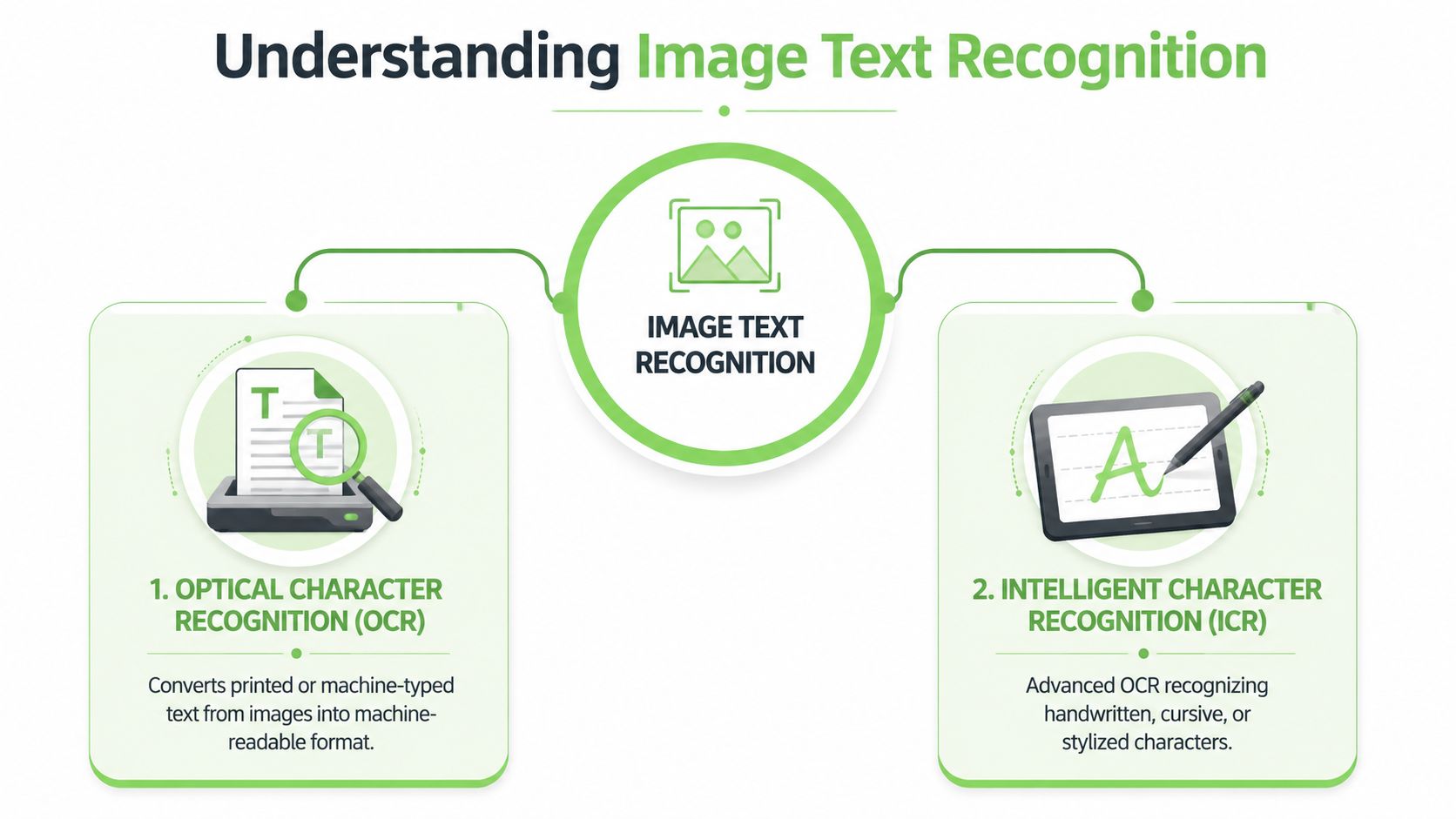
The distinction matters because developers often test on clean typed pages, assume the OCR stack works, then ship it into a document set full of signatures, handwritten edits, and camera photos. That's when quality drops sharply.
A useful mental model:
- Printed pages: The system mostly needs visual pattern recognition.
- Handwritten notes: The system needs pattern recognition plus context and inference.
- Mixed documents: The system needs both, plus layout understanding.
Why modern systems look different from old OCR engines
Older OCR systems leaned heavily on sequential steps. They detected text regions, separated lines and words, and recognized characters in order. Many pipelines still follow that pattern because it's efficient and predictable on standardized documents.
Modern systems increasingly combine vision with language understanding. Instead of treating a page as isolated character patches, they can use surrounding context to infer what a damaged word likely says, how a table is organized, or whether a block is a heading instead of a paragraph.
OCR reads symbols. Better image text recognition systems read symbols in context.
That shift matters for AI ingestion. If your final destination is a search index, vector store, or agent workflow, the useful unit isn't always the character. It's often the section, row, caption, field pair, or list item.
Modern vs Traditional OCR Techniques
The biggest implementation choice is no longer “OCR or not.” It's traditional OCR engine versus vision-language model. They solve different failure modes, and pretending one category replaces the other usually leads to a brittle pipeline.
How traditional OCR works
Traditional OCR engines process a document as a sequence of image operations and recognition stages. A typical pipeline looks like this:
- Preprocess the page: Clean noise, improve contrast, normalize orientation.
- Segment the content: Find text blocks, lines, and sometimes individual words or characters.
- Recognize text: Map those visual regions into characters or tokens.
- Assemble output: Return text, bounding boxes, and sometimes confidence values.
Tesseract is the classic example developers know. It's still useful because it's lightweight, scriptable, and easy to run in controlled environments. The trade-off is that its success depends heavily on image quality and document regularity.
Traditional commercial systems are still strong. On mixed datasets, traditional providers such as Google Cloud Vision and AWS Textract achieve 98.0% overall text extraction accuracy, and on clean, typed Category 1 data they reach 99.2%+ accuracy according to AIMultiple's OCR accuracy analysis.
That profile makes sense. Sequential OCR excels when the page is crisp, printed, and visually conventional.
How VLM-based OCR reads documents
Vision Language Models, or VLMs, don't approach the page as only a stream of pixels to decode. They evaluate the image more holistically and use language reasoning to interpret what parts of the page mean together.
That changes several things:
| Approach | Strengths | Weak spots | Best fit |
|---|---|---|---|
| Traditional OCR | Fast, dependable on clean print, easy to batch | Weak on handwriting, skew, and complicated layouts | Standard forms, clean scans, bulk digitization |
| VLM-based OCR | Better at messy pages, layout reasoning, handwritten text | More variable latency and usually more compute-heavy | Mixed document sets, photographed pages, layout-sensitive extraction |
The important trade-off isn't just accuracy. It's why the output succeeds or fails. Traditional systems rely more on pixel fidelity. VLMs can recover meaning from context. If a handwritten note sits inside a table, a VLM has a better chance of preserving both the text and the relationship between cells.
AIMultiple notes that VLMs have now matched or exceeded traditional systems in real-world scenarios involving complex layouts and handwritten text, with Gemini Flash 3.1-Lite emerging as an optimal performer for diverse production documents because it reasons beyond pure pixel matching in those scenarios. The same analysis explains the cause directly: traditional OCR drops on handwritten Categories 2 and 3, while VLMs maintain stronger extraction quality by leveraging semantic understanding in difficult documents.
When a page is messy, the winning model usually isn't the one that sees pixels most literally. It's the one that can infer structure from context.
Choosing the right engine for the job
Don't pick one model family for every document. Build a routing strategy.
Use traditional OCR when:
- Your inputs are standardized: Forms, printed contracts, machine-generated statements.
- You need throughput: Batch jobs over clean archives benefit from predictable latency.
- Your hardware is constrained: CPU-friendly pipelines still have a place.
Use VLM-based OCR when:
- Layout carries meaning: Multi-column pages, tables, side notes, mixed blocks.
- The input is photographed or degraded: Phone captures and off-angle scans routinely break sequential assumptions.
- You expect handwriting or annotation: Semantic cues help these models recover text that classic engines miss.
A practical production pattern is hybrid. Run a cheaper deterministic OCR path first on clean pages. Escalate hard pages to a VLM when quality checks detect skew, handwriting, or structural ambiguity. That gives you better economics and better resilience than treating every page the same.
Why OCR Fails and How to Fix It
Most OCR complaints sound like model complaints. They usually aren't. They're capture and preprocessing problems that surface during recognition.
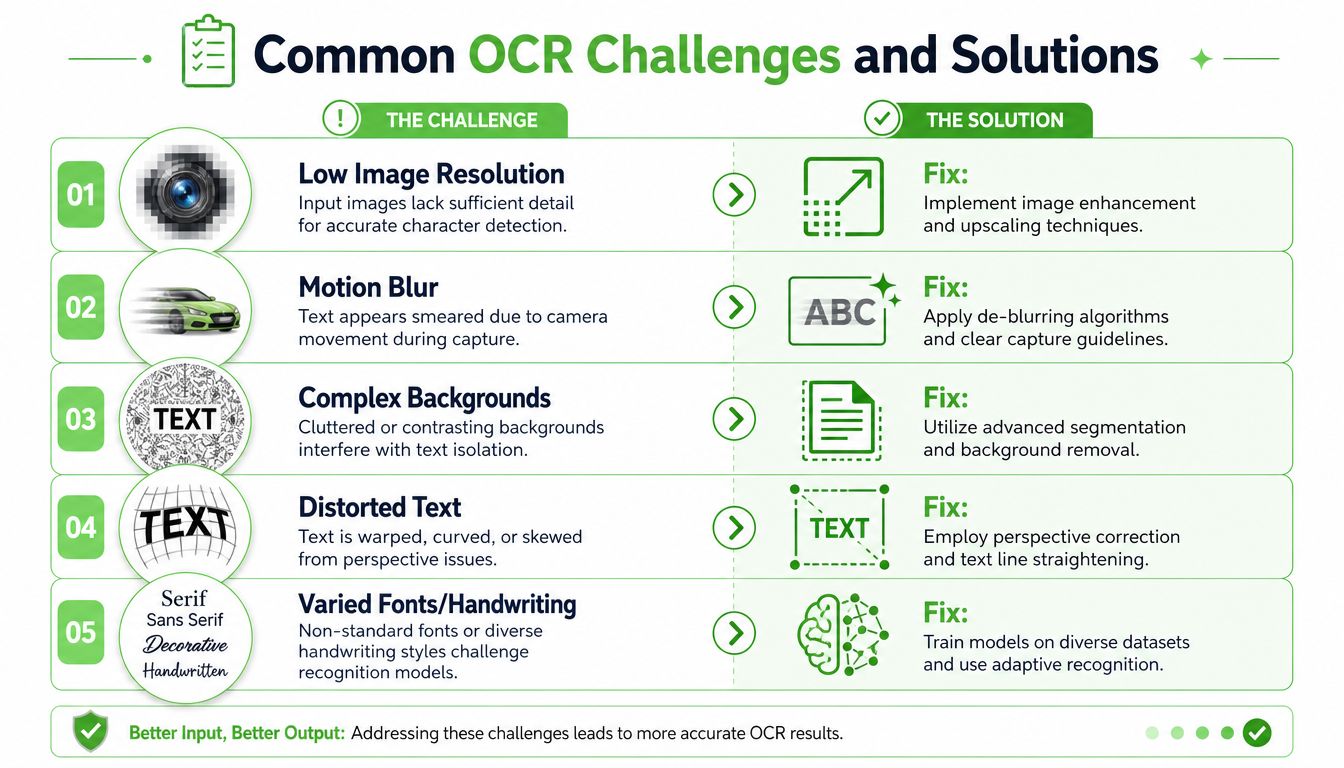
Most OCR failures start before inference
The recurring question in user forums is why Tesseract or similar tools fail on poor camera angles. The deeper issue is that there isn't one universal image-quality threshold you can memorize. The failure comes from interaction effects among blur, crop, lighting, perspective distortion, and text size.
A forum discussion frequently cited by practitioners captures the pattern, and the summary tied to it notes that users repeatedly ask why OCR fails on poor camera angles. It also notes that a 2026 study on mobile OCR found even advanced algorithms fail when text is cropped or blurred, while practical guidance for non-technical capture is still missing in most guides, as discussed in this poor camera angle OCR thread.
If you want better output, don't start by swapping engines. Start by controlling inputs.
A practical preprocessing checklist
For teams capturing files in the field, a short checklist outperforms endless model tweaking.
- Check framing first: Don't crop tightly. Leave margin around the page so deskew and border detection have room to work.
- Avoid angle distortion: If the page is photographed from a corner, text lines warp and line segmentation breaks.
- Control blur: Motion blur destroys strokes that no recognizer can reliably reconstruct.
- Normalize contrast: Gray-on-gray scans and uneven lighting reduce character separation.
- Deskew before OCR: Even small rotation errors can fracture line detection and reading order.
If your team often receives low-quality photos, tools that enhance text in images with AI can help before OCR runs, especially when the original problem is weak contrast or soft detail rather than missing content.
A good preprocessing pass often includes:
- Orientation detection for rotated pages.
- Deskewing to straighten text lines.
- Denoising to remove scan artifacts.
- Binarization or contrast normalization for cleaner foreground separation.
- Cropping and border cleanup so the recognizer focuses on content.
- Perspective correction for mobile captures.
For a practical breakdown of recurring failure patterns, this guide on why OCR fails in production is useful because it frames the issue as a pipeline problem instead of a single-model problem.
Postprocessing catches what preprocessing misses
Even strong OCR leaves residual errors. The fix depends on the document type.
For structured business documents, postprocessing usually means validation:
- Dictionary checks: Helpful for domain terms, company names, and common legal phrases.
- Format validation: Dates, invoice numbers, serials, and section labels often follow patterns.
- Cross-field consistency checks: A value appearing in a heading and a table should agree.
- LLM sense checks: Useful for identifying obviously broken text spans, but only as a verifier, not as a free-form rewriter.
A repair step should correct likely recognition mistakes. It shouldn't invent missing facts.
That last point matters. If you use an LLM after OCR, constrain it. Ask it to flag suspicious spans, preserve source order, and avoid filling blanks from guesswork. The postprocessing stage should increase trust, not reduce it.
Measuring the Quality of Text Recognition
Developers often stop evaluation at character accuracy. That's fine for transcription. It's not fine for retrieval systems.
Character accuracy is necessary but incomplete
The standard metrics are Character Error Rate (CER) and Word Error Rate (WER). They're useful because they expose literal recognition mistakes. If a model turns “clause” into “cause,” CER and WER will catch it.
But those metrics miss a critical issue. A document can score well on text accuracy and still be poor input for an LLM if headings collapse into paragraphs, table rows lose alignment, or list nesting disappears.
That's why “looks readable” isn't enough. A retrieval system cares whether a section stayed a section, whether a bullet stayed a bullet, and whether values kept their row and column relationships.
Structure needs its own evaluation
OCRGenBench pushes this idea further with OCRGenScore, a unified metric on a 0-100 scale that measures text accuracy, structural consistency, and instruction following across 1,060 samples spanning bilingual content, varied aspect ratios, and 33 distinct OCR generative tasks, as described in the OCRGenBench paper.
That benchmark matters because it reflects how modern document systems are used. They don't just extract text. They edit, synthesize, transform, and preserve visual text structure in downstream workflows.
Here's the practical takeaway:
| Metric style | What it tells you | What it misses |
|---|---|---|
| CER and WER | Literal text fidelity | Layout, hierarchy, instruction adherence |
| Structure-aware evaluation | Whether output is usable for downstream AI tasks | May still need task-specific validation |
If you're building RAG, evaluate output at three levels:
- Text fidelity: Are the words correct?
- Structural fidelity: Did headings, tables, and lists survive?
- Task utility: Can your retriever chunk, filter, and answer from it reliably?
For scanned-document workflows, it also helps to compare extraction output against conversion targets that preserve hierarchy, not just plain text. This practical guide to OCR for scanned documents in AI workflows is useful for thinking beyond error rates and toward retrieval readiness.
Integrating OCR into RAG and LLM Workflows
The painful part of document ingestion isn't extracting characters. It's closing the gap between a scanned page and LLM-ready structure.
The real problem is the structure gap
Most OCR tools flatten. They output a wall of text with line breaks that loosely resemble the page. That's enough for manual reading. It's weak input for retrieval.
The problem becomes expensive when you feed raw documents directly into an LLM pipeline. The gap between text extraction and structured output is often ignored, even though many tools reach 99%+ character accuracy on clean prints while still failing to preserve headings, tables, and lists. For RAG pipelines, that can cause up to 70% token bloat when raw PDFs are uploaded instead of structured Markdown, as described in this analysis of OCR algorithms and structured extraction trade-offs.
That token bloat isn't just a cost issue. It damages retrieval quality. Unstructured text creates noisy chunks, weak metadata, and section boundaries that don't map to meaning.
A retrieval-ready pipeline
A reliable OCR-to-RAG pipeline usually has these stages:
Ingest files consistently
Accept PDFs, images, office files, and photographed pages through one entry path.Classify the document type
Decide whether the page is clean print, mixed layout, handwriting-heavy, or low quality.Run OCR with the right engine
Use deterministic OCR for straightforward pages and escalate difficult ones when layout or handwriting demands it.Reconstruct structure
Detect headings, tables, lists, and reading order.Convert into a normalized target format
Markdown works well because it preserves hierarchy while staying token-efficient.Chunk with structure awareness
Split on headings, table boundaries, and semantic blocks rather than arbitrary character windows.Attach metadata and provenance
Keep page numbers, section titles, and source references available for retrieval and debugging.
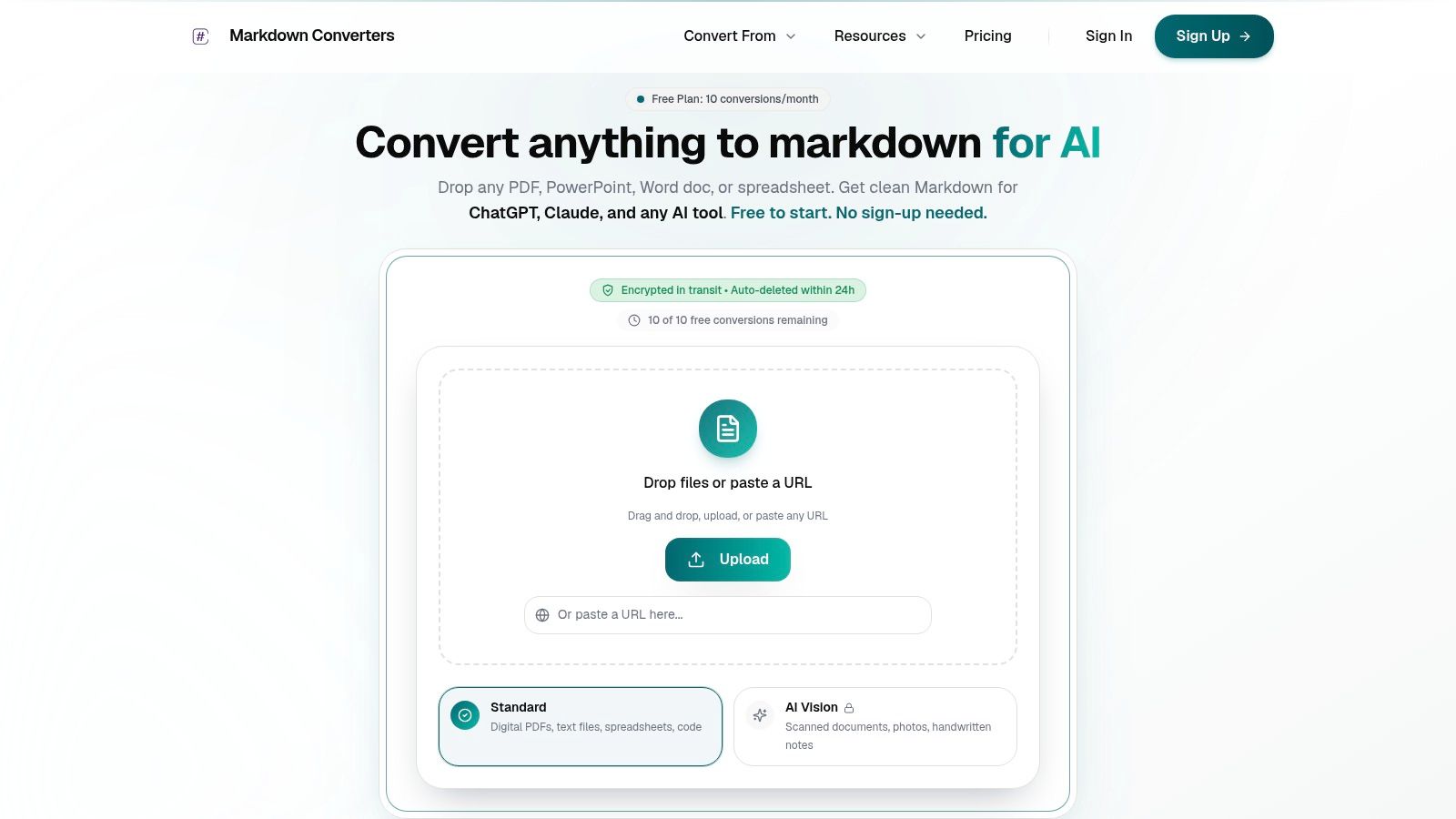
A tool such as Markdown Converters fits into that middle portion when you need OCR plus conversion into structured Markdown for AI workflows rather than plain extracted text. It supports scans and image-based files, then emits output shaped for LLM consumption instead of generic OCR transcripts.
For broader ingestion, many teams also need web content in the same retrieval system. Pairing document conversion with a Web Scraping API for RAG helps unify scanned documents and live web pages into one indexable corpus instead of running separate preprocessing stacks.
What good OCR output looks like for RAG
Good OCR output for RAG has recognizable traits:
- Headings remain headings: That improves chunk labeling and metadata filters.
- Tables remain tables: Numeric and relational content stays queryable.
- Lists remain lists: Procedures and requirements survive intact.
- Chunk boundaries are predictable: Retrieval returns coherent units instead of partial fragments.
- The text is token-lean: You spend context on meaning, not formatting noise.
For LLM systems, the highest-value document isn't the one with the prettiest OCR transcript. It's the one whose structure survived ingestion.
If you want a concrete example of this pattern, this guide to image-to-Markdown RAG ingestion is a solid reference for how OCR, normalization, and retrieval preparation fit together in one pipeline.
The biggest mindset shift is simple. Don't ask, “Did we extract the text?” Ask, “Can the retriever use this document without guessing its structure?” That question leads to better system design.
Conclusion Moving Beyond Text to Structured Knowledge
Image text recognition still starts with a familiar goal: get text out of images. But that goal is too small for current AI systems. If your destination is a search index, agent workflow, or RAG application, raw text is only a partial win.
A central task is preserving meaning. Printed pages, handwritten notes, tables, lists, and section hierarchy all affect how an LLM interprets a document. Traditional OCR still performs extremely well on clean typed pages. VLM-based systems add resilience when documents get messy, handwritten, or layout-heavy. Preprocessing improves more results than most model swaps. Evaluation needs to include structure, not just characters.
That's the practical takeaway. Structured knowledge is the asset. Raw extracted text is just an intermediate artifact.
Teams that keep treating OCR as a standalone transcription step usually end up rebuilding half their pipeline later with chunk fixes, prompt hacks, and brittle cleanup code. Teams that design for retrieval from the start usually standardize output early, preserve document hierarchy, and keep the resulting data easy to index, debug, and reuse.
If you need a straightforward way to turn scanned files, images, and mixed document formats into clean Markdown for LLM and RAG workflows, Markdown Converters is worth trying. It gives you a single conversion path for OCR-heavy documents and structure-preserving output, which is usually the missing piece between “we extracted some text” and “our AI system can use this.”
Related Articles
OCR Scanned Documents: A Guide to LLM-Ready Markdown
Learn the complete workflow to OCR scanned documents into clean, structured Markdown. A practical guide for RAG pipelines, token savings, and quality control.
Read articleBatch PDF Conversion: A Practical Guide for 2026
Learn practical batch PDF conversion workflows, from simple UI uploads to automated API processing. Convert scanned PDFs with OCR and create AI-ready Markdown.
Read articleAngular Markdown Editor: A Guide to AI-Ready Integration
Learn how to integrate an Angular Markdown editor into your app. This step-by-step guide covers setup, autosave, and preparing content for LLM workflows.
Read article