
Knowledge Base Creation for LLMs a Complete Guide
A practical guide to knowledge base creation for LLM and RAG systems. Learn to plan, convert, structure, and maintain your content for reliable AI performance.
Your team probably already has the raw material for a useful knowledge base. It's just scattered across old PDFs, support macros, Notion pages, slide decks, ticket comments, chat threads, and folders nobody wants to open. Then someone adds an LLM on top and expects clean, trustworthy answers.
That's where most projects wobble.
A model can summarize, rewrite, and answer elegantly, but it can't fix chaotic source material on its own. If the underlying documents are stale, duplicated, poorly structured, or trapped in formats your pipeline can't parse well, the RAG system will surface the same mess with better grammar. That's why knowledge base creation for LLMs isn't a documentation exercise. It's an engineering discipline that sits between content operations, search, and application reliability.
The pressure to get this right is real. 67% of consumers prefer self-service over speaking to an agent, and 40% of clients expect an online response in five minutes or less, according to knowledge base statistics collected by NotifyVisitors. If your system can't answer quickly from approved knowledge, users won't wait around for a human workaround.
A lot of teams also underestimate the management layer. Before you build retrieval, you need clear ownership, review rules, and document lifecycles. If you need a concise refresher on that foundation, Contesimal explains knowledge management in a way that maps well to AI-backed documentation work.
From Information Chaos to AI-Ready Knowledge
A familiar pattern shows up in almost every company. Product details live in a slide deck. Support procedures sit in a wiki that hasn't been reviewed in months. Compliance rules are buried in a PDF scan. Engineers answer the same internal questions in Slack every week, but none of those answers make it back into a durable system.
Then leadership asks for an AI assistant.
The instinct is to connect everything to a vector database and start embedding files. That gets you searchable text, but not a dependable knowledge base. If the source layer is noisy, retrieval quality falls fast. The model starts pulling fragments from superseded policies, half-finished guides, and documents with no useful structure. Users don't describe that as a retrieval failure. They say the AI is wrong.
Practical rule: Your LLM doesn't know your business. It only knows the slices of your business you've made retrievable.
A real AI-ready knowledge base has a narrower standard than a normal document repository. Documents need stable headings, clear section boundaries, ownership metadata, version visibility, and conversion output that preserves meaning. A scanned approval form and a clean Markdown policy page are not equal inputs, even if both contain valid text.
The change in mindset matters. Knowledge base creation for RAG is less about storing everything and more about deciding what should be answerable, what should be searchable only, and what should never enter a prompt context at all.
Planning Your Knowledge Base Architecture
Most failures start before ingestion. Teams pick a stack, dump files into it, and hope the retrieval layer will impose order later. It won't. Architecture decisions need to come first.
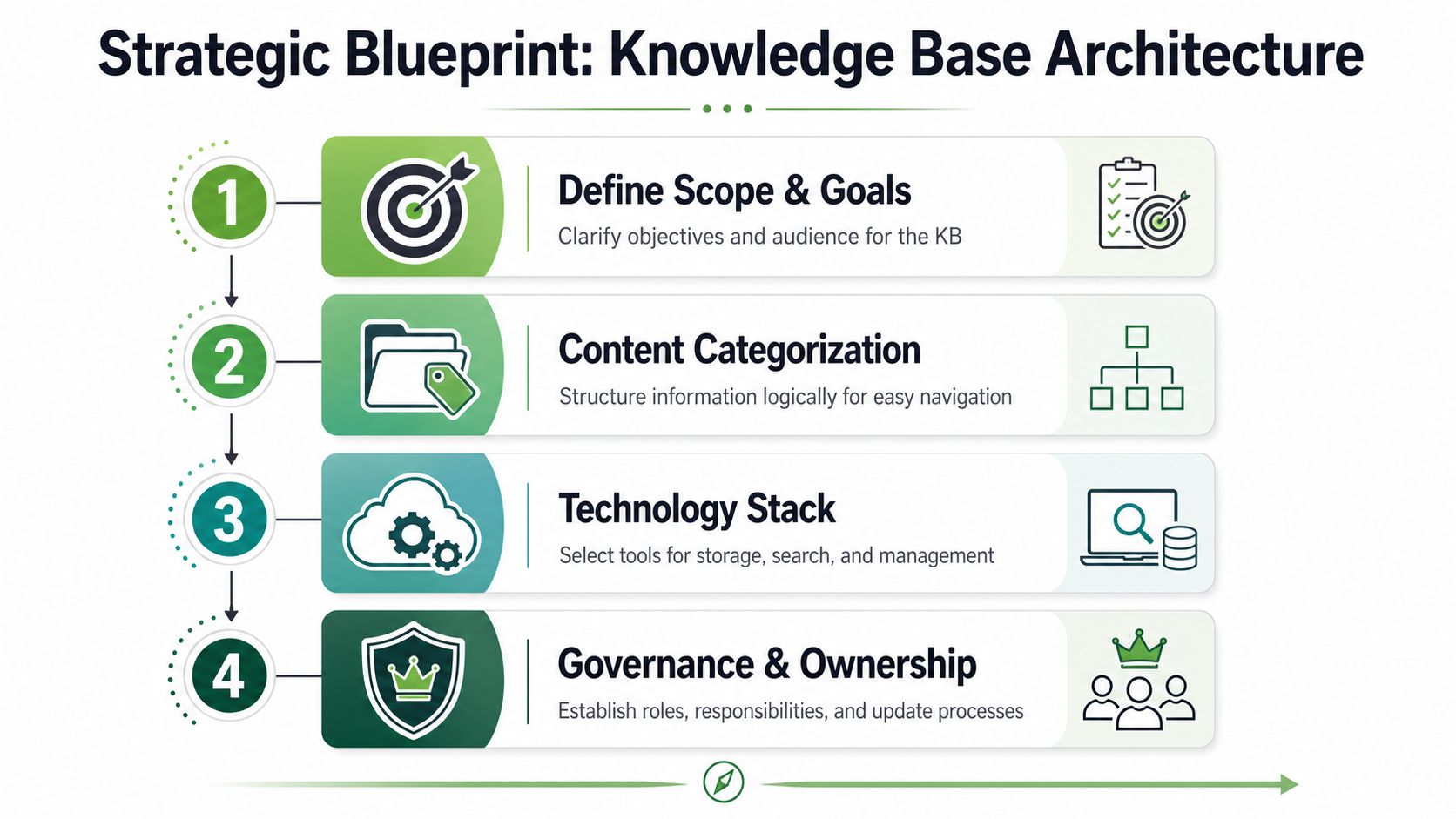
Start with an audit, not a tool
Begin with the material you already have. Pull from support tickets, policy libraries, shared drives, wikis, and product documentation. Don't just inventory files. Classify them by operational role.
A useful audit usually separates content into groups like these:
- Authoritative records: Approved policies, contracts, compliance manuals, release notes.
- Instructional content: How-to guides, troubleshooting procedures, onboarding docs.
- Reference material: Pricing sheets, product specs, architecture decisions, FAQs.
- Transient material: Chat discussions, working drafts, meeting notes.
That separation changes downstream behavior. Authoritative records need stronger provenance and tighter review rules. Instructional content often benefits from chunking by task step. Transient material may be useful for internal search, but it's often a bad candidate for answer generation.
Model content before you migrate it
Once you know what you have, define a content model. At this stage, a lot of knowledge base creation work becomes practical instead of aspirational.
For each document type, decide:
| Content type | Required metadata | Retrieval use |
|---|---|---|
| Policy | owner, approval status, effective date, audience | high-trust answer source |
| Tutorial | product area, task, prerequisites | procedural retrieval |
| FAQ | topic, product version, support category | direct answer candidate |
| Incident summary | system, date, status, impact area | internal diagnosis support |
This model does two jobs. It improves filtering at retrieval time, and it gives your content team rules they can follow.
A shallow structure also matters. Expert guidance recommends a hierarchy of only 2 to 3 levels, with an initial launch limited to the 10 to 20 most critical articles, as described in Glitter's knowledge base creation guidance. Deep nesting looks tidy to the team that built it, but users abandon it quickly, and retrieval systems inherit the same ambiguity through weak labels and duplicated categories.
Keep the first release small
Don't launch with every document you can find. Launch with the articles people need most, the ones that answer repeated support questions, govern critical workflows, or unblock high-value internal tasks.
A good first release usually has these qualities:
- Clear authority: Each article has an owner and an approved source.
- High demand: People already ask for this information often.
- Stable language: The content won't become obsolete next week.
- Strong structure: It contains headings, lists, tables, and explicit scope.
A small, reliable knowledge base earns trust faster than a massive repository full of edge cases and contradictions.
If you can't explain who owns a document, when it expires, and whether an LLM should quote it, it isn't ready for production retrieval.
Ingesting and Converting Diverse Content
At this stage, knowledge base creation becomes technical. The neat planning documents meet actual source files, and actual source files are messy.
You'll see pristine DOCX files next to image-based PDFs, exported HTML with navigation junk, spreadsheets pretending to be databases, and phone photos of whiteboards that contain the only record of an operating decision. If you don't normalize these sources into one predictable format, every later step gets harder.
Treat ingestion like a pipeline
The right mental model is not “upload documents.” It's “build a repeatable ingestion pipeline with validation.”
A practical pipeline usually looks like this:
- Capture: Pull files from cloud storage, CMS exports, help center pages, email archives, or internal portals.
- Detect: Identify file type, scan quality, language, and whether OCR is required.
- Convert: Transform source material into structured Markdown with headings, lists, tables, links, and image placeholders where needed.
- Normalize: Clean duplicated whitespace, remove headers and footers, standardize title formats, and repair broken list structures.
- Validate: Check for empty output, corrupted tables, missing sections, and OCR confidence issues.
- Enrich: Attach metadata such as source path, version, owner, security classification, and timestamps.
Markdown is a strong target format because it's readable to humans, easy to diff, and better suited for chunking than raw PDF text extraction. It gives you explicit structure without heavy markup noise.
For teams moving large document sets, a bulk conversion workflow matters more than a one-off uploader. A practical example is this guide to bulk file conversion for document pipelines, which reflects the kind of operational setup you need once file volumes stop being trivial.
What clean conversion should preserve
A scanned contract and a complex DOCX file create different failure modes.
With a scanned contract, the main problem is extraction. OCR must recover text accurately, keep clause boundaries intact, and avoid flattening tables or signatures into gibberish. With a complex DOCX file, the challenge is structural fidelity. You want the converter to preserve heading levels, numbered procedures, warnings, callouts, and embedded tables rather than outputting a plain text blob.
When I review conversion output for RAG use, I'm checking for these specific things:
- Headings stay hierarchical: H1, H2, and H3 levels shouldn't collapse into bold paragraphs.
- Lists remain lists: Steps need to remain ordered, especially in troubleshooting and SOP content.
- Tables survive sensibly: If a table is central to meaning, flattening it destroys retrieval quality.
- Boilerplate gets removed: Repeated page headers, legal footer noise, and nav menus pollute chunks.
- Section boundaries are visible: A retriever needs semantic anchors, not a wall of prose.
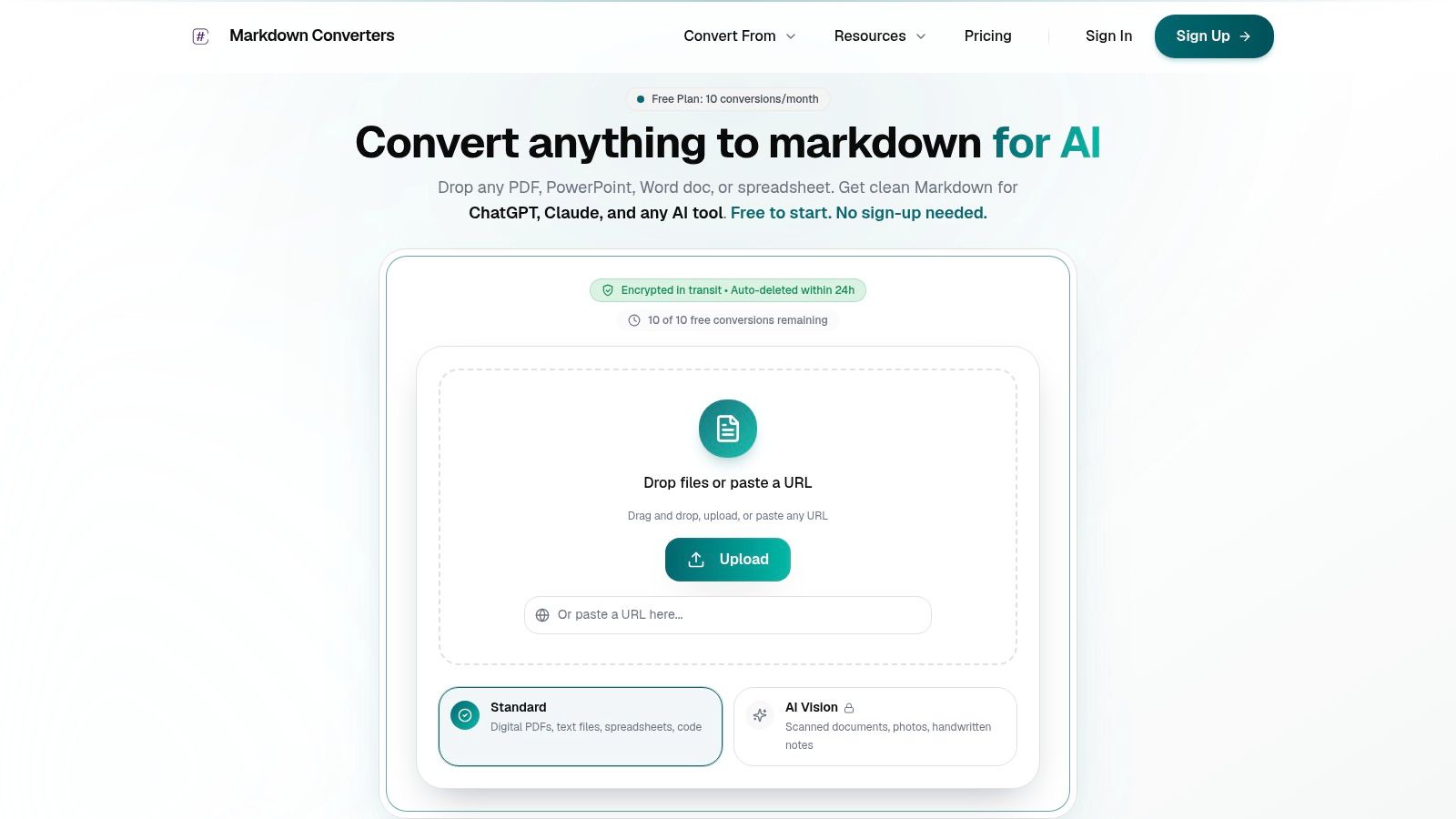
One pragmatic option in this space is Markdown Converters, which converts mixed file types and scanned material into structured Markdown for LLM and retrieval workflows. It's one of several ways to standardize ingestion without building a custom parser for every source type.
Where teams usually break the pipeline
The common mistake isn't choosing the wrong model. It's letting stale and low-quality source material flow through unchanged. If you're dealing with frequent document updates across systems, the larger issue becomes synchronization, making overcoming stale data challenges relevant, because ingestion quality and update freshness are tightly connected.
If your conversion layer drops structure, your chunker has to guess. If your chunker has to guess, your retriever will guess wrong.
Another mistake is mixing conversion modes without documenting them. If one set of PDFs goes through OCR, another through native text extraction, and a third through HTML scraping, you need quality checks that compare output consistency across those paths. Otherwise, you end up debugging “retrieval issues” that are really parser issues.
Structuring Content for Reliable Retrieval
Once documents are converted, they still aren't retrieval-ready. Clean text alone doesn't make a strong RAG corpus. The retriever needs content broken into units that preserve meaning and carry enough metadata to be trusted.
Chunk by meaning, not by convenience
A lot of teams start with fixed-size chunking because it's easy. Split every document into equal token windows, add overlap, embed, and move on. That works for some corpora, but it often cuts procedures in half, separates definitions from constraints, and mixes unrelated subsections into one chunk.
Content-aware chunking usually performs better in production because it respects the document's own structure. Headings, numbered steps, table boundaries, admonitions, and FAQ pairs are often better chunk boundaries than arbitrary token counts.
Here's the trade-off:
| Strategy | Works well for | Typical problem |
|---|---|---|
| Fixed-size | homogenous prose documents | cuts semantic units apart |
| Recursive | mixed structure with nested sections | still needs tuning for lists and tables |
| Content-aware | manuals, SOPs, help docs, policy pages | requires better preprocessing |
For most knowledge base creation projects, I'd rather start with structure-aware chunking and add token guards than start with blind token windows and hope reranking rescues bad slices later.
If you're building a Markdown-first corpus, this walkthrough on how to build a RAG Markdown knowledge base matches the approach many teams now use: normalize structure first, then chunk from headings downward.
Provenance is part of the answer
Users trust answers when they can verify them. That means every chunk should carry provenance metadata.
At minimum, attach:
- Source identity: document title, canonical URL or file path, source system
- Location: section heading, page reference if applicable, local anchor
- Governance fields: owner, approval state, version or effective date
- Security context: access tier, department, confidentiality label
Without provenance, a retrieved chunk is just text. With provenance, it becomes evidence.
Retrieval isn't only about finding relevant text. It's about finding text that can survive scrutiny.
This also helps during debugging. If the model cites the wrong procedure, you can inspect the exact chunk, trace it back to the source, and decide whether the failure came from conversion, chunking, ranking, or stale content.
A practical structure that works
A reliable chunk object usually contains four layers:
- Display text for the retriever and generator.
- Structural context such as document title and parent headings.
- Operational metadata used for filtering and permissions.
- Provenance fields used for citations and inspection.
That structure supports both machine ranking and human review. It also reduces the out-of-context answers that happen when a model retrieves a paragraph with no nearby heading or source label.
One more practical note. Tables and step lists often deserve special handling. A pricing matrix, escalation path, or compatibility table may need to remain intact as one chunk even if it's larger than your usual target. Splitting those into smaller fragments makes retrieval look efficient while ultimately making answers worse.
Building the Retrieval and Search Experience
Good retrieval design is visible to users. They feel it when search results make sense, when answers cite the right material, and when the system declines to answer instead of improvising from weak evidence.
That experience starts in the retrieval stack, not in prompt wording.
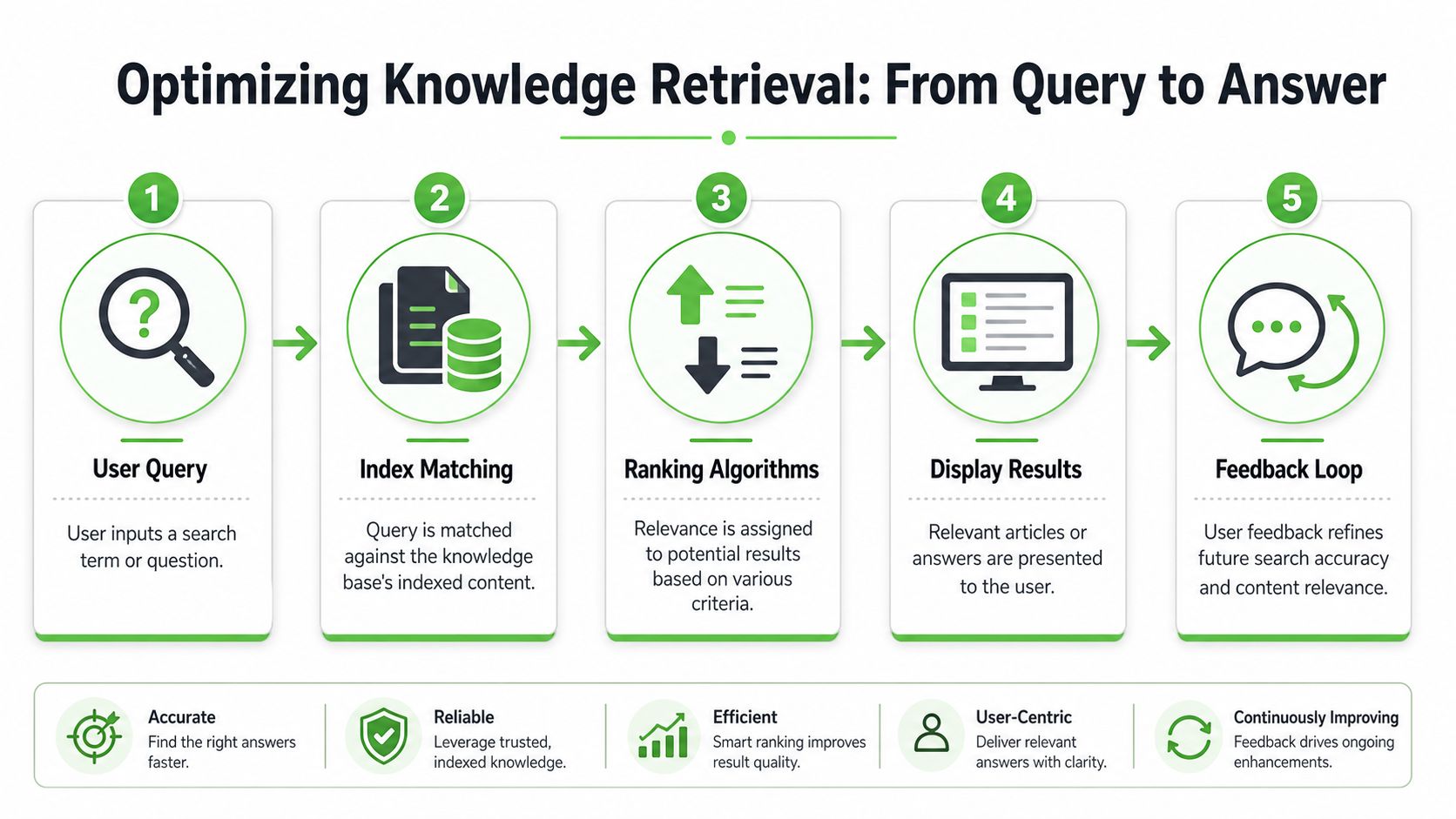
Search architecture affects trust
A modern RAG system usually combines several layers: embeddings, an index, ranking logic, filtering, and generation constraints. Vector search is useful because it can match semantically related content, but lexical search still matters for product names, version strings, policy IDs, exact feature labels, and error messages.
That's why hybrid search is often the practical default. Semantic retrieval finds conceptually related material. Keyword retrieval catches literal identifiers the embedding model might soften or miss.
If you're indexing converted PDFs and other long-form files, a workflow like semantic search indexing for PDF-to-Markdown pipelines maps well to how production systems separate parsing, chunking, embedding, and retrieval.
Here's the architectural split I've found most useful:
- Vector retrieval: Best for natural-language questions and concept lookup.
- Keyword retrieval: Best for exact strings, codes, version references, and named entities.
- Reranking: Useful when top results are roughly relevant but poorly ordered.
- Metadata filtering: Mandatory when access rules, product scopes, or versions matter.
A lot of hallucination complaints are really retrieval design complaints. Using AI answer bots without grounding them in current, approved content leads to hallucinations, while stronger systems use feedback loops and analytics around search terms and article views to expose coverage gaps, as described in Gleap's knowledge base guide.
What users need to see
The interface should help users evaluate answers, not just consume them.
A trustworthy search experience usually includes:
- Visible citations: Show the exact documents and sections used in the answer.
- Expandable source context: Let users inspect the retrieved chunk around the cited text.
- Answer boundaries: Tell the user when the system lacks enough approved information.
- Query refinement support: Offer filters by product area, department, or document type.
If your interface hides sources behind a tiny icon or forces users to trust the generated paragraph on its own, adoption drops fast in internal environments. Engineers, legal teams, and support leads want to inspect the evidence.
Feedback closes the loop
Search quality doesn't stabilize on launch day. You need a feedback mechanism that routes useful signals back to the content and indexing teams.
The most valuable signals tend to be simple:
| Signal | What it often means |
|---|---|
| no click on top result | ranking issue or poor title |
| repeated reformulation | answer not specific enough |
| thumbs down with citation present | stale or contradictory source |
| no result for known topic | coverage gap or bad metadata |
Strong retrieval systems don't just answer questions. They create a trail that shows where the corpus is thin, stale, or mislabeled.
Automating and Governing Your Knowledge Flow
A manual knowledge base starts decaying the day it launches. People intend to update it. Then product releases happen, policies change, support teams improvise around edge cases, and nobody goes back to repair the source of truth.
Automation isn't a nice extra. It's the only way the system stays aligned with reality.
Manual updates don't survive contact with reality
If new material enters your organization through cloud folders, ticket systems, CMS exports, release workflows, or approval systems, your knowledge base should ingest from those same paths. Don't rely on someone to remember to copy a file into a second system.
Useful automation patterns include:
- Folder-triggered ingestion: New files dropped into an approved location get converted, classified, and queued for review.
- Version-based replacement: When a policy receives approval, the old version is archived and the new one becomes the active retrieval source.
- Scheduled recrawls: Documentation sites and help centers get re-fetched on a cadence.
- Workflow hooks: Publishing events in a CMS or document management system trigger conversion jobs.
This matters even more in support-heavy environments where documentation and customer-facing answers drift apart. For teams thinking about the operational side of that problem, how to scale B2B customer support is a useful companion read because it connects automation to response consistency and service capacity.
Governance has to be operational
A governance policy that lives in a slide deck won't help your retriever. Governance only matters when it changes what the pipeline accepts, rejects, hides, and expires.
The controls that hold up are concrete:
- Named owners for every major knowledge domain.
- Approval states that determine whether content is retrievable for generation.
- Review cadences tied to document type, not vague team promises.
- Archive rules that remove superseded content from answer generation.
- Contribution workflows that capture proposed edits without bypassing review.
Many AI projects reach an impasse. The model team wants more content. The compliance or product team wants tighter control. Both are right. The answer is not less governance. It's automation that makes governance enforceable.
Access control changes retrieval design
If your corpus includes internal-only, department-specific, or sensitive material, permissions have to flow into retrieval and citation. This affects indexing strategy, metadata design, and even UI behavior.
A few practical choices make a big difference:
- Pre-filter by permission: Don't retrieve first and mask later if the content is sensitive.
- Store access metadata with chunks: User group, department, classification, and visibility rules should sit near the content record.
- Separate public and internal corpora when needed: Especially if different review standards apply.
- Log retrieval decisions: You'll want an audit trail when users ask why an answer was or wasn't shown.
The key point is simple. Governance isn't separate from search relevance. It's part of relevance. A chunk the user isn't allowed to see is not a relevant chunk.
Maintaining and Measuring Knowledge Base Health
Teams usually act like launch is the hard part. It isn't. Launch is the clean moment before entropy shows up.
The hard part is keeping the knowledge base accurate after new documents arrive, old procedures linger, and contributors get busy with their actual jobs. Consequently, most AI-backed knowledge systems lose trust.
Most knowledge bases decay by default
The maintenance problem isn't theoretical. Fewer than 5% of documents in an active enterprise knowledge base are updated in any given month, 76% of registered users never create a single document, and AI-assisted users create 55% more documents per month, according to Slite's knowledge base statistics. Those numbers match what many teams experience operationally. Content goes stale fast, and contribution is uneven.
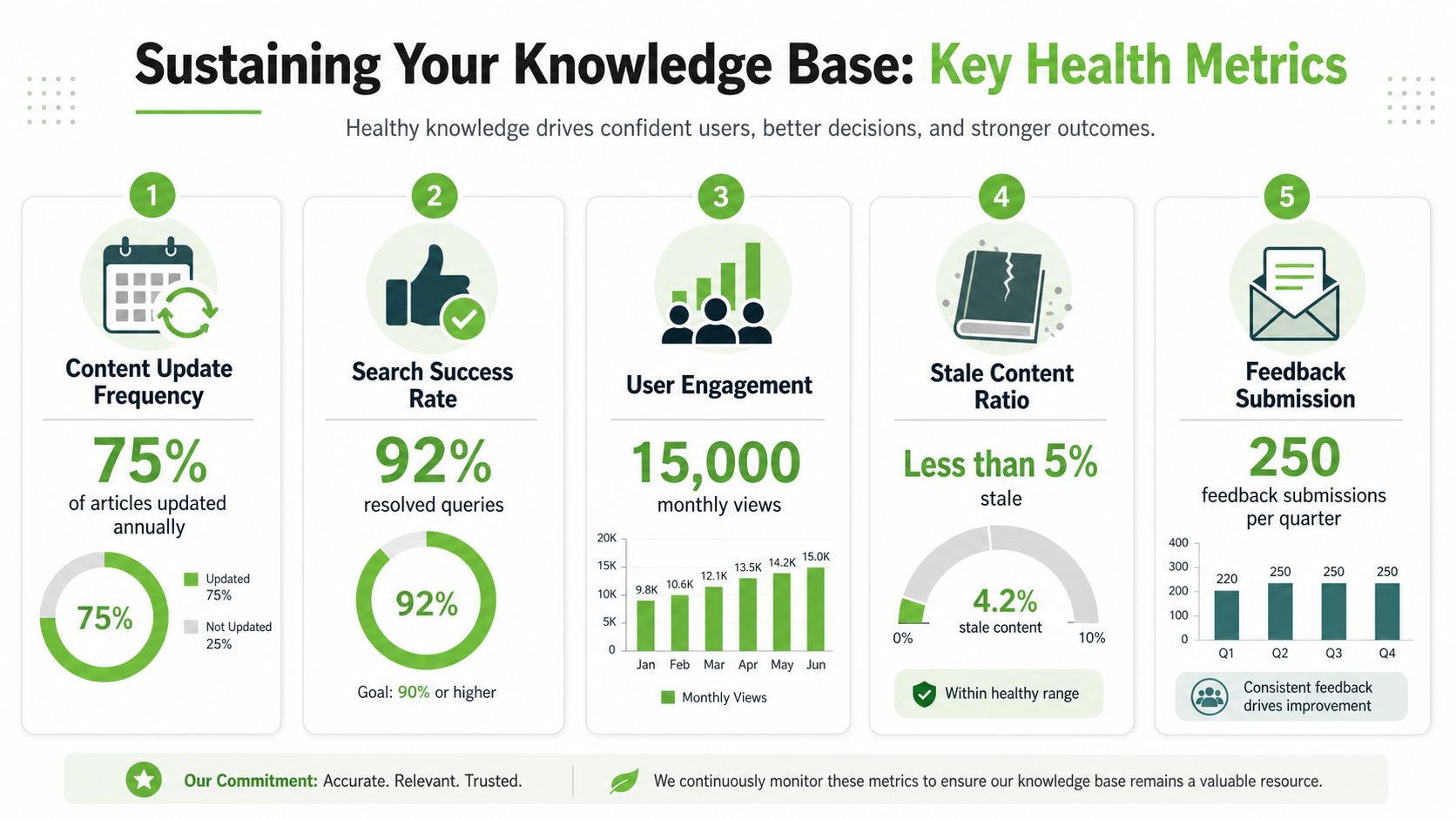
That changes how you should think about maintenance. Don't assume people will naturally keep articles current. Design the system around the expectation that most content will sit untouched unless a workflow forces review or an assistant lowers the effort required to update it.
A stale knowledge base is often worse than no knowledge base because it gives bad answers the appearance of authority.
What to review every month
A healthy maintenance program checks both content quality and retrieval behavior. Not everything needs manual review, but everything should be observable.
A practical monthly review looks at these areas:
- Freshness risk: Which approved documents haven't been reviewed on schedule.
- Search misses: Queries that return weak or no results.
- Contradictory sources: Multiple chunks answering the same question differently.
- Low-confidence OCR output: Documents whose extraction quality likely damaged meaning.
- High-traffic weak content: Frequently retrieved articles that still attract negative feedback.
This is also where article feedback matters. If users can flag an answer as outdated, unclear, or incomplete, you create a repair loop instead of a silent failure loop.
Increase contribution without begging people to write
Most organizations won't solve the participation gap by asking people more politely. They solve it by changing the unit of work.
Instead of asking a subject matter expert to “author an article,” ask them to review a draft generated from a source document, support resolution, or meeting summary. Instead of waiting for a product manager to write a release article from scratch, generate a structured draft from approved release notes and let them edit the sensitive parts.
That's where AI helps most in knowledge base creation. Not as an autonomous writer, but as a drafting and normalization layer that turns raw material into something reviewable.
A contribution system tends to work when it supports these habits:
| Workflow habit | Why it helps |
|---|---|
| draft from existing source docs | lowers blank-page resistance |
| request review at source approval time | catches updates when they're already top of mind |
| tie content ownership to domain leads | avoids orphaned sections |
| surface unanswered queries to SMEs | creates demand-driven article creation |
One more hard truth: if you don't remove or archive bad content, every new article competes with old noise. Maintenance isn't only additive. It's subtractive. Strong teams delete, merge, redirect, and retire aggressively.
The long-term win is compounding reliability. Better source material produces better chunks. Better chunks improve retrieval. Better retrieval creates better user trust. Better trust leads to more usage, clearer feedback, and stronger prioritization for the next maintenance cycle.
If you're building a knowledge base for LLMs, the conversion layer is usually where reliability starts or fails. Markdown Converters is built for that part of the workflow, turning PDFs, DOCX files, web pages, scans, and other formats into structured Markdown that's easier to chunk, index, and ground in RAG systems.
Related Articles
Markdown Reader Windows: Best Tools for 2026
Markdown reader windows - Find the best markdown reader for Windows in 2026. Compare top tools to open, edit, and preview Markdown files effortlessly
Read articleHow to Download a Folder from Dropbox Without Losing Your
Learn how to download a folder from Dropbox quickly and easily, with step-by-step instructions for 2026.
Read articleOCR Handwriting Recognition: A Practical Guide for 2026
Unlock the power of your handwritten data. Our guide to OCR handwriting recognition covers methods, metrics, and how to integrate it into RAG workflows.
Read article