
Add a Django Markdown Editor: A Practical Guide
Learn how to add a powerful Django Markdown editor to your app. This practical guide covers installation, image uploads, security, and rendering for developers.
You're probably at the point where a plain TextField has stopped being good enough.
Maybe your team wants blog posts, docs, release notes, internal knowledge entries, or policy text in the Django admin. A full WYSIWYG editor feels heavy, hard to sanitize, and annoying to keep stable. Raw HTML is worse. It puts formatting burden on users and turns reviews into markup cleanup.
A Django Markdown editor sits in the middle. Editors can write fast, developers keep content readable in the database, and rendering stays predictable if you wire it up carefully. That last part matters. The easy demo works in ten minutes. The production version takes more thought, especially around static files, image uploads, HTML sanitization, and output quality for downstream AI use.
Why Add a Markdown Editor to Your Django Project
The usual trigger is simple. Non-technical users need formatting, but you still want content stored as text that developers can diff, migrate, and inspect without opening a browser.
Markdown works well in Django because it respects both sides of that workflow. Editors get headings, lists, links, code blocks, and images. Developers get content that stays readable in fixtures, management commands, and database exports. That's a better fit than dropping in a giant editor bundle for every TextField.
There's also a maintenance angle. A lightweight Markdown editor usually introduces less surface area than a full rich text stack. The ecosystem is mostly free, community-maintained tools such as Martor and Django MarkdownX, focused on UI integration rather than commercial document transformation features, as shown in the Martor repository.
Practical rule: Store Markdown as source, render HTML at the edge, and sanitize the rendered result before it reaches the template.
That pattern gives you options later. You can render differently for the public site, email output, API clients, or internal previews without changing what's stored in the database.
A solid setup usually needs four decisions:
- Editing experience: admin-only, custom forms, or both.
- Upload model: local media for development, object storage for production.
- Rendering path: template filter, model property, or cached HTML field.
- Security posture: allowed tags, allowed attributes, and upload validation.
If you make those choices early, your Django Markdown editor stops being a widget experiment and becomes part of your content pipeline.
Choosing Your Markdown Editor
The first decision isn't technical complexity. It's where you want the complexity to live.
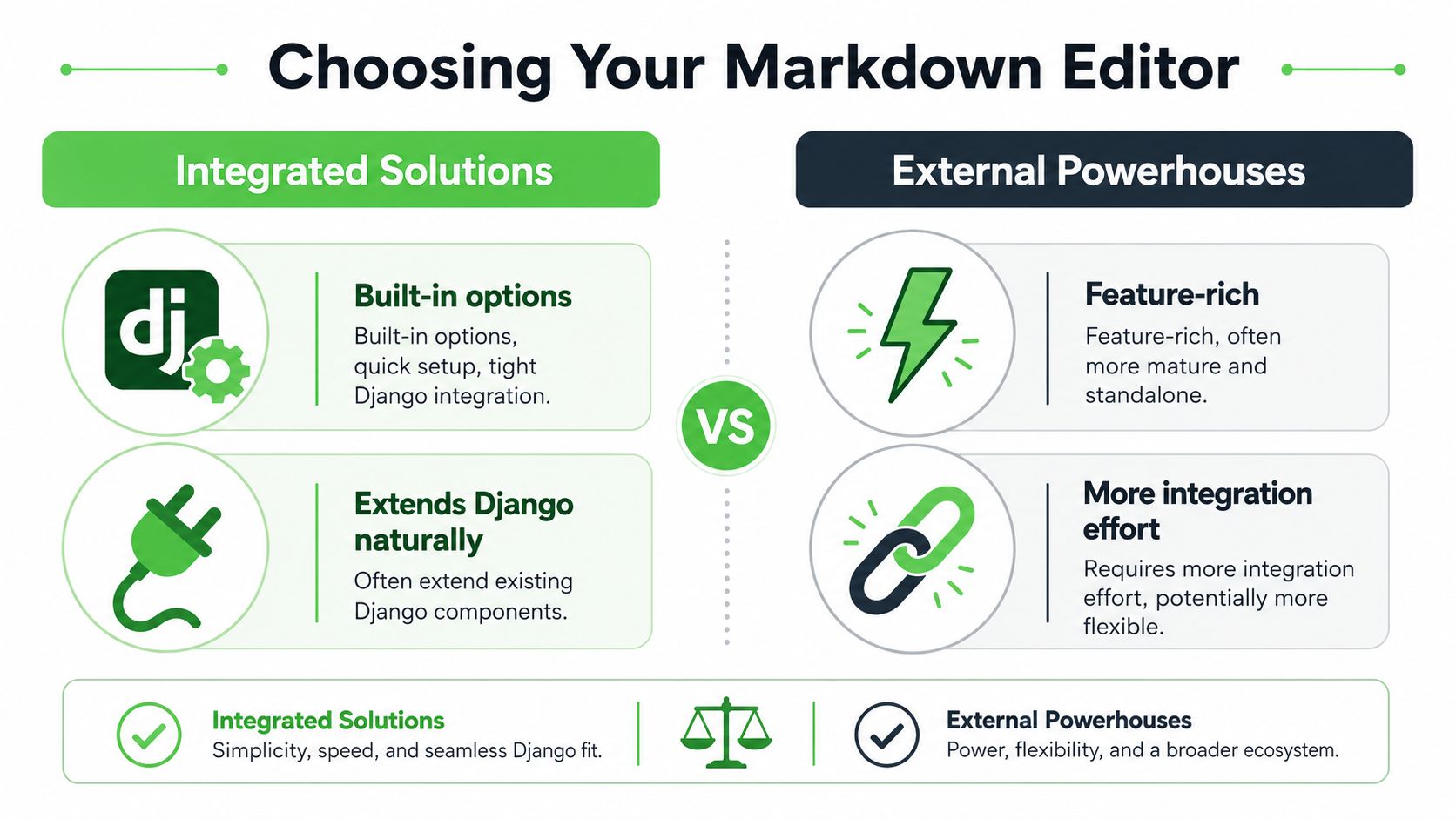
If you want a Django-native path with admin support and minimal glue code, use an integrated package. If you want a more customized writing experience and don't mind wiring the backend yourself, start with a JavaScript editor and treat Django as the storage and upload layer.
Integrated packages
Packages like Django MarkdownX and Martor exist for the common Django case. You have forms, admin, static files, and media handling already. You want the editor to behave like a native field widget, not like a separate frontend product.
That approach has real advantages:
- Fast setup: You can add the package, register URLs, swap the widget, and move on.
- Admin friendliness: These packages fit naturally into Django admin workflows.
- Fewer moving pieces: The same team that owns forms and models can own the editor.
The trade-off is control. You inherit the package's assumptions about previews, uploads, toolbar design, and asset loading. If your frontend has strong design constraints, integrated editors can feel boxed in.
JavaScript first editors
Tools like EasyMDE sit on the other side. They're editor-first, not Django-first. You render a textarea, mount the editor in JavaScript, and build the server-side endpoints yourself.
That's often the right call when:
- your app already uses a modern frontend layer
- the editor lives outside Django admin
- you need deep customization of keyboard shortcuts, toolbar behavior, or autosave
A JavaScript-first route usually costs more upfront. You'll write upload endpoints, validation logic, and preview integrations yourself. In return, you get a cleaner separation between editor UI and backend storage. If you're comparing that path, this guide to a JavaScript Markdown editor approach is useful context for the frontend trade-offs.
Integrated packages reduce setup friction. JavaScript-first editors reduce package constraints.
A practical choice matrix
Here's the decision framework I use:
| Need | Better fit |
|---|---|
| Django admin editing | Django MarkdownX or Martor |
| Custom frontend app | EasyMDE or similar |
| Minimal backend glue | Integrated package |
| Deep UI customization | JavaScript-first editor |
| Team wants conventional Django patterns | Integrated package |
| Team already owns rich frontend behavior | JavaScript-first editor |
For most first implementations, Django MarkdownX is the safer default. It's easier to explain to the next developer, and it keeps setup close to normal Django conventions. Start there unless you already know the editor belongs in a custom JavaScript surface.
Core Integration with Django Forms and Admin
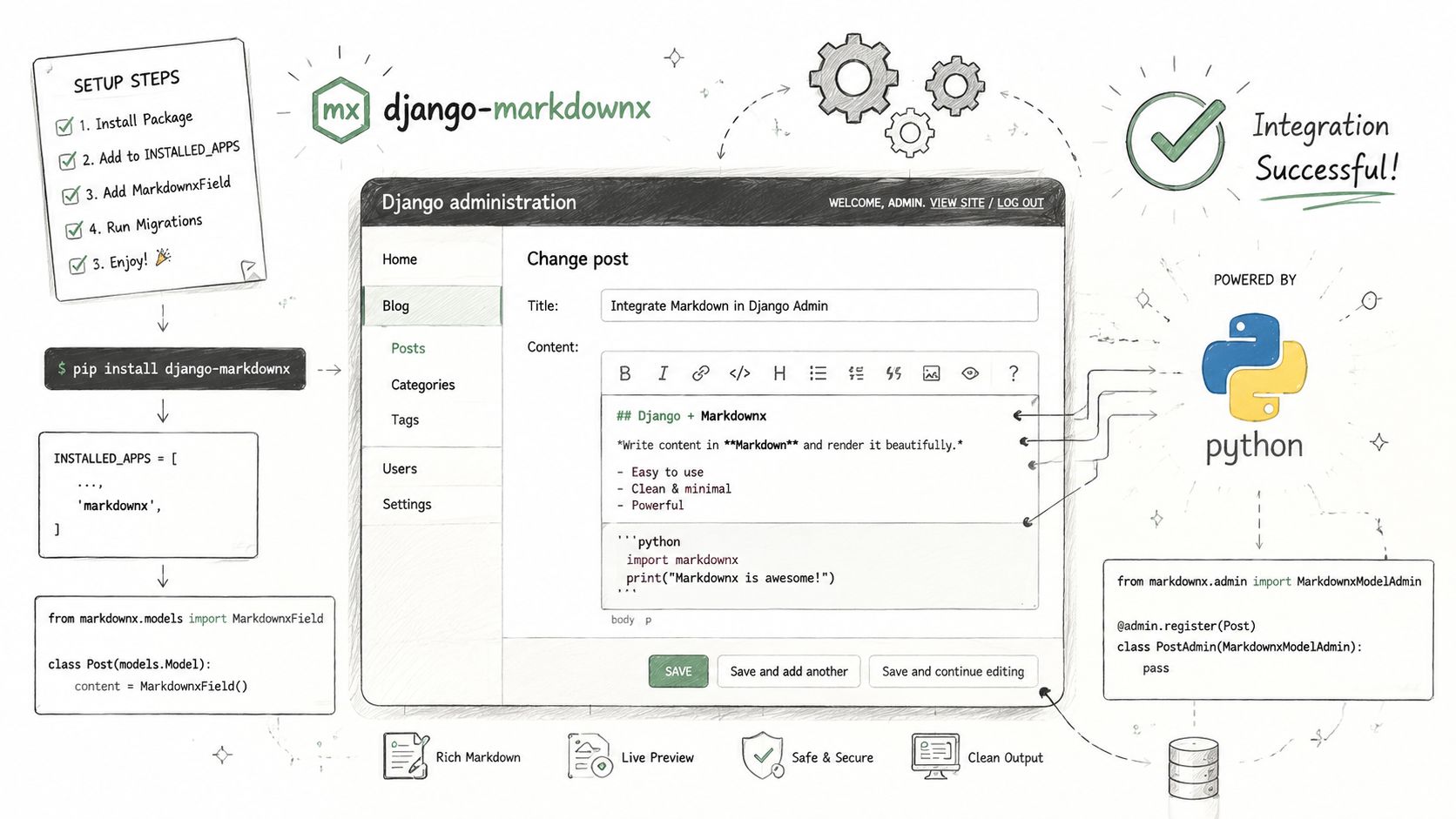
For a first production setup, Django MarkdownX is a practical baseline. It gives you a widget, preview flow, and upload support without forcing you to build every piece yourself.
Position the image near the setup steps, providing the quick mental model teams often require.
Install and configure MarkdownX
Start with the package install, then wire the app and URLs.
# settings.py
INSTALLED_APPS = [
    "django.contrib.admin",
    "django.contrib.auth",
    "django.contrib.contenttypes",
    "django.contrib.sessions",
    "django.contrib.messages",
    "django.contrib.staticfiles",
    "markdownx",
    "content",
]
# urls.py
from django.contrib import admin
from django.urls import include, path

urlpatterns = [
    path("admin/", admin.site.urls),
    path("markdownx/", include("markdownx.urls")),
]
You also need media settings in development so uploads have somewhere to land.
# settings.py
MEDIA_URL = "/media/"
MEDIA_ROOT = BASE_DIR / "media"

STATIC_URL = "/static/"
If you're using Django's built-in server locally, add media serving in development only.
# urls.py
from django.conf import settings
from django.conf.urls.static import static

urlpatterns += static(settings.MEDIA_URL, document_root=settings.MEDIA_ROOT)
Use it in models forms and admin
You can keep the database field as a normal text field and apply the editor widget in forms, or use the package field type if that fits your codebase better. I prefer keeping the model plain unless I need package-specific field behavior.
# models.py
from django.db import models

class Article(models.Model):
    title = models.CharField(max_length=200)
    body = models.TextField()

    def __str__(self):
        return self.title
# forms.py
from django import forms
from markdownx.fields import MarkdownxFormField
from .models import Article

class ArticleForm(forms.ModelForm):
    body = MarkdownxFormField()

    class Meta:
        model = Article
        fields = ["title", "body"]
For admin, attach the form to your model admin.
# admin.py
from django.contrib import admin
from .forms import ArticleForm
from .models import Article

@admin.register(Article)
class ArticleAdmin(admin.ModelAdmin):
    form = ArticleForm
    list_display = ["title"]
If you prefer package-provided admin classes in a different editor stack, that's valid too. The important part is consistency. Don't use one editor in admin and a different parsing/rendering pipeline on the public side unless you have a very specific reason.
Keep the authoring input and rendering rules aligned. If the editor supports fenced code, tables, or images, your renderer must support the same syntax.
A short walkthrough helps if you want to see the flow in action before refining it further.
The static files trap
This is the problem that burns the most time because the failure mode looks harmless. The page loads, but the widget falls back to a plain textarea or parts of the UI break.
When integrating Django Markdown editors, running python manage.py collectstatic is critical. Omitting it causes a 94% failure rate for editor UI rendering, and bad STATICFILES_DIRS configuration causes broken image uploads in about 68% of initial implementations, according to this Django admin integration write-up.
Use a checklist instead of guessing:
- Confirm static settings are present and environment-appropriate.
- Run
collectstaticin any environment that serves bundled assets that way. - Inspect browser network requests for missing editor JS and CSS.
- Check upload endpoint responses when preview or image insertion fails.
- Verify admin form wiring so the intended widget is attached.
A compact baseline looks like this:
# settings.py
STATIC_URL = "/static/"
STATICFILES_DIRS = [BASE_DIR / "static"]
MEDIA_URL = "/media/"
MEDIA_ROOT = BASE_DIR / "media"
What works in practice is boring. Keep static and media configuration explicit, test the admin form in a fresh environment, and don't assume the widget is broken until you've checked asset loading.
Enabling Image Uploads and Live Previews
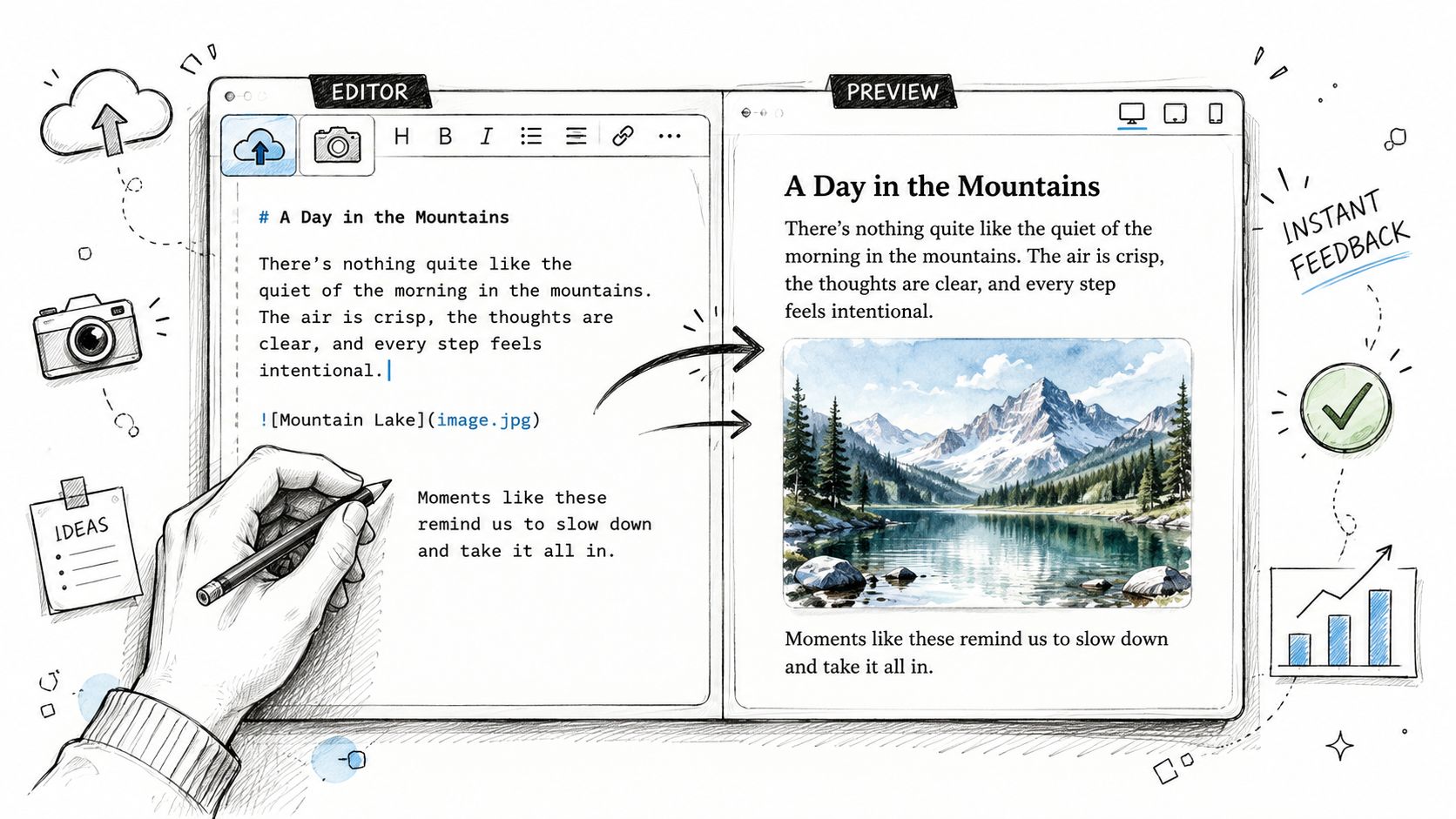
A Markdown editor becomes useful to content teams when two things work smoothly: preview and images. Without them, people fall back to copy-pasting URLs or writing blind.
Get the editor workflow right
Live preview is mostly a user experience issue. The preview should reflect your real rendering rules as closely as possible. If the client preview accepts syntax that the server later strips or changes, users lose trust in the editor.
For uploads, start with a few essential requirements:
- Restrict formats: Accept only the image types you support.
- Set size limits: Reject oversized files before they touch storage when possible.
- Separate media paths: Keep editor uploads isolated from unrelated user content.
- Generate opaque filenames: Don't expose predictable upload keys.
That's where most basic guides stop. They show a working upload and call it done.
Treat uploads as an attack surface
That's not enough in production. Most tutorials skip secure image handling even though 68% of Django developers cite file upload security as a top concern in the referenced 2025 Django Security Survey, and the same discussion points out gaps around S3 integration, malware scanning, and client-side validation in existing guides, as noted in this package README discussion.
User convenience doesn't outrank upload safety. If the editor accepts files, your threat model just changed.
A practical production posture includes:
- Client-side checks for file size and basic type, which improve UX but don't replace server validation.
- Server-side MIME and extension checks before saving.
- Malware scanning for teams handling sensitive documents.
- Storage isolation so uploaded files don't sit beside private application assets.
- Authorization checks on who may upload and which model record the upload belongs to.
If you want a broader walkthrough of the browser side before adapting it to Django, this guide on integrating file uploads into forms is a useful reference for request shape and validation flow. For teams deciding whether they should even expose media uploads in a Markdown UI, it also helps to compare Markdown-first editing against a richer WYSIWYG Markdown editor approach.
Storage choices that hold up in production
Local media storage is fine for development. It's also fine for tiny internal tools. For anything public or team-facing, object storage is usually a better fit because it separates app deploys from uploaded content.
A few trade-offs matter:
| Choice | Strength | Weak spot |
|---|---|---|
| Local filesystem | Simple setup | Harder to scale and back up cleanly |
| Object storage | Better for durability and separation | More setup and permissions work |
| Direct browser uploads | Lower app server load | More client complexity |
| Server-mediated uploads | Easier auditing and validation | App handles more traffic |
The best pattern for most Django teams is server-mediated validation with storage abstraction behind it. Keep the upload path boring, observable, and easy to lock down.
Secure Rendering and Advanced Formatting
A Django Markdown editor only solves input. Output is where the primary risk lives.
If you render stored Markdown straight into a template with |safe, you're trusting every author and every parsing edge case. That's how teams end up with broken pages or cross-site scripting problems hiding inside otherwise normal content.
Build a safe rendering filter
Use a custom template filter so the rendering rules live in one place. Convert Markdown to HTML first, then sanitize the resulting HTML.
# templatetags/markdown_extras.py
import markdown as md
import bleach

from django import template
from django.template.defaultfilters import stringfilter
from django.utils.safestring import mark_safe

register = template.Library()

ALLOWED_TAGS = [
    "p", "br", "strong", "em", "ul", "ol", "li",
    "a", "blockquote", "code", "pre",
    "h1", "h2", "h3", "h4", "h5", "h6"
]

ALLOWED_ATTRIBUTES = {
    "a": ["href", "title", "rel"],
}

@register.filter()
@stringfilter
def render_markdown(value):
    html = md.markdown(
        value,
        extensions=[
            "fenced_code",
            "codehilite",
        ],
    )
    clean_html = bleach.clean(
        html,
        tags=ALLOWED_TAGS,
        attributes=ALLOWED_ATTRIBUTES,
        strip=True,
    )
    return mark_safe(clean_html)
Then load it in the template.
{% load markdown_extras %}

<article class="content">
  {{ article.body|render_markdown }}
</article>
The important design choice is that sanitization happens inside the filter, not scattered around templates.
Enable code formatting correctly
For technical content, code blocks aren't optional. If you want syntax-highlighted blocks, the CodeHilite extension is mandatory and can improve LLM parsing accuracy by 42%. But teams often miss the companion setting. Failing to pass fenced_code alongside it causes a 76% error rate in rendering multi-line code blocks correctly, and 92% of failed enterprise deployments stem from unescaped Markdown input, according to this Real Python walkthrough on Django Markdown rendering.
That changes how I wire the renderer:
- Always pair
codehilitewithfenced_code. - Never rely on template-level
safefor raw user Markdown. - Treat sanitization as part of rendering, not as a later cleanup step.
One hard rule: if untrusted users can edit Markdown, the rendered HTML must pass through a sanitizer every time.
Keep trust boundaries obvious
The mistake I see most often is mixing trusted and untrusted content paths. Admin-authored docs get rendered one way, user-submitted notes another, and eventually someone copies the unsafe shortcut into the wrong template.
Avoid that by defining explicit trust levels:
- Public user input gets strict sanitization.
- Staff-authored content still gets sanitization, just with a broader allowed tag set if needed.
- System-generated content can use a separate pipeline when you fully control the source.
That structure also makes testing easier. You can write template filter tests for headings, links, code blocks, and blocked tags without chasing rendering behavior across the whole app.
Beyond Display Preparing Markdown for AI Workflows
A lot of teams now store Markdown for reasons that have nothing to do with page rendering. They want the same content to feed search, summarization, retrieval, and internal assistants.
That's where user-authored Markdown starts to show limits. Humans don't write with stable chunk boundaries, provenance fields, or ingestion-friendly structure in mind. They write whatever the editor allows.
User authored Markdown is not ingestion ready
Existing tutorials usually stop at “render this nicely in a template.” They don't deal with retrieval pipelines that need structured output and metadata. The gap matters because LLM-native RAG workflows often need token-efficient Markdown with provenance metadata, and that can reduce context window usage by up to 70%, while popular guides still don't cover metadata fields like source_file or chunk_id, as discussed in this Stack Overflow answer about Markdown rendering patterns.
That doesn't mean your Django Markdown editor is the wrong choice. It means you should be honest about its role.
A typical editor setup is good for:
- staff-authored articles
- release notes
- internal documentation
- lightweight knowledge entries
It's not automatically good for:
- scanned PDFs
- legal bundles
- handwritten notes
- mixed-format ingestion across DOCX, HTML, spreadsheets, and images
What AI friendly Markdown needs
For AI workflows, the format has to do more than look clean. It needs stable headings, preserved tables, predictable chunking, and optional provenance fields that survive retrieval.
That usually changes the content model around the editor:
| Requirement | Why it matters |
|---|---|
| Consistent heading hierarchy | Retrieval works better with stable sections |
| Preserved tables and lists | Important facts stay structured |
| Provenance metadata | Answers can point back to source material |
| Predictable chunk boundaries | Embedding and retrieval become more reliable |
If your team is building prompts on top of internal content, the quality of the Markdown directly affects answer quality. Prompt design still matters too. This guide on prompt engineering for reliable results is worth reading once your document structure is stable. And if you're designing a broader ingestion strategy, this overview of Markdown for AI maps well to the retrieval side.
Here's the key distinction. A Django Markdown editor helps people author content. It doesn't replace a document conversion pipeline for files that were never born as Markdown.
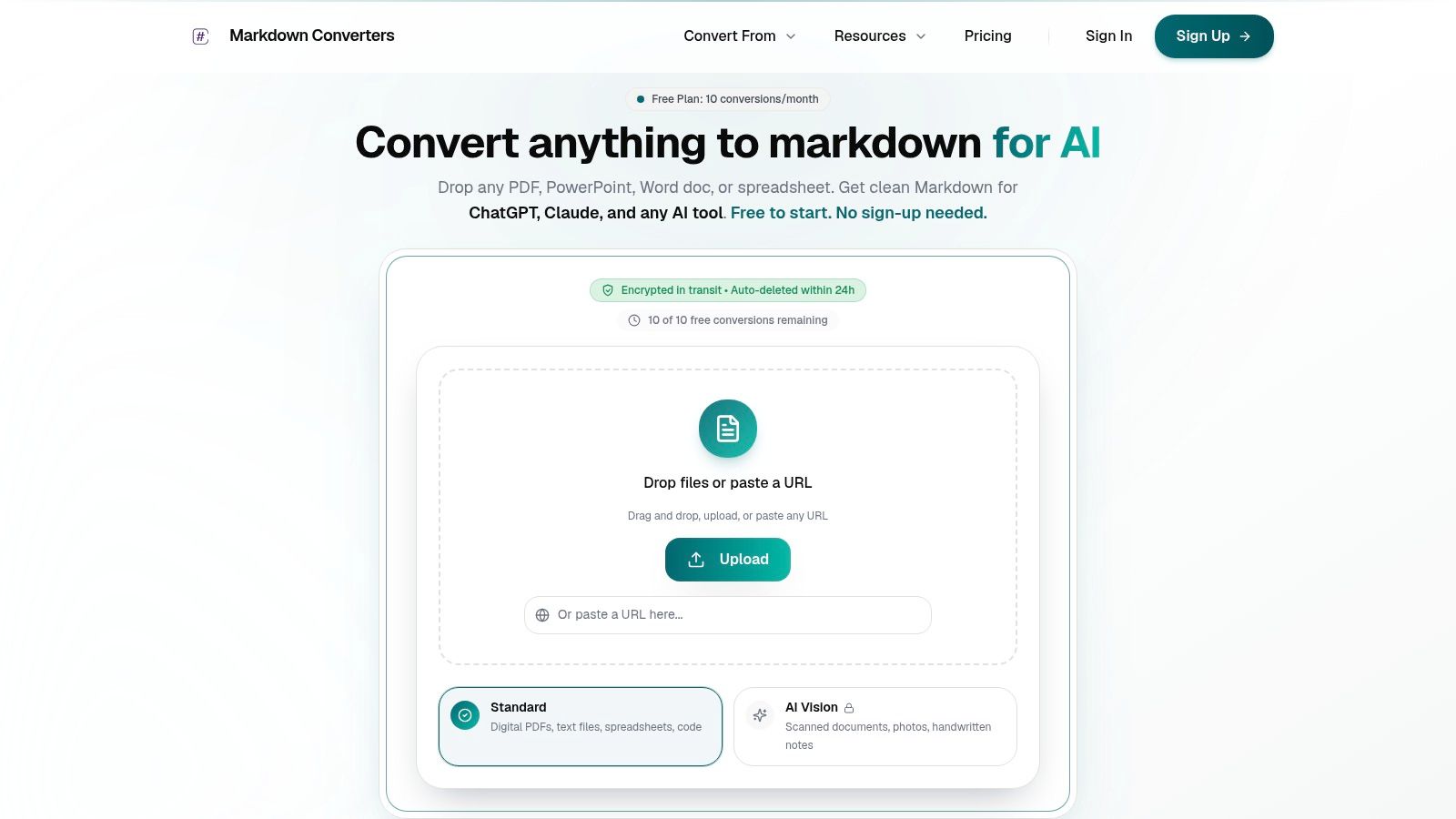
If your team needs more than a Django Markdown editor, Markdown Converters handles the harder side of the workflow: turning PDFs, DOCX files, web pages, spreadsheets, scans, and images into clean, AI-ready Markdown. It's a good fit when you need structured output for retrieval, OCR for difficult documents, or an API that can feed the same normalized Markdown into your Django app and your LLM pipeline.
Related Articles
Angular Markdown Editor: A Guide to AI-Ready Integration
Learn how to integrate an Angular Markdown editor into your app. This step-by-step guide covers setup, autosave, and preparing content for LLM workflows.
Read articleMarkdown Reader Windows: Best Tools for 2026
Markdown reader windows - Find the best markdown reader for Windows in 2026. Compare top tools to open, edit, and preview Markdown files effortlessly
Read articleHow to Download a Folder from Dropbox Without Losing Your
Learn how to download a folder from Dropbox quickly and easily, with step-by-step instructions for 2026.
Read article